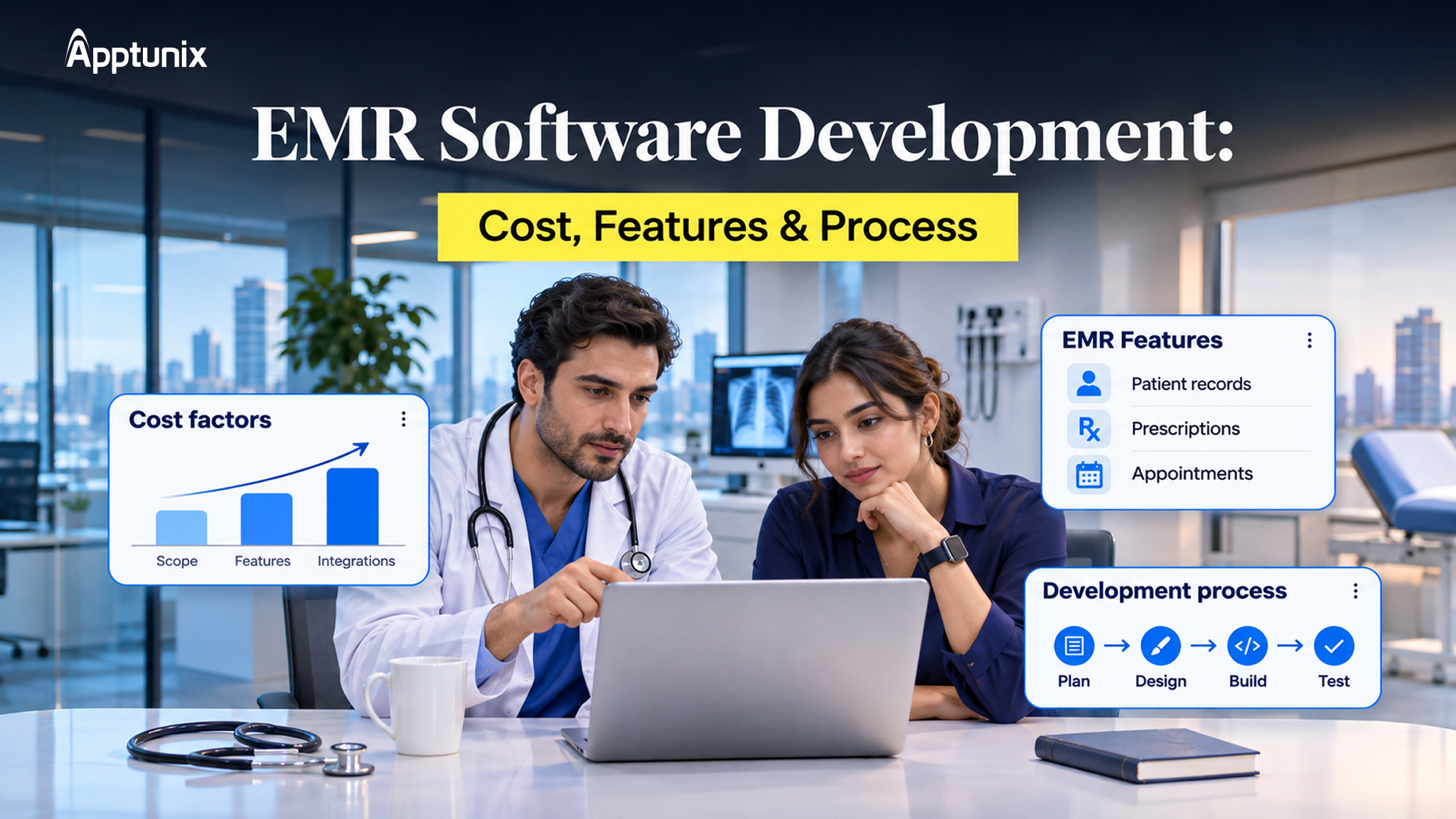
Custom EMR Software Development: Everything Healthcare Businesses Need to Know
4 Views 12 min November 11, 2026

As a technical content writer and strategist at Apptunix, I simplify complex ideas across app development, AI, emerging technologies, and digital transformation. My work focuses on turning technical concepts into well-researched, actionable content that helps founders, enterprises, and technology leaders make better-informed product and technology decisions.
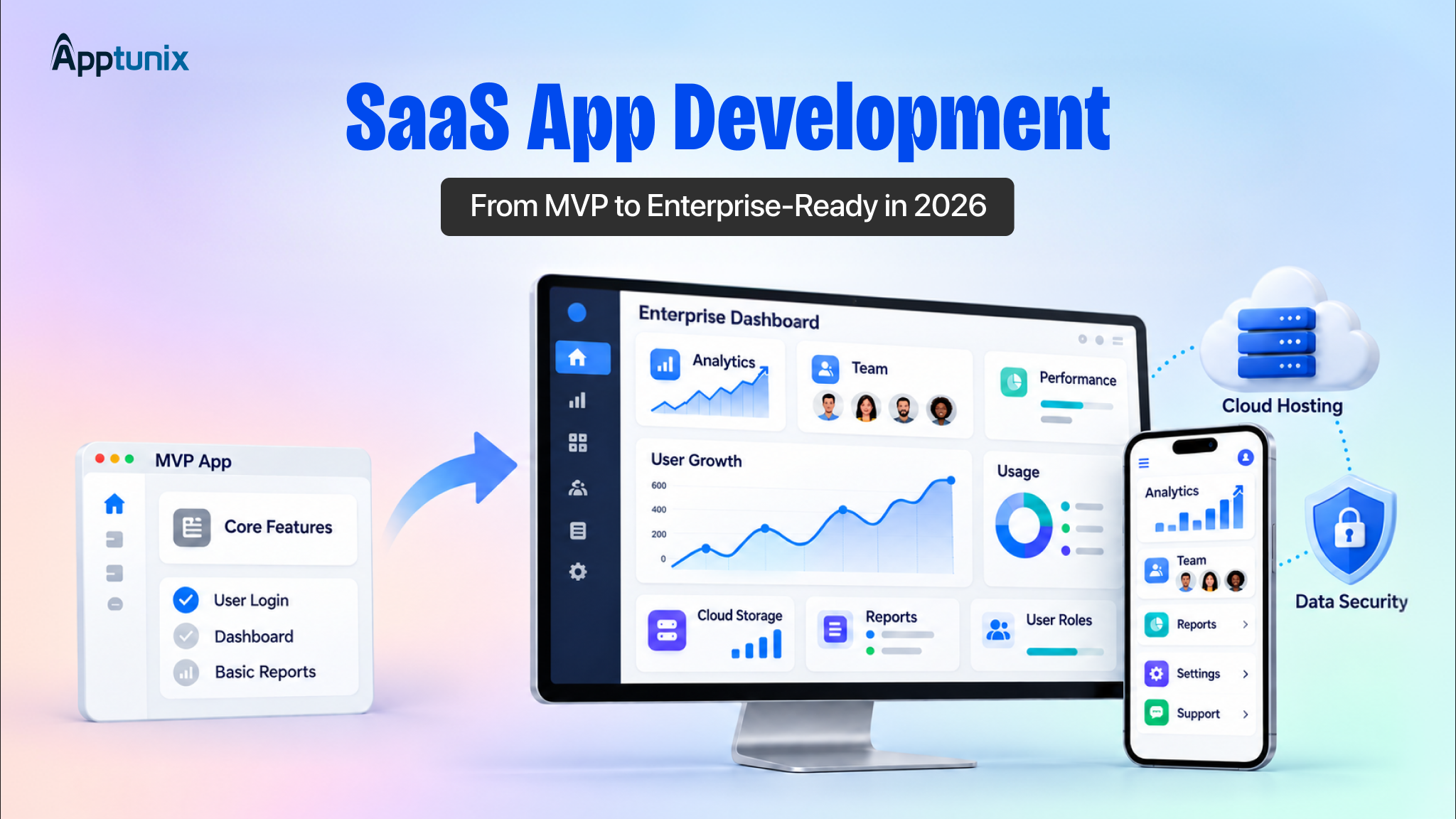
SaaS app development is designing, building, and running cloud software that customers pay for on a subscription basis. While it may sound like regular app development, in reality it is not. You are building a product that has to bill correctly, keep every customer’s data separate, and stay online every day for years.
Most guides usually consist of a number of steps in SaaS app development, but Apptunix shows where SaaS projects can actually go wrong. This is a small set of early decisions that are expensive to reverse.
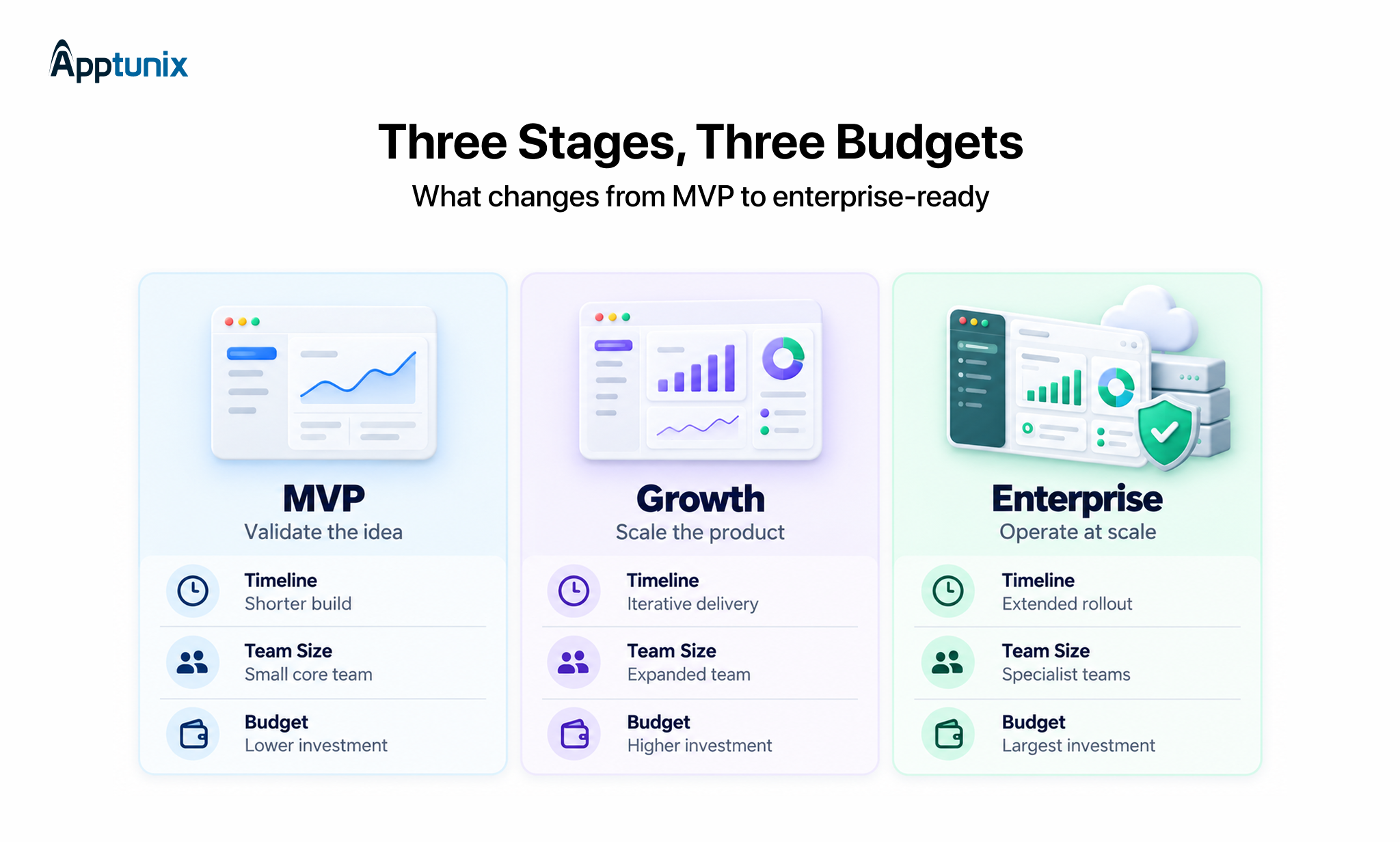
Let’s have a look at how SaaS application development cost, timeline, and team size change at each stage.
SaaS app development covers everything needed to deliver software over the internet as a subscription. The market for it isn’t small either, the global SaaS market was valued at roughly $375 billion in 2026 and is still growing fast. That includes the application itself, the cloud servers it runs on, the billing system, and the setup that lets one codebase serve many customers at once.
This is the part that separates SaaS development from building a regular app. A mobile app gets installed and mostly runs on the user’s phone. A SaaS product runs on your servers, and customers reach it through a browser or an app. If those servers go down, every customer is locked out at the same time. So you are not just building the software, but you are also responsible for keeping it running.
Understanding the SaaS business model is equally important, as four things change the moment you decide to build a SaaS application –
Billing becomes part of the product: Customers pay monthly or yearly. They upgrade, downgrade, add seats, and miss payments. Your software has to handle prorated charges, failed payment retries, and cancellations correctly, or revenue quietly leaks.
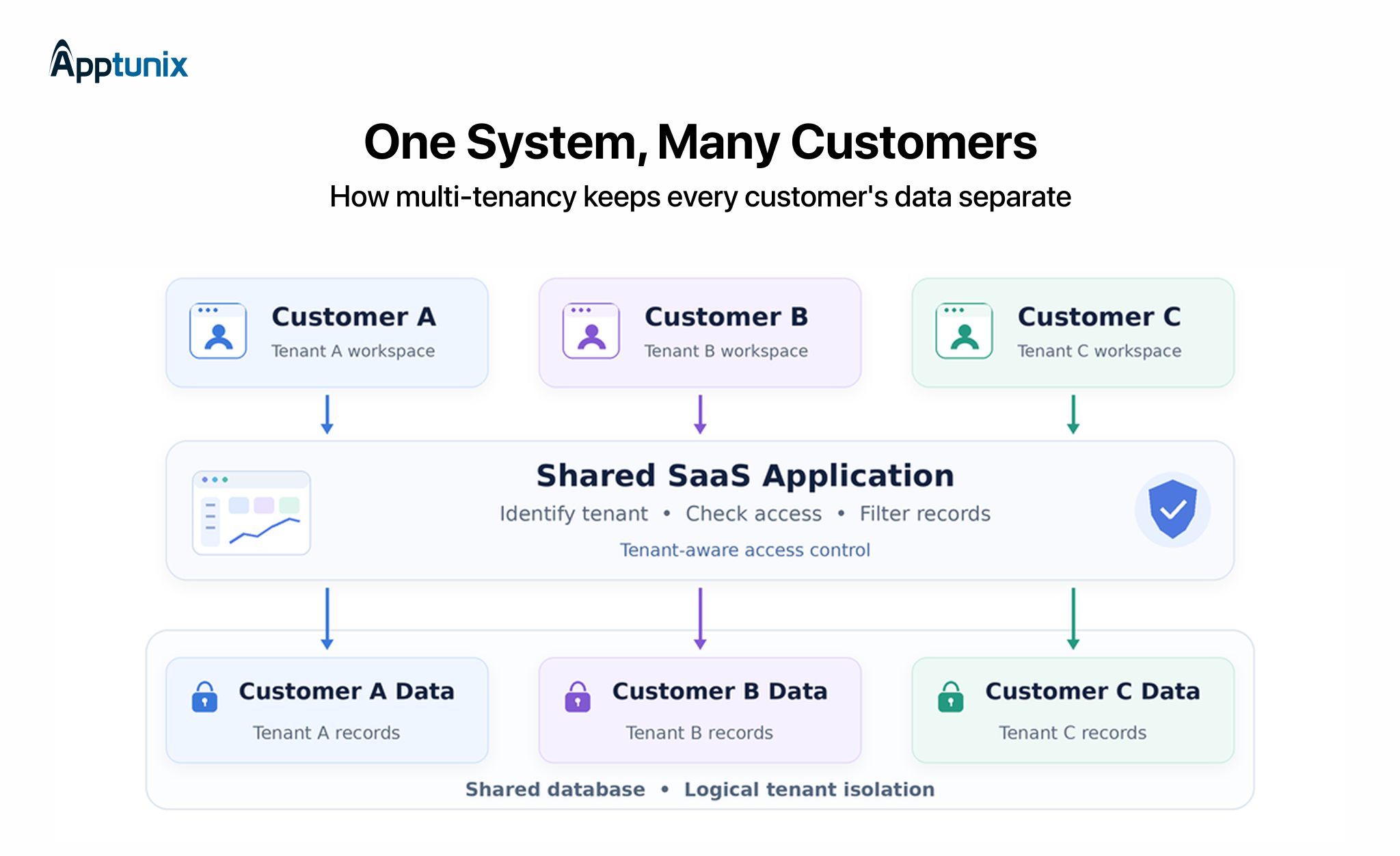
One system serves many customers: This is called multi-tenancy. Each customer, known as a tenant, shares the same running software but sees only their own data. Get the separation wrong, and one customer can read another’s records.
Uptime is a promise: Business buyers ask for uptime guarantees in writing. That pushes you towards monitoring, backups, and on-call support from the first release.
Releases never stop: You push updates to live customers every week or two. That needs automated testing and safe rollout habits, not one big launch followed by silence.
Each of these adds engineering work that a standard app never needs, and each one shows up later in your budget.
The type of SaaS you build decides your architecture, your security work, and how you sell. A scheduling tool for ten-person teams and a platform for a bank are both SaaS, but they are built very differently. Pick the type first, because it sets the scope for everything after it.
You also need to decide how customers will find you. Product-led SaaS lets people sign up and start on their own, so onboarding and self-serve billing must work without help. Sales-led SaaS relies on demos and contracts, so you need admin tools, custom plans, and integrations a sales team can promise. Most B2B SaaS development starts product-led and adds a sales-led layer once deal sizes grow.
Most teams go after the pricing model once the product is built. That is backwards. Your pricing model decides how the application is built, not the other way around.
Before starting with the coding, validate the idea itself. Talk to 15 to 20 people who have the problem you’re solving, and ask what they currently do instead of buying software for it. If nobody has a clear picture, that’s considered a bad sign. But once the idea holds up, decide how you’ll charge for it. Each model pushes the build in a different direction.
A usage-based product needs metering infrastructure from day one. A per-seat product doesn’t need metering at all, but it does need solid team management. Choosing the pricing model early saves you from rebuilding the billing layer six months after launch, which is one of the more expensive rewrites in SaaS app development.
Here’s a quick validation checklist before building a SaaS application:
The SaaS application development process runs in six stages, from discovery through to scale. Each stage has a clear exit point. Moving to the next stage before that point is where most timelines slip.
Two stages get compressed too often. Discovery gets skipped because everyone is eager to start building, and beta gets skipped because founders want to launch on a date they already promised someone. Both of those shortcuts tend to resurface later as rework.
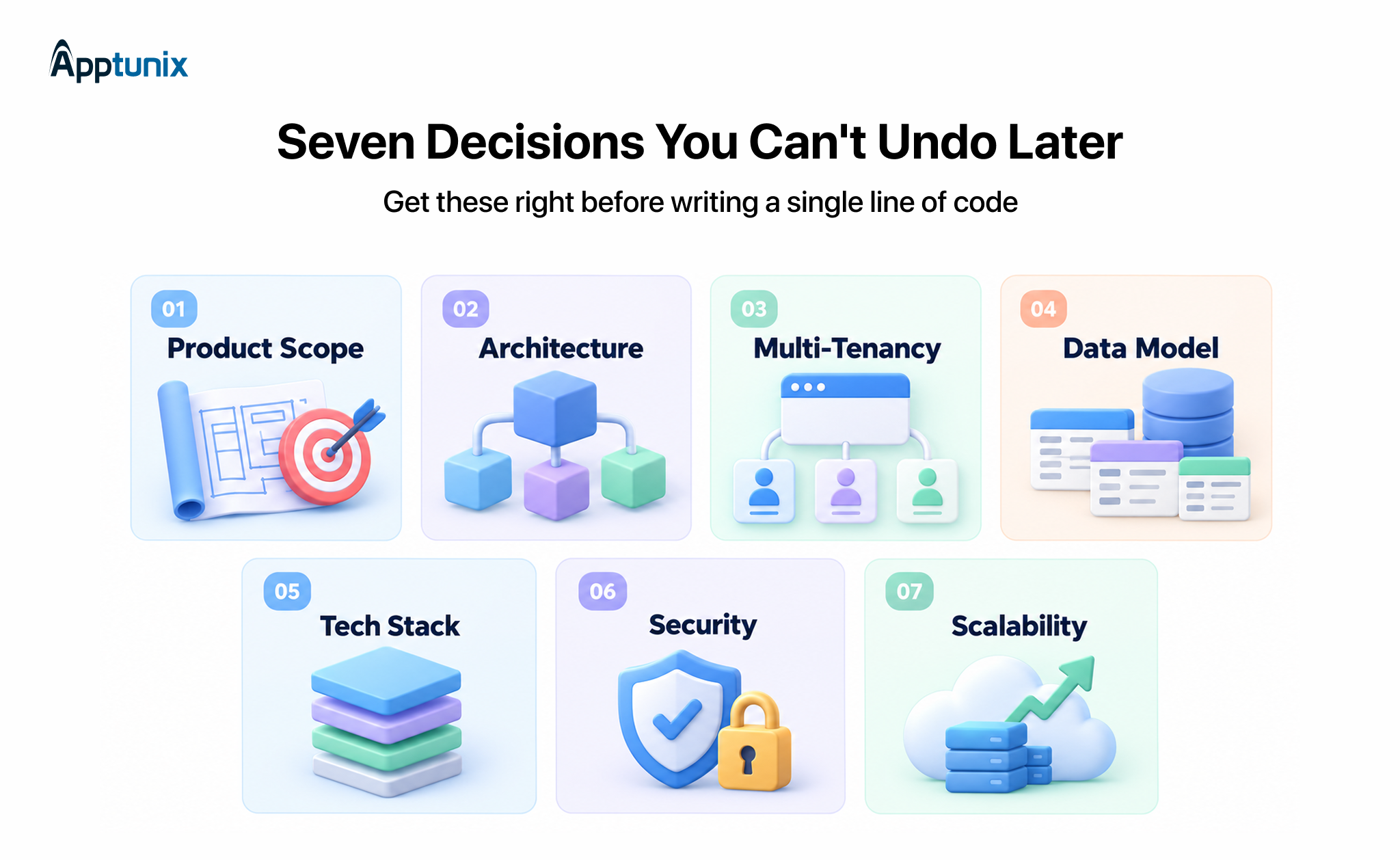
While most guides emphasize building features, let’s talk about certain early decisions that are easy and inexpensive to make correctly on day one and get brutally expensive to fix later. These aren’t just features, but they are structural choices. Getting these wrong doesn’t show up as a bug, but shows up six months later as a rewrite.
This decides how customer data is separated inside your system. Pick pooled (everyone shares one database, separated by a tenant ID), siloed (each customer gets their own database), or a bridge model that mixes the two.
Pooled is cheaper to run and easier to scale to thousands of small customers. Siloed is what enterprise buyers often want, because it’s easier to prove their data never touches anyone else’s. Switching from pool to siloed after launch means migrating live customer data without downtime, while every engineer is also trying to ship new features. Decide this before writing the database layer, not after your first enterprise deal shows up asking for it.
Early on, it’s tempting to hardcode two roles: admin and user. That works until a customer asks for a third role, then a custom role, then permissions that apply to one project but not another. If permissions aren’t built as a flexible model from the start, adding role-based access control later means touching almost every part of the application that checks who can do what.
Basic email and password login is easy to build. Enterprise buyers usually require SSO, meaning employees log in through their company’s existing identity system rather than a separate password. Retrofitting SSO into an application that wasn’t built with it in mind means reworking how every user session is created and verified, which touches nearly every screen.
Billing providers like Stripe, Chargebee, Paddle, and similar tools shape how upgrades, downgrades, proration, failed payments, and invoicing all behave. Switching providers later means migrating every customer’s payment method and subscription history without losing a single active subscription. Teams tend to delay this decision because billing feels like a “later” problem, then discover it’s tied into onboarding, the pricing page, and the dashboard all at once.
Where your servers physically sit matters more than it seems, even to a customer who thinks who is simply “using the internet.” Healthcare and finance customers often require data to stay within specific borders. Choosing a single cloud region at the start is simple. Adding multi-region support after launch means re-architecting how data replicates and which region serves which customer, while keeping the product live the entire time.
Deciding early that every feature is built as an API first, with the interface simply calling that API, keeps your options open. This means you can add a mobile app, provide public integrations, or let enterprise customers connect their own tools without reconstructing core logic. You can bolt an API onto a product that never accounted for one, but doing so usually forces the team to duplicate logic that already exists in the interface layer
Read more on: Custom API development services
A monolith, where the whole application is one deployable unit, is faster to build early on and perfectly fine for an MVP. Problems start once multiple teams are working in the same codebase and a small change in one area breaks something unrelated. Splitting a monolith into modular services later is possible, but it’s one of the more time-consuming architectural changes in SaaS application development, because it means finding and untangling every hidden dependency first.
Have a quick read on: Modular app development
Not every feature belongs in every version of your product. What you build depends on the stage you’re at and who you’re selling to.
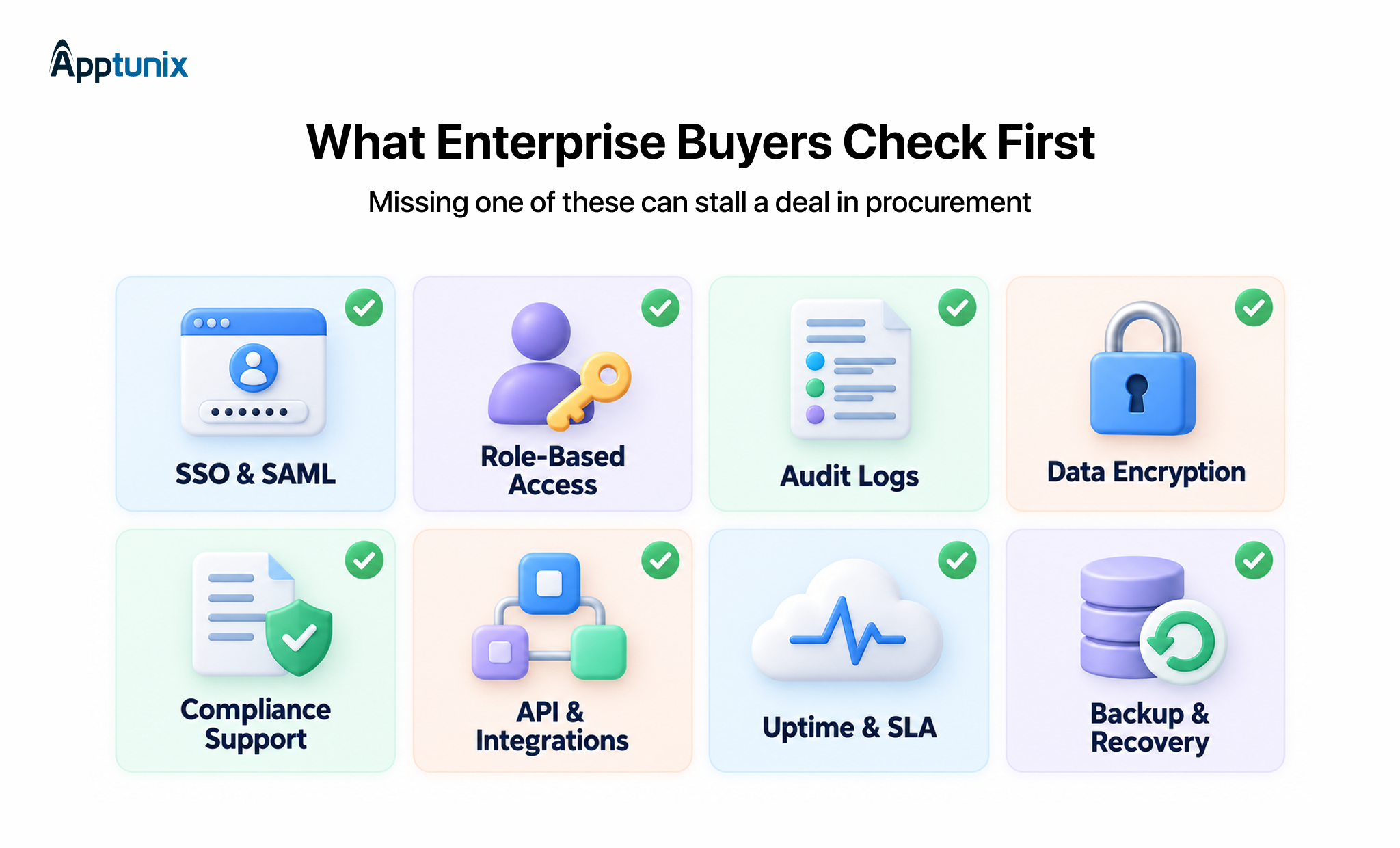
The enterprise column matters most. Large buyers often ask about these features during procurement, before they ever look at the rest of the product. A missing audit log or the absence of SSO can stall a deal that otherwise looked ready to close, regardless of how strong the core product is.
This is also where B2B SaaS development and enterprise start to diverge from B2C. A consumer product rarely needs SAML SSO or audit logs. A product selling to enterprise SaaS buyers usually needs them before it needs another core feature.
Your tech stack is the set of languages, frameworks, and tools your team builds with. There’s no single correct stack, but the choice should match your product’s scale, team skillset, and budget. It’s not about what’s trending at the moment.
An MVP isn’t a smaller version of your full product. It’s the smallest version that proves the core problem is worth solving, and worth paying for.
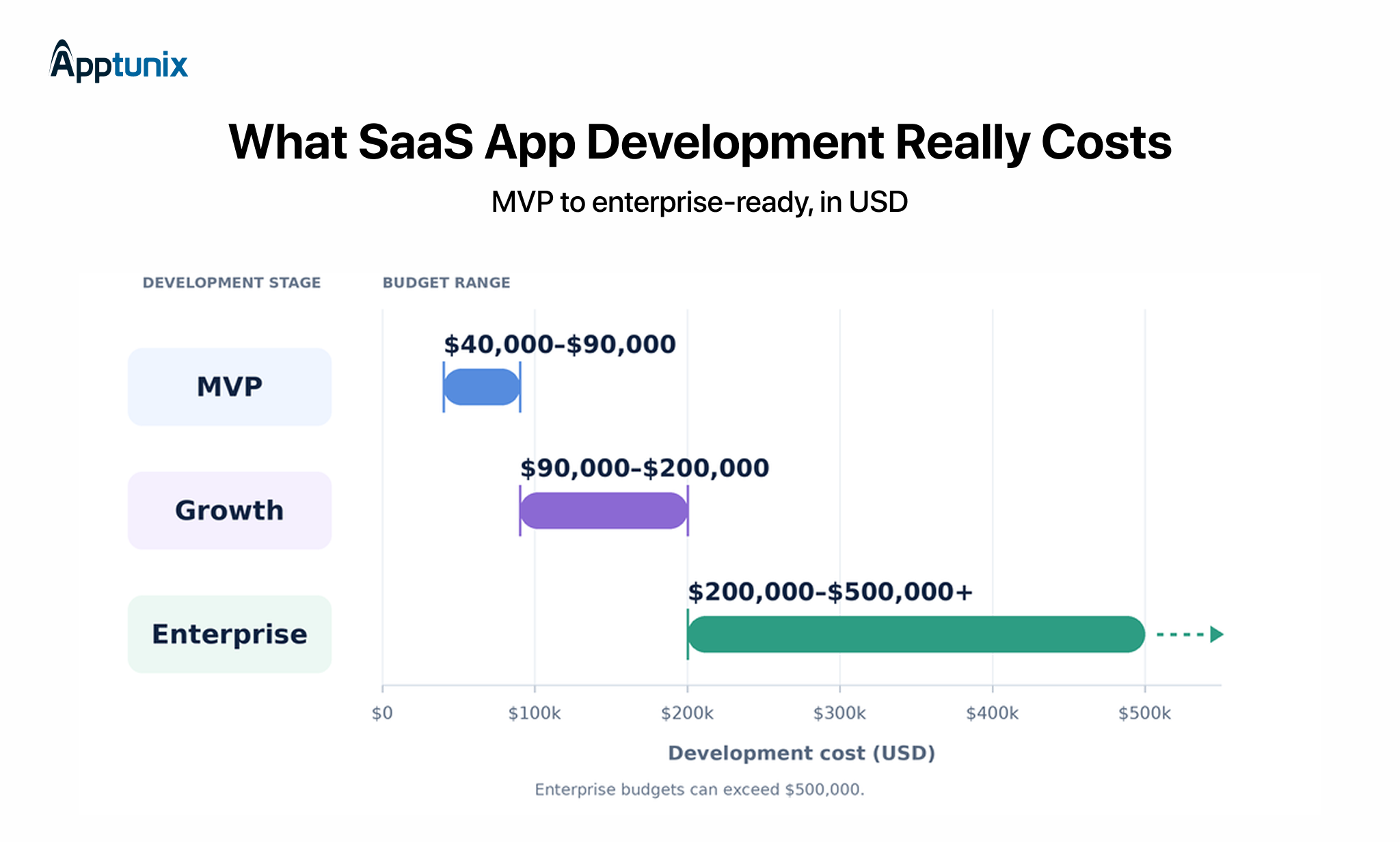
SaaS MVP development for startups usually runs 3 to 4 months and costs $40,000 to $90,000, depending on the complexity of that one core workflow. Startups that try to build everything before launch tend to run out of runway before they learn whether anyone wants the product at all. Startups that launch too early, before billing and security work properly, spend that saved time fixing production issues instead of collecting feedback.
The right MVP is the one you can put in front of paying customers in under four months and get real answers back.
Also Read: Comprehensive guide to develop an enterprise software
Three factors are the key driving factors for SaaS app development:
What drives cost up:
The cost to develop a SaaS application is only part of the budget. Once live, ongoing costs include cloud hosting per tenant, third-party tools (billing provider, monitoring, email), customer support, and periodic security audits. Running a product with 500 active tenants typically costs several thousand dollars a month, even before you factor in payroll.
Custom SaaS development cost tends to run higher than using a template or no-code base, but it avoids the rebuilding work that platforms without proper multi-tenancy or SSO support tend to force later.
There’s no single number that answers “how much does it cost to build a SaaS app,” because a simple internal tool and an enterprise-ready platform aren’t the same project. The stage-by-stage ranges above give a more honest starting point than a single flat estimate.
Security and compliance aren’t a final checklist item. Build them into the architecture from the start, as retrofitting later forces the SaaS app development company to change almost every part of the product, as covered earlier
Core Security Practices:
US compliance requirements to plan for:
SOC 2 in particular comes up constantly in enterprise deals. It’s an audit that confirms your security practices meet a recognized standard, and many enterprise buyers won’t sign a contract without it. The audit itself typically takes several months and isn’t cheap, so budgeting for it early, rather than scrambling once a deal depends on it, saves both time and money.
Testing that matters most for SaaS specifically:
This work rarely gets attention in a demo, but it’s usually what procurement checks first, and what decides whether the deal closes at all.
SaaS app development isn’t really about writing code faster or picking the trendiest stack. But it’s more about getting a small number of decisions right before locking into them, tenancy, permissions, billing, and architecture and building the discipline to ship safely once real customers depend on the product staying up.
Most teams learn this the expensive way: by rebuilding a database layer after a big customer signs, or scrambling for SOC 2 mid-deal, or realizing their MVP quietly turned into a half-built enterprise product with none of the enterprise features. If you validate the idea, choose a pricing model on purpose, and make the seven structural calls early, the rest of the roadmap in this guide, from MVP to enterprise-ready, gets a lot more predictable.
Thinking of whether to build this in-house or bring in a team who has done it before, this decision itself can save months. Apptunix has built SaaS products across these exact stages, from early MVPs to enterprise-ready platforms with SSO, audit logs, and compliance work already handled. Thinking about scoping your SaaS app development project? Talk to the right team before locking in the architecture, not after.
Q 1.Do I need to hire a SaaS development team, or can freelancers handle it?
Freelancers can work for a narrow MVP with a small budget, but a proper SaaS development team, covering backend, frontend, DevOps, and QA, tends to move faster once the product needs multi-tenancy, billing, and security done correctly at the same time. Most startups start lean and add specialists as the product grows.
Q 2.How do I find the right SaaS development company for startups?
Look for a SaaS development company for startups that can show past MVPs they’ve shipped, not just enterprise case studies. Ask how they’ve handled tenancy, billing, and security on a tight budget before, since that’s usually where inexperienced teams cut corners.
Q 3.What does a SaaS product development process actually look like end to end?
It follows the same six stages covered earlier: discovery, design, MVP, beta, launch, and scale. What changes between companies is how strictly they enforce the exit criteria at each stage, which is usually the difference between a smooth SaaS product development process and one that drags on for months longer than planned.
Q 4.Is SaaS MVP development different from regular MVP development?
Yes. SaaS MVP development still needs working billing, basic tenant separation, and account management from day one, even at the MVP stage, because those pieces are hard to bolt on later. A regular app MVP can usually skip all three.
Q 5.What should I look for in SaaS MVP development services before signing a contract?
Ask for examples of MVPs they’ve shipped in 3 to 4 months, not just full products, and ask specifically how they’ve handled billing and tenant isolation on past MVP-stage engagements. Any vendor confident in their SaaS MVP development services should be able to answer both without hesitating.
Get the weekly updates on the newest brand stories, business models and technology right in your inbox.
As a technical content writer and strategist at Apptunix, I simplify complex ideas across app development, AI, emerging technologies, and digital transformation. My work focuses on turning technical concepts into well-researched, actionable content that helps founders, enterprises, and technology leaders make better-informed product and technology decisions.
Book your consultation with us.
Book your consultation with us.


One Central, The offices 3, Level 3, DWTC, Sheikh Zayed Road, Dubai
+971 50 782 1690