Top AI Automation Agencies Dubai, UAE: A 2026 List
13 Views 15 min February 6, 2026

Introducing Nalini, our tech-savvy content expert at Apptunix, with 8+ years of experience in technical content writing. With a knack for making complex ideas simple, she turns intricate tech concepts into engaging reads. Her work highlights emerging trends such as AI-powered applications, cross-platform development, digital transformation initiatives, and B2B technology solutions. Through her strategic storytelling, she plays a vital role in advancing Apptunix’s mission to shape the future of mobile and web experiences, enabling clients to make smarter, technology-driven decisions that accelerate growth and secure a competitive edge.
Ever wondered why many mobile apps become global hits but face tremendous challenges when they enter the Arabic market? It may seem like a simple translation issue, but it’s much deeper than that. Arabic users don’t want to use a mobile app; they want to experience something built explicitly for them.
If the layout feels flipped, the tone feels too formal, the payment options don’t look familiar, or the Arabic just feels “off,” users instantly bounce, no matter how efficient your product or service is. This checklist highlights the most important things you must get right to build a successful Arabic app: the exact details that separate “translated apps” from apps Arabic users genuinely love.
Let’s get into the details!
Let’s explore the top reasons why developing Arabic apps requires a different approach:
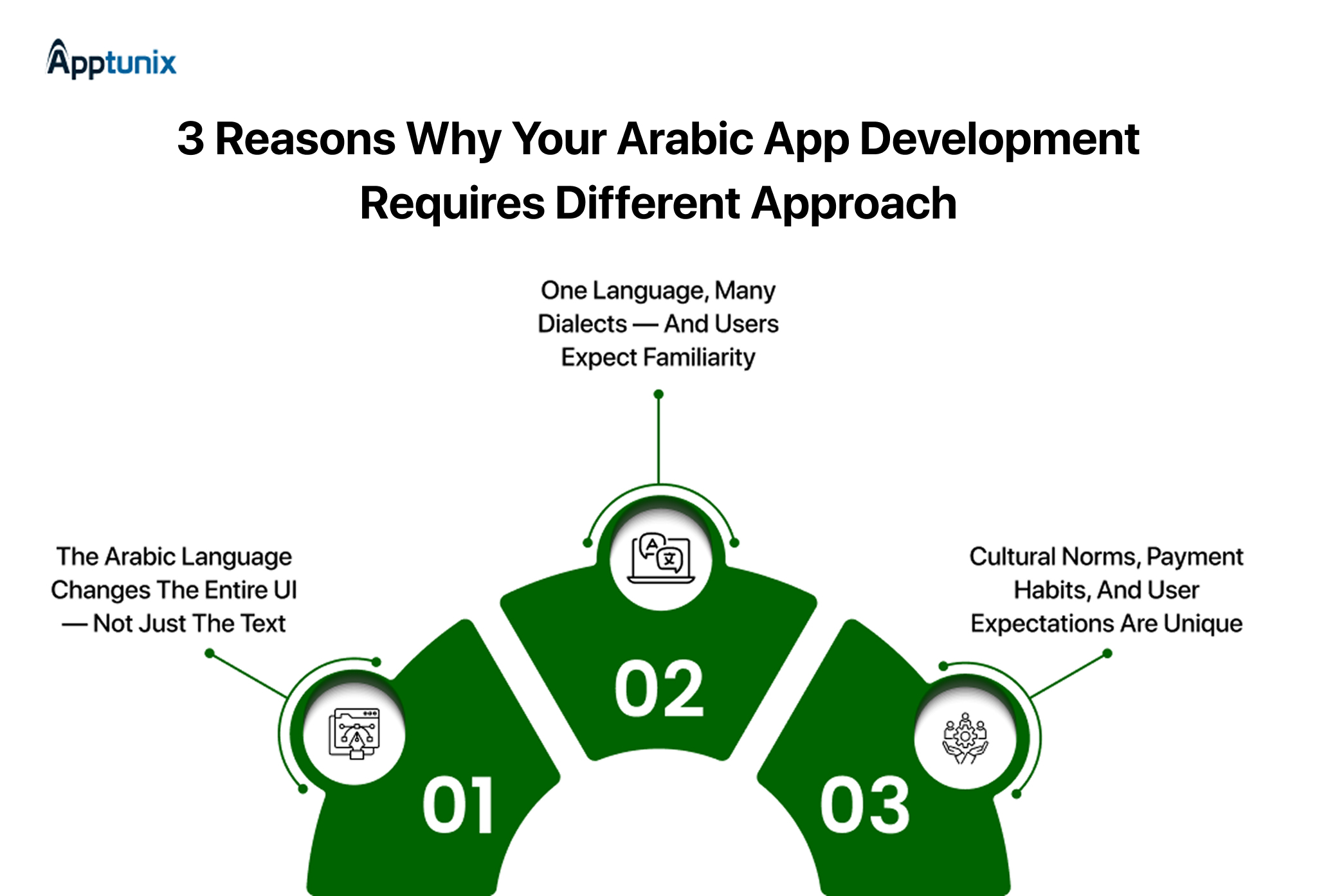
1. The Arabic language changes the entire UI — not just the text“The MENA region now has very high mobile penetration — in many countries smartphone adoption is above 80%, and a large share of internet users rely on mobile devices.”
Most of people think that when building an Arabic app is simply the “translated version of English.” Arabic is a right-to-left (RTL) language, which means the entire user interface (UI) needs to be considered.
Let’s understand in simple way: if you plug in Arabic text into a left-to-right layout: most of elements will fall out and your mobile app won’t feel native. That’s why RTL support must be baked into the design from day one.
2. One language, many dialects — and users expect familiarity“The Arabic language ranks among the top languages of internet users globally — there are over 237 million active Arabic internet users worldwide, giving the language a global share of around 5.2%”
Majority have this misconception that Arabix is a single language. But its not a single uniform language. It has many dialects and regional varieties. What may seem familiar and natural to Egypt users might feel confusing or odd for Saudi Arabia or Morocco users.
If your app uses only generic Modern Standard Arabic (MSA) or — worse — a direct translation with poor tone, it risks feeling cold or foreign. A user expecting familiar expressions, local phrasing, and the “feel” of their own region may lose trust.
That lack of cultural closeness reduces engagement. By contrast, when you match dialect and tone to your target audience (for example, Gulf Arabic for Gulf users, Egyptian Arabic for Egyptian users), the app feels personal — more like “an app built for me.”
3. Cultural norms, payment habits, and user expectations are uniqueThe MENA mobile payments market is booming — estimated at about USD 7.24 billion in 2025, with forecasts projecting rapid growth through 2030. And in certain countries (like UAE), mobile-wallet usage is already widespread — around 46% of the population reportedly uses mobile wallets for daily purchases.
In the Middle East and North Africa (MENA), “global defaults” don’t always match user expectations. Payment behavior, privacy expectations, and cultural sensitivities vary widely — and an app ignoring those risks rejection, not adoption.
For example: many users prefer regional digital wallets, local payment schemes, BNPL services, or regionally supported cards rather than global payment gateways. Security and trust are extremely important. If users don’t see payment options they trust, they may abandon the checkout flow altogether.
So if your app includes payments or commerce, integrating local payment methods — plus culturally relevant UI and content — isn’t a perk — it’s a requirement for success.
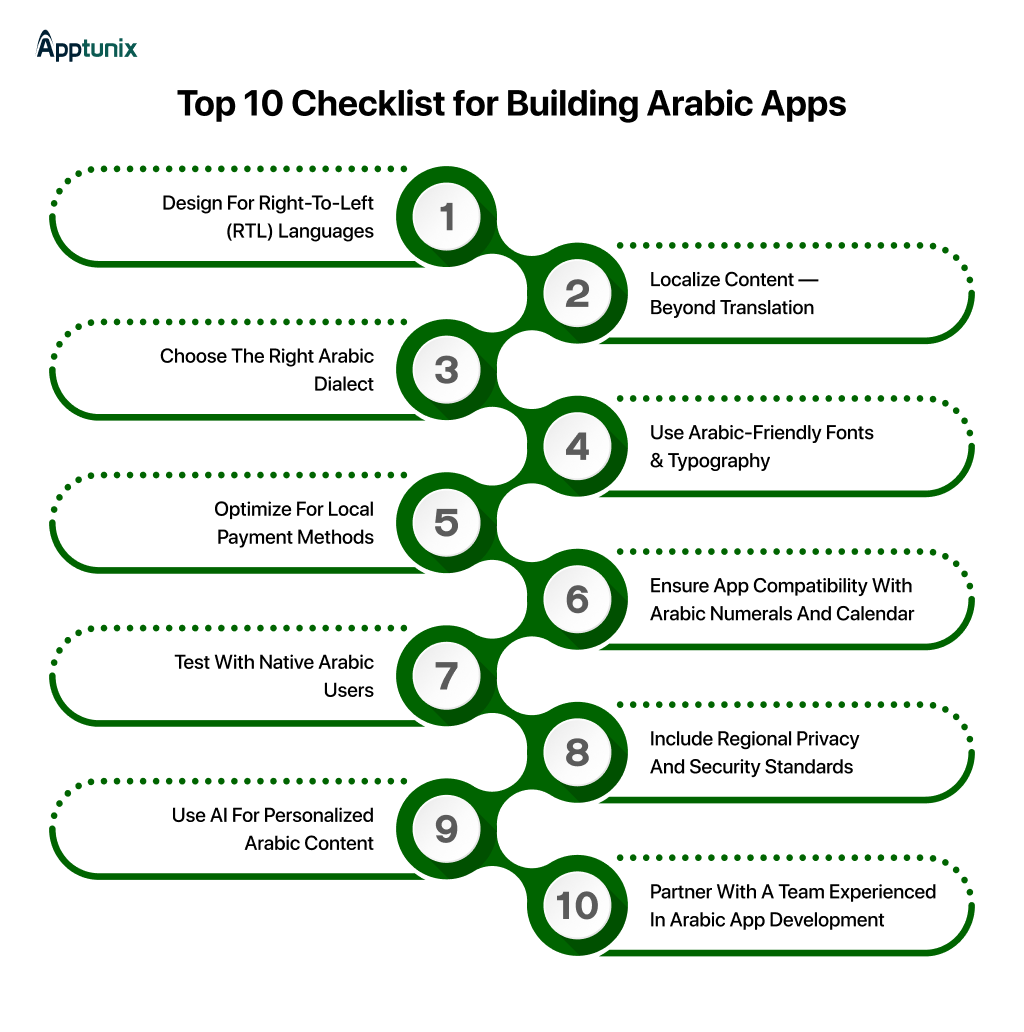
Let’s get into checklist you must follow when building arabic apps. Let’s dive in:
1. Design for Right-to-Left (RTL) LanguagesWhat’s the first thing that you focus on when you plan to build an Arabic app? – Well, it’s the entire interface that flows from right to left.
And it’s not just about flipping the text, it’s also the direction of navigation, swiping, menu position, screen transitions, pagination icons, and even animations. Most companies try to “mirror the English UI at the end,” – and this usually leads to layout glitches and frustrated users. This includes truncated text, incorrect page flow, & misaligned buttons.
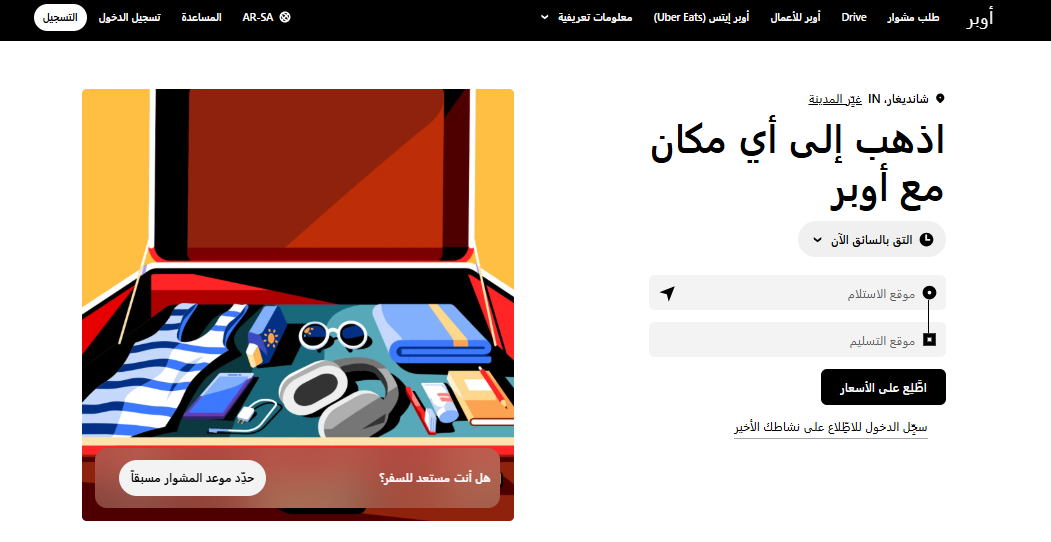
So, whether you build on Android, iOS, or cross-platform (Flutter/React Native), be aware of each platform’s support for RTL layout, bidirectional text, and numeric input direction, and test accordingly.
If your goal is to reach users across the MENA region, building for both Android and iOS is highly recommended, as usage is relatively balanced across the two platforms in most Arabic-speaking markets.
Investing in QA with Arabic locale from the very beginning prevents costly redesigns, layout fixes, and re-development later and ensures the product feels native and polished by the time it launches.
2. Localize Content — Beyond Translation“According to localization experts, apps that are well localized feel native and familiar — they create better user engagement, higher retention, and more loyalty among Arabic-speaking users.”
When we talk about localization, it doesn’t mean “Google translate Arabic” – but instead speaking in a familiar Arabic cultural voice. This means, along with the right words, it should also align with the right tone, date/time formats, examples, humor, metaphors, and images – to resonate with users.
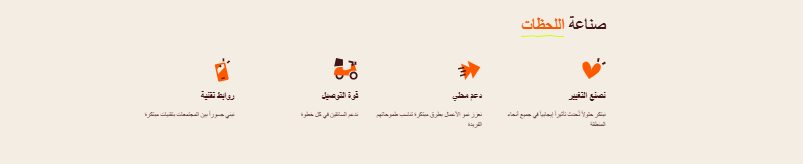
And if you’re wondering why this is important? Because Arabic users can instantly tell when an app is simply translated rather than properly localized.
Note:
What’s acceptable in one region might not be accurate or appropriate in another. It includes images, humor, data representations, color symbolism, and metaphors. Now all you need is a detailed understanding & strong research to evaluate better for cultural sensitivity.
In short: localize the entire user experience — not just strings on buttons.
3. Choose the Right Arabic DialectOf course, Arabic isn’t one uniform language – Egyptian Arabic feels friendly & casual, whereas Gulf Arabic feels more formal & business-like, & Levantine Arabic sounds different again.
So, what to do in that case?
If your mobile app development in the UAE targets the entire region, you can use Modern Standard Arabic (MSA). It is the formal & widely understood variant used for formal writing, documentation, and news. On the contrary, if you’re targeting one country (e.g., the Gulf region or Egypt), focus on the local dialect, which connects more emotionally (especially in chatbots, marketing & notifications). This will help yield a better, more natural, and engaging experience.
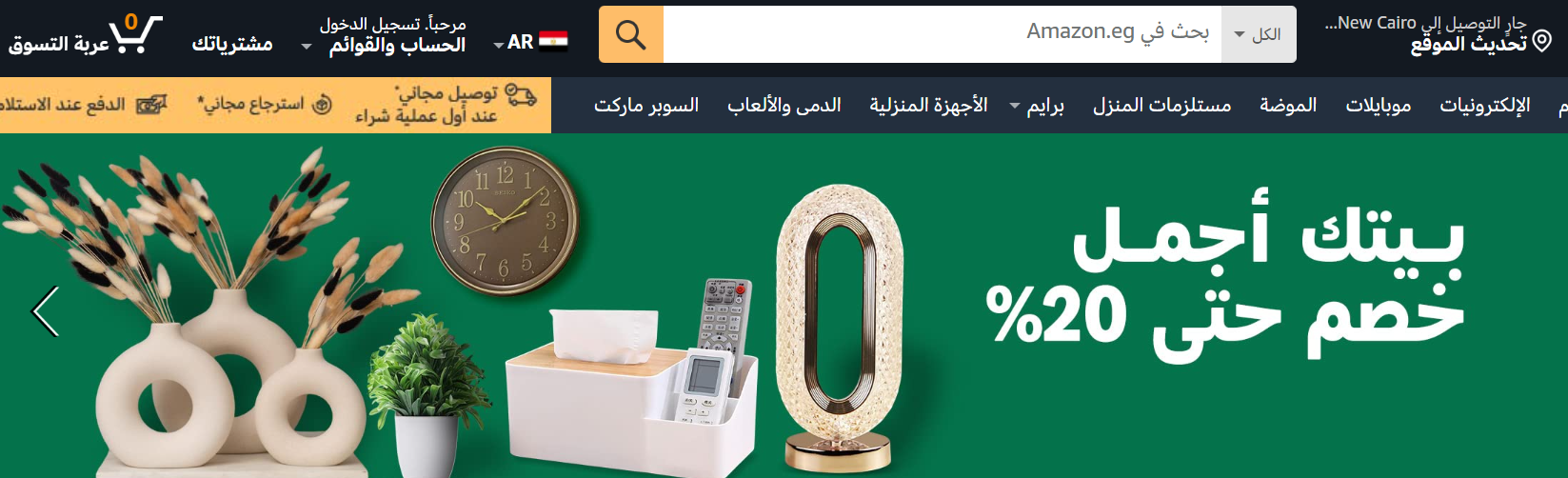
Note that the wrong choice of dialect/ register may make your mobile app feel foreign even if your language is correct.
4. Use Arabic-Friendly Fonts & TypographyFonts can make or break an Arabic app. Using high-quality, professional Arabic fonts (designed for readability, legibility, and context) is crucial to make the app feel native and polished.
Now, it’s crucial to note that Arabic script has context-sensitive letter shapes (letters change depending on position in a word), as well as ligatures and proper joining. Additionally, Arabic often requires more vertical space. Without proper typography, text may look overlapped or crammed – negatively impacting readability & aesthetic.
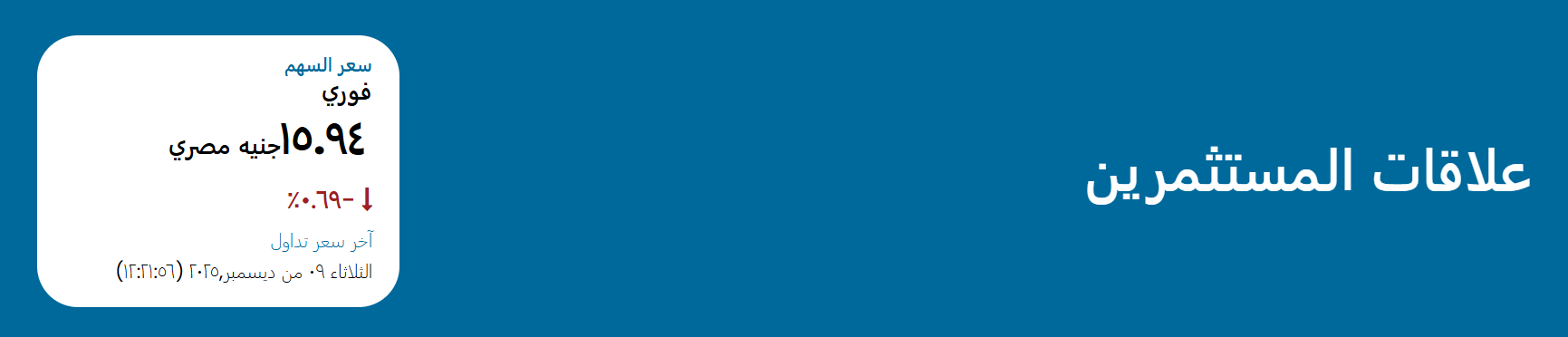
Also, integrating Arabic text with numerals (Arabic-Indic or “Western” numbers), Latin script, or symbols requires careful handling: proper directionality, correct number rendering, and consistent style.
5. Optimize for Local Payment MethodsWhen you’re building an app for the MENA region, payment methods can make or break the user experience. Many developers assume that global gateways such as Visa, Mastercard, or PayPal are sufficient—but in reality, a significant percentage of users rely on local payment options.
People in the region trust local wallets, regional debit cards, bank apps, and BNPL app like Klarna (buy now, pay later) platforms far more than international systems.
If a user reaches checkout and doesn’t see familiar local options, they’re far more likely to abandon the purchase — not because they don’t want to buy, but because they don’t trust the payment method.
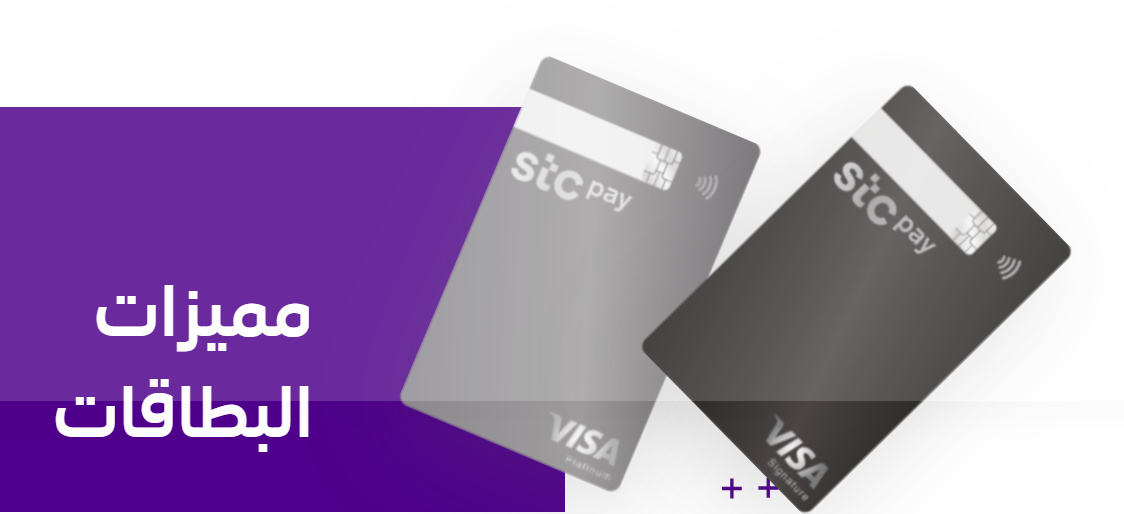
By offering multiple locally recognized options, you instantly make users feel safe:
STC Pay in Saudi Arabia, Mada cards, Benefit Pay in Bahrain, Fawry in Egypt, Apple Pay across GCC, Tabby/Tamara for BNPL, etc. When customers see logos they recognize, trust goes up — and so do conversions.
Security also matters a lot in this region. Users expect high compliance, strong authentication, and clear payment flows. Integrating reputable regional payment providers not only meets legal requirements, but it also signals credibility.
So if your app sells anything — digital goods, subscriptions, or physical products — local payment methods aren’t optional. They’re the difference between users completing the purchase… or closing the app.
6. Ensure App Compatibility with Arabic Numerals and CalendarArabic UX goes beyond text – users might prefer Arabic-Indic numbers (١٢٣) or Western numbers (123) depending on the region. Some users also use the Hijri calendar, in addition to the Gregorian.
A date picker that shows the wrong calendar or wrong digits instantly hurts the user experience. Little things like plural forms and grammar with numbers also matter — and Arabic has more rules than English.
Pages may include a mix of Arabic and Latin (or numbers)—this requires careful layout, direction handling, and formatting to ensure the UI remains cohesive and readable. Ignoring these aspects results in UX that feels “off,” confusing, or unnatural — a big risk if your target audience expects regional accuracy.
7. Test with Native Arabic UsersNothing beats having native Arabic speakers test your app — it’s one of the most overlooked but most valuable steps in Arabic app development.
Native users catch things that automated QA and machine translation never will: phrases that sound awkward, UI elements that feel “off,” icons that imply the wrong meaning, or even wording that might be unintentionally sensitive. Sometimes, changing just one sentence or one icon is enough to boost user trust dramatically — but only a native speaker will notice it.
And it goes beyond language. Testers help validate:
Plus, technical usability also needs real-world testing:
Many teams wait to test with Arabic users at the end of development — and by then, fixes are expensive and frustrating. Early testing saves both time and cost by catching UX and cultural issues before they snowball.
To put it simply: If you want Arabic users to love your app, testing with native users isn’t optional — it’s essential. No automation or translation tool can replace honest feedback from real people who live the culture and language.
The quickest route to an Arabic app that feels right is simple: let native speakers experience it and tell you honestly what works and what doesn’t.
8. Include Regional Privacy and Security StandardsSome countries in the Arab world have stricter data-privacy or content-sensitivity laws, plus cultural norms around content (such as images, religious sensitivities, and representation).
This makes it crucial to design a mobile app that respects their cultural & privacy aspects to avoid regulatory or reputational risk.

Next, if you want to integrate local payment methods, ensure compliance with payment security standards. This includes data encryption, secure card handling, and fraud prevention, as needed in the region.
Consider local expectations for privacy, permissions, notifications, and disclaimers: what’s acceptable in one region may feel intrusive in another.
9. Use AI for Personalized Arabic ContentWhen it comes to AI, Arabic can’t be treated like English, and that’s where many apps fail.
Arabic has rich morphology, multiple writing styles, and dozens of dialects, so using a generic English-trained AI model and expecting smart results simply doesn’t work. If your app relies on search, voice input, chatbots, recommendations, or personalization, the AI actually needs to understand Arabic to deliver a good experience.
Think of it this way:
An AI trained on Modern Standard Arabic might handle news headlines, but it will struggle with everyday conversational Arabic. And a chatbot that speaks “formal” Arabic to a Saudi, Egyptian, or Moroccan user can feel distant or downright confusing.
That’s why using AI models trained in Arabic, and ideally for specific dialects, makes the experience feel 10× more natural and human.
A quick example:
A chatbot that responds in Egyptian Arabic to Egyptian users, or in Gulf Arabic to Saudi users, instantly feels more familiar and trustworthy. Engagement goes up, conversations last longer, and conversions jump because users feel understood.
And it’s not just chat. Arabic-aware AI can tailor:
The result? The app stops feeling “translated” and starts feeling built for me.
As AI and NLP become standard in apps, this becomes a real differentiator. Teams that invest in dialect-aware, Arabic-trained AI get significantly better user satisfaction — while those relying on English-first AI risk frustrating users without even realizing it.
In short: If you’re using AI in an Arabic app, Arabic-native AI isn’t a bonus; it’s a requirement for a world-class experience.
10. Partner with a Team Experienced in Arabic App DevelopmentArabic UX involves many factors: fonts, grammar rules, calendar formats, payments, cultural expectations, & RTL layouts. And you only understand them thoroughly when you’ve worked on Arabic products before.
Make sure to avoid common pitfalls, including mis-translations, poor layout, and culturally insensitive content. All these issues occur when the team lacks Arabic experience.
Mobile app development companies that haven’t built Arabic apps before often underestimate the complexity & end up over budget & deadline. To avoid that, partner with a mobile app development company in Saudi Arabia that has proven experience in Arabic app development.
A team familiar with RTL, localization workflows, pluralization rules, date/number formatting, and local payment APIs will work faster and produce a more polished product than a team learning on the go.
Having the right partner will help you navigate through the complex process and offer a fully functional Arabic mobile app with guaranteed success in the MENA market.
We at Apptunix, an enterprise-grade level mobile app development company in UAE, understands the core of Arabic cultural understanding, native user experience, and technical precision.
We build mobile apps that don’t simply add Arabic support but design, develop, & optimize apps specifically for Arabic users.
When you partner with Apptunix, you get a team that understands:
✔ Arabic UI and RTL layout: with pixel-perfect execution
✔ Dialect-aware content: not generic, formal Arabic that feels robotic
✔ Local payment methods: Mada, STC Pay, BenefitPay, BNPL and more
✔ Native Arabic testers: ensuring cultural comfort, clarity, and trust
✔ Privacy & compliance: across KSA, UAE, Qatar, Bahrain, and beyond
✔ AI and personalization: trained for Arabic, not English-first models
Result? Your app doesn’t just “work in Arabic” it feels built for Arabic users from day one.
Businesses choose Apptunix because we bring:
Whether you’re launching a brand-new product or Arabic-enabling an existing one, Apptunix helps you:
If the Arab world is part of your growth plan, Apptunix is the smartest partner you can choose. Let’s build an app that feels local, intuitive, trusted and most importantly loved by Arabic users. Ready to get started? Reach out and let’s talk about your idea.

Q 1.How do I build a successful Arabic mobile app?
You can build successful Arabic apps by following these checklists:
Q 2.Which features are important for Arabic apps in the Middle East?
The features that are a must include in an Arabic app include
Q 3.Why is Arabic localization important in mobile app development?
Arabic localization ensures accurate language translation, cultural relevance, and higher engagement across GCC countries. This ultimately improves retention and conversions.
Q 4.What are the best practices for designing Arabic app UI/UX?
The best practices for designing Arabic app user interfaces and experiences are to focus on RTL layouts, readable Arabic fonts, simple navigation, mobile-first design, and interfaces that reflect local culture and user behavior.
Q 5.How much does it cost to develop an Arabic app in the Middle East?
An Arabic app typically ranges from $10,000 to $80,000, depending on customization, integration, and region-specific needs. The cost also varies by features, platform, and complexity.
Get the weekly updates on the newest brand stories, business models and technology right in your inbox.
Introducing Nalini, our tech-savvy content expert at Apptunix, with 8+ years of experience in technical content writing. With a knack for making complex ideas simple, she turns intricate tech concepts into engaging reads. Her work highlights emerging trends such as AI-powered applications, cross-platform development, digital transformation initiatives, and B2B technology solutions. Through her strategic storytelling, she plays a vital role in advancing Apptunix’s mission to shape the future of mobile and web experiences, enabling clients to make smarter, technology-driven decisions that accelerate growth and secure a competitive edge.
Book your free consultation with us.
Book your free consultation with us.

One Central, The offices 3, Level 3, DWTC, Sheikh Zayed Road, Dubai, United Arab Emirates
+971 50 782 1690