Build ERP Software for the Manufacturing Industry
56 Views 12 min October 27, 2026

As a technical content writer and strategist at Apptunix, I simplify complex ideas across app development, AI, emerging technologies, and digital transformation. My work focuses on turning technical concepts into well-researched, actionable content that helps founders, enterprises, and technology leaders make better-informed product and technology decisions.
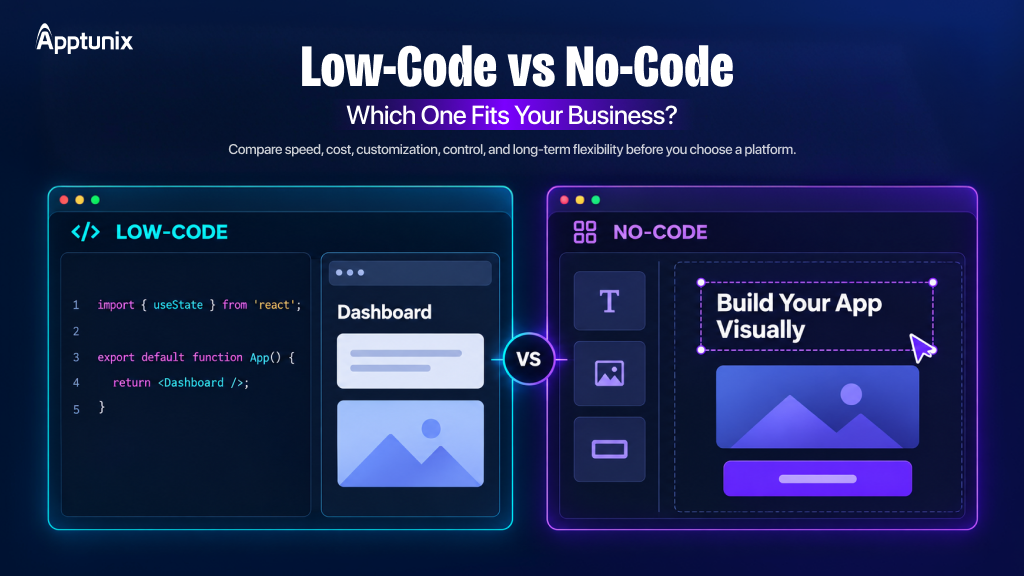
Low-code vs no-code sounds like an easy call, but it isn’t. The price on the website tells you very little. The real bill arrives later, in three forms.
Here’s the short answer. When it comes to IT controls, low-code suits custom logic and system connections. No-code is for the creation of simple tools for internal use and fast prototypes by non-developers. It is less expensive and quicker at the beginning but gets “stuck” at some point. Let’s understand through this blog how they work, don’t work, and the costs related to them.
The ability to develop code over visual tools is Low-code. No coding in No-code—it remains fully visual. Using a no-code approach, business users are able to create apps without coding a single line.
Let’s see how the two camps look in practice.
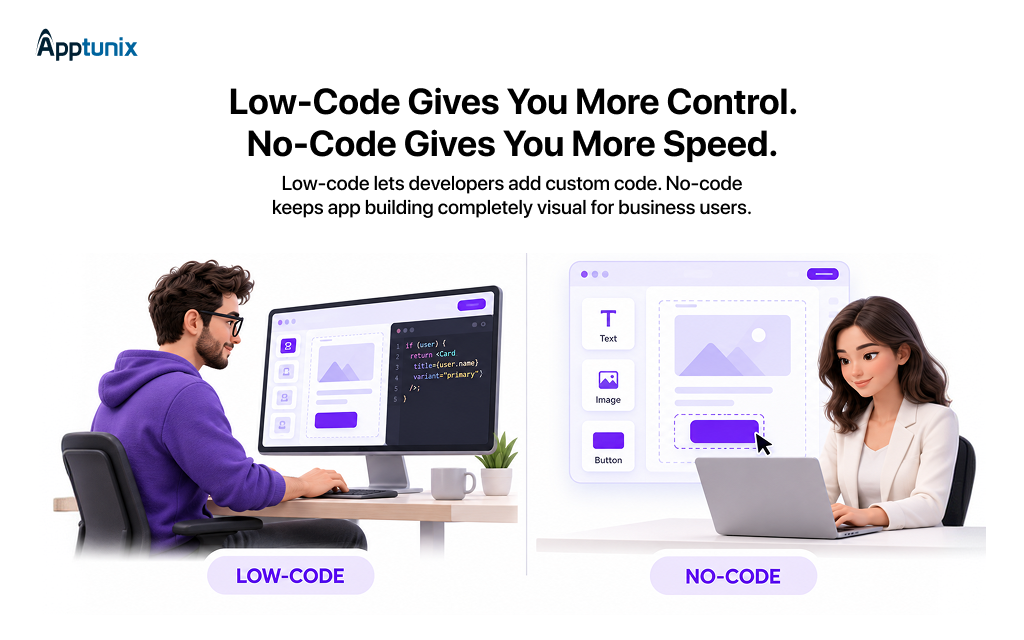
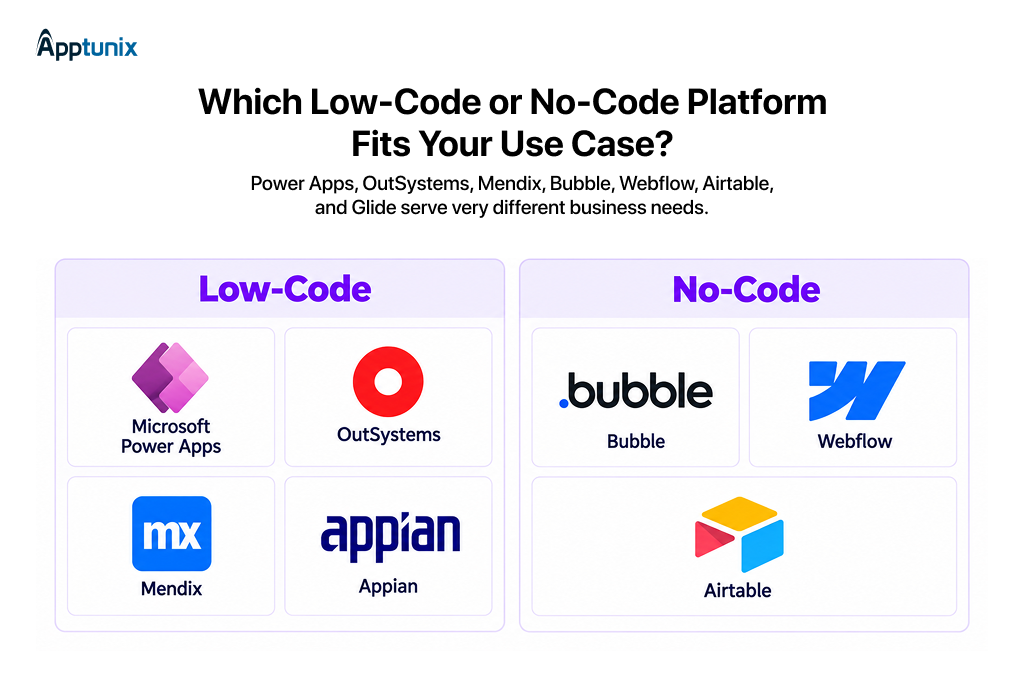
A low-code development platform allows code to be added. Just like PowerApps, OutSystems, Mendix, and Appian. It is suitable for apps that evolve over time.
All operations are performed via menus, forms, and blocks. Bubble, Glide, Airtable, and Webflow are the templates to think about.
If you didn’t know what low code/no code was, that’s the essence of it. Same visual building, different limits on what you can add. With no-code, an operations lead can build an approval form. A sales manager can build a lead tracker. No one waits for IT. These are why no-code is closely related to citizen development.
The platform determines what’s possible, while employees outside of IT create their own tools. Any feature not present on the menu cannot be added.
It can be difficult to clearly identify the two. An example of this is Oracle APEX and Power Apps, as they are considered both. So ignore the label. Rather, ask two questions.
When a developer can get in there and write code, it’s low-code. But it’s no-code when the team needs to go around the threshold.
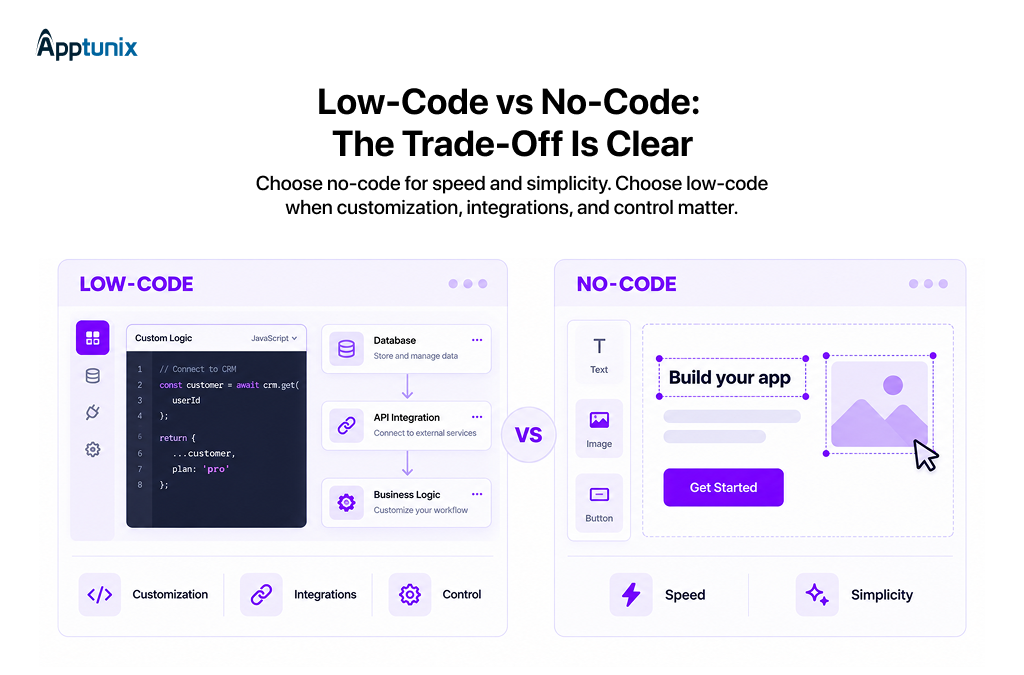
It’s not a competition between low code and no code but about making a choice. Low-code excels in terms of customization, integrations, and control. The speed and ease are the key advantages of no-code. The type of pick that is chosen is based on the number of users, complexity, and who constructs it.
The table illustrates what low code / no code is in real life. It is a comprehensive guide to 8 points that are important in spending money.
Low-code gets 5 rows; no-code gets 2 rows; size determines the one row. It can’t be concluded that low-code is always the right way to go. No developers, no long build, no greater bill should be needed with a simple approval form that three people use. If so, no-code is the more profitable investment since the app is small and there would be little loss if there were a lock-in.
It’s a different story when an app handles customer data. Or plugs into core systems. Or has to last a decade. Same goes for any build vs buy decision for internal tools. Early shortcuts later cause expensive fixes.
Don’t pick by brand name. Pick by fit. That’s what matters when you compare low-code vs. no-code platforms. An enterprise low-code platform is built around IT teams. It comes with user roles, test environments, and hooks into ERP and CRM. Power Apps, OutSystems, Mendix, and Appian all live in this camp.
They’re good for workflows, portals, and in-house tools. A no-code app builder is the easy way, which consists of Bubble, Webflow, Airtable, and Glide, and manages prototypes, websites, and small team apps. Options are limited, sure. But you can ship in days.
If your company is already on Microsoft, it’s often a good idea to begin with Power Apps, since the data and sign-in are already available. In Apptunix’s guide for Power Apps Microsoft you’ll understand what it can and cannot do.
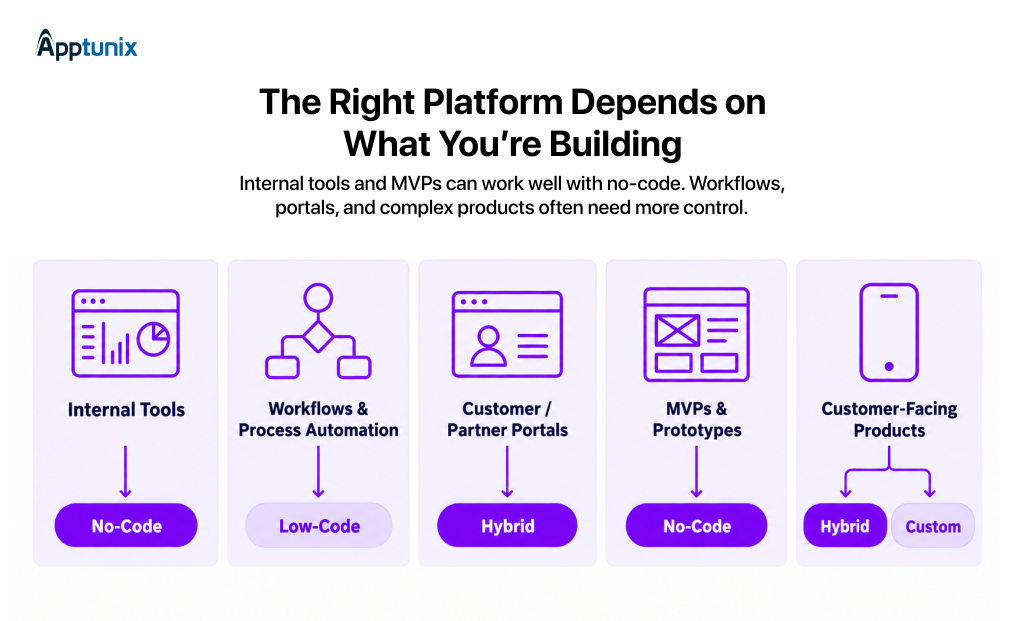
For automation of workflows, portals, and big internal apps, low-code is the better choice; on the contrary, no-code serves for apps built for micro teams and prototypes. In cases when an application is the actual product, low-code or no-code solutions will generally lose to customer-facing applications. Therefore, the method should be selected based on the task at hand and the risk involved rather than the choice of a tool from the available options.
The logic here should start with the number of people using a system and the potential impact on each of the parties if this system malfunctions. For example, if there are five people using GPS-based trackers and they fail for one day, nobody will suffer.
There’s one thing that is easy to overlook. If a prototype is successful, it is likely to remain in use. An MVP in no-code is developed by many teams, users are added, and a year later the “test” becomes a core system.
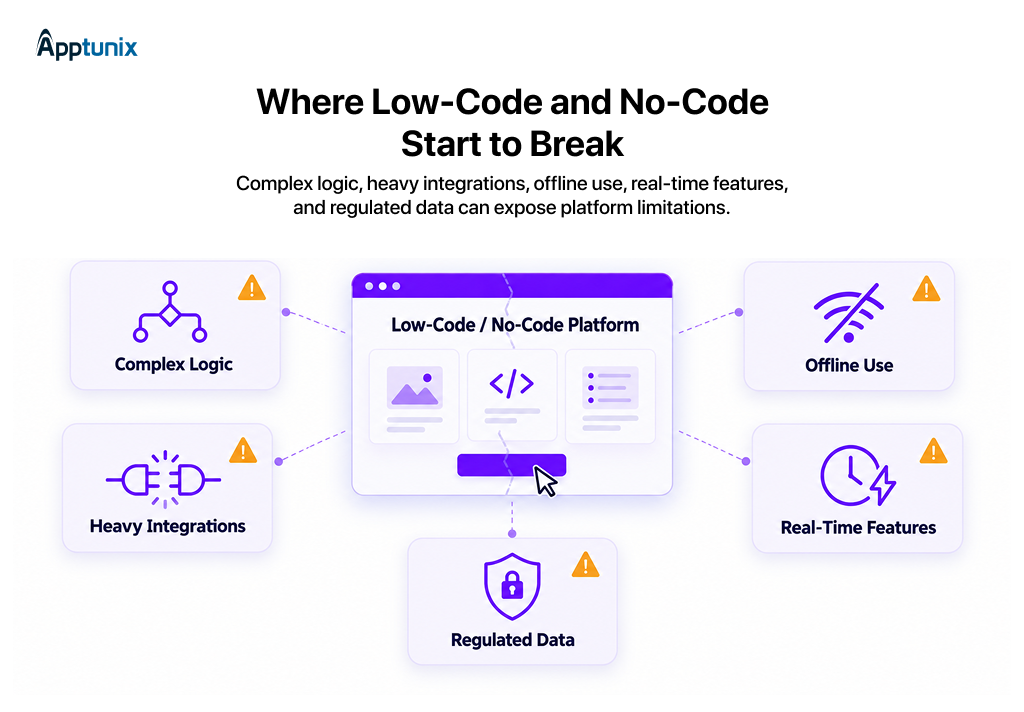
Both methods fail when an app must have complex logic, heavy integrations, offline operations, real-time operations, and/or regulated data. Platforms are designed for typical patterns – and odd ones clash with them. Familiarity with the five breaking points prevents a rebuild later.
Here’s where each one appears.
The awkward thing about the limits is that they tend to come at the end of the day. A prototype performs well with 20 test records and 5 users. The problems are encountered with 200,000 records and 500 users. Wait for the first two weeks post-launch to test it under realistic constraints.
These providers typically use a licensing fee that is based on per user, which means that the license cost of the platform rises the fastest over three years. A small 50-person app can run a few thousand dollars per year, but the same app in a company of 1,000 can run hundreds of thousands of dollars a year. The last four are build, integration, support, and training.
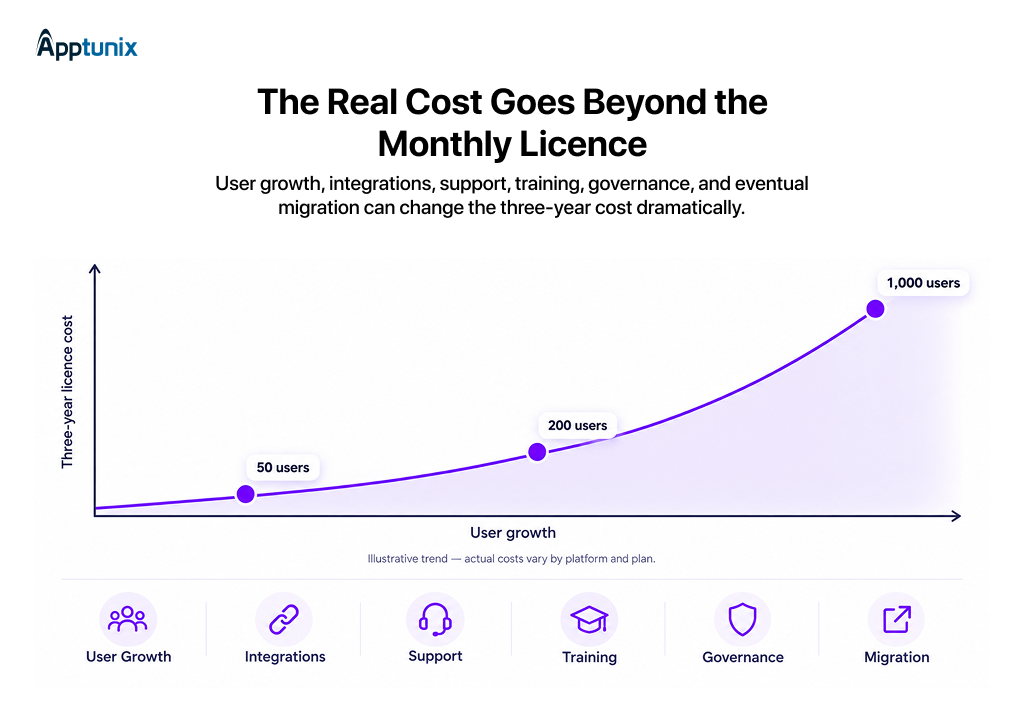
Licences are not the bill. A good 3-year estimate is 5 additional lines.
The important aspect of this is that a custom app will not be paid on a per-user basis. It costs money to build, and costs practically nothing more to host the 500th person using it. Therefore, the comparison varies with size. The price of a platform is almost always going to be less than that of a small tool. If it’s an app your company uses for a long time, and a significant portion of the company, compare the annual licence vs one-time build + support. The build vs buy software guide explains how to perform this comparison.
Vendor lock-in is when your app, data, and workflows rely on one vendor’s tool and switching to another is expensive and time-consuming. It’s the greatest danger with no-code, as the app logic is typically stored in the vendor’s platform. Low-code is also dangerous, as many of the low-code suppliers produce code that only executes on their platform.
There are four ways the risk can be manifested: The price will go up, the service you use will be discontinued, a vendor will be acquired or will close, or your needs will grow beyond the scope of the service. In all examples, it is the same question that is being asked. What does it take to get away?
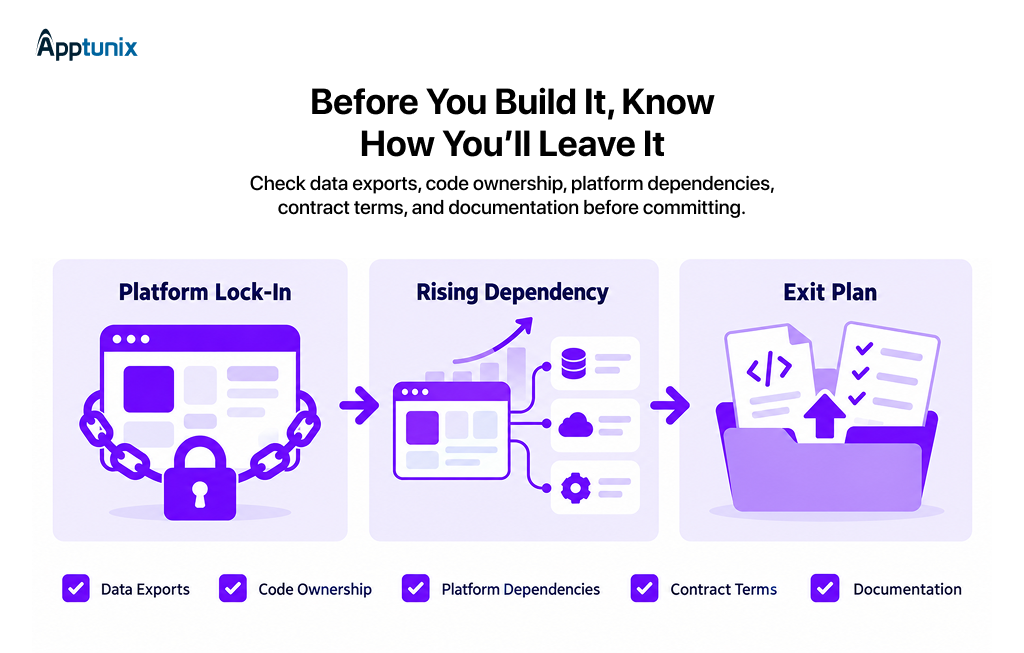
Then write a 1-page exit plan prior to first screen construction. It should include what data to export, what is to be explained, who would lead a rebuild, and any other cost trigger that would start the conversation, like “licences cost more than $X per annum.” The team that writes it on Day 1 will not need it. Without it, a team can’t move forward when the bill comes.
Citizen development means employees outside IT build their own apps with low-code or no-code tools. It works when IT sets clear rules for data, access, and review. Without rules, you get shadow IT. That means apps the company uses, but IT doesn’t know about.
The upside is real. A team can fix its own process in days, not months. The downside is real too. Apps are build on personal accounts. They hold customer data nobody approved. They break when the builder changes jobs.
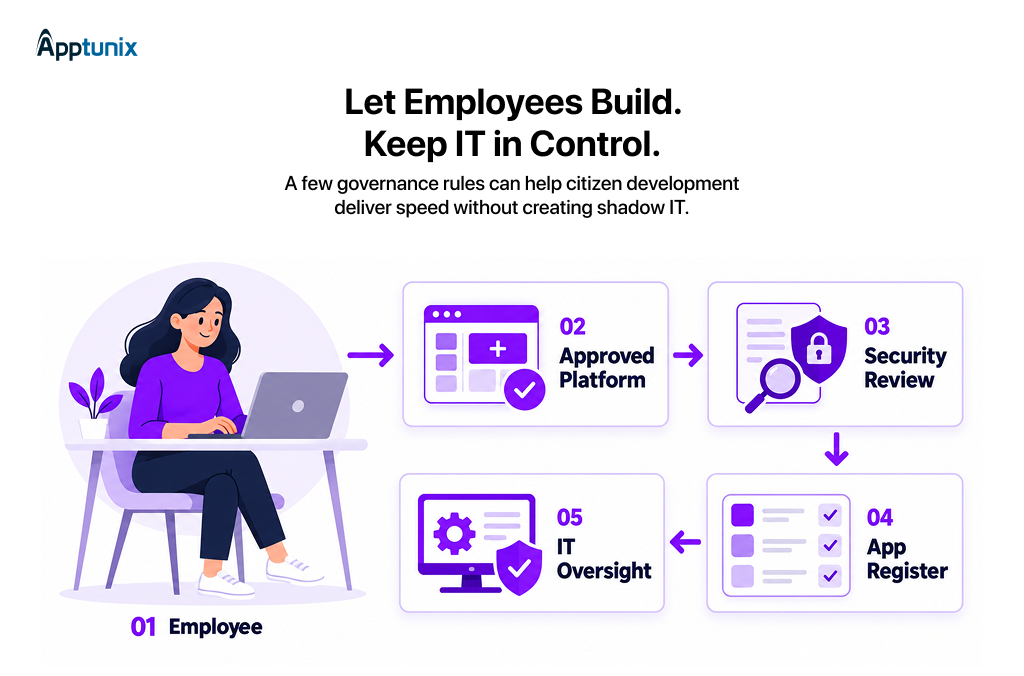
Governance doesn’t need to be heavy. Six guardrails cover most of the risk.
• Approve platforms. Pick one or two so builders don’t choose their own.
• Keep an app register. Log each app’s owner, users, and data.
• Set data rules. Send payment or health data to IT for approval.
• Review before launch. Run a short security check for sensitive data or many users.
• Name two owners. Give every app an owner and a backup.
• Plan the handover. Decide who takes over when an app turns critical.
Most companies skip one question. Who owns support? The cleanest rule is simple. The business team takes care of the app’s purpose, while IT owns the platform, security, and uptime. Larger setups often need wider enterprise software development solutions to match other systems.
A hybrid sidesteps the low-code vs. no-code split. Low-code application development is quick for screens and workflows. Custom services are better for heavy logic and data. So most enterprises combine them. The pattern is simple. Use a low-code front end for what people see. Put custom code behind it for the hard parts.
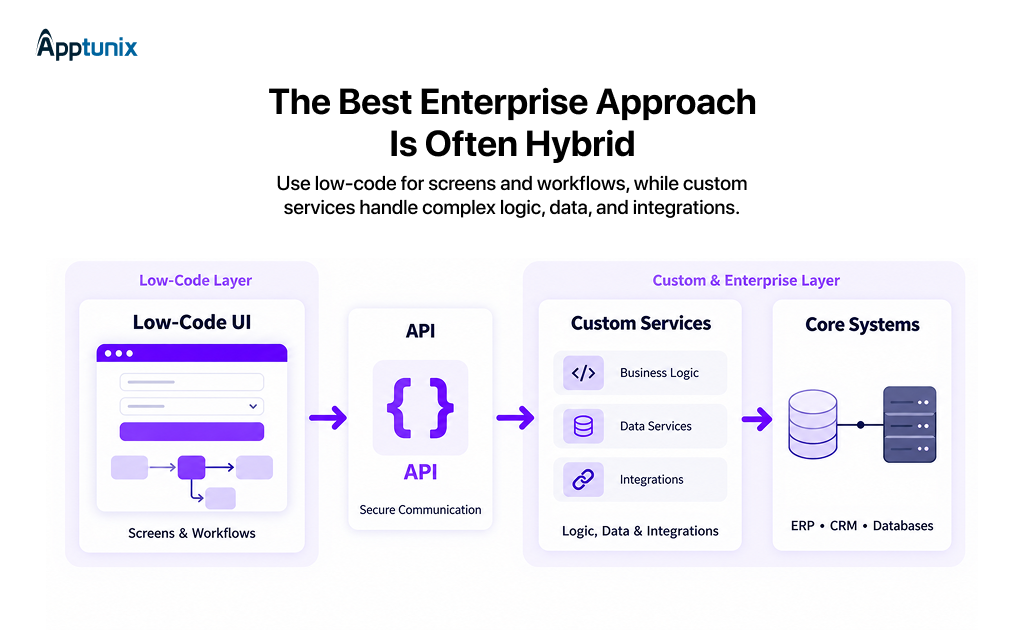
A team builds forms and approvals on an enterprise low-code platform like Power Apps. The hard parts run as separate custom services. Think of a pricing engine or a link to an older system. The front end calls them through APIs.
This split gives you three wins.
There are costs too. You need developers who can build APIs, and you manage two kinds of systems. Testing takes longer, because a bug can hide in either part. For a small tool, that’s overkill. For a core business system, it’s usually worth it.
The same thinking applies to the custom side. Build services as separate pieces, as this modular app development guide explains. Then you can replace one part later.
Five questions decide the approach: who will build it, how complex the logic is, how many users you expect in three years, what data it touches, and how long it must live. Answer each honestly, and the right choice is usually clear.
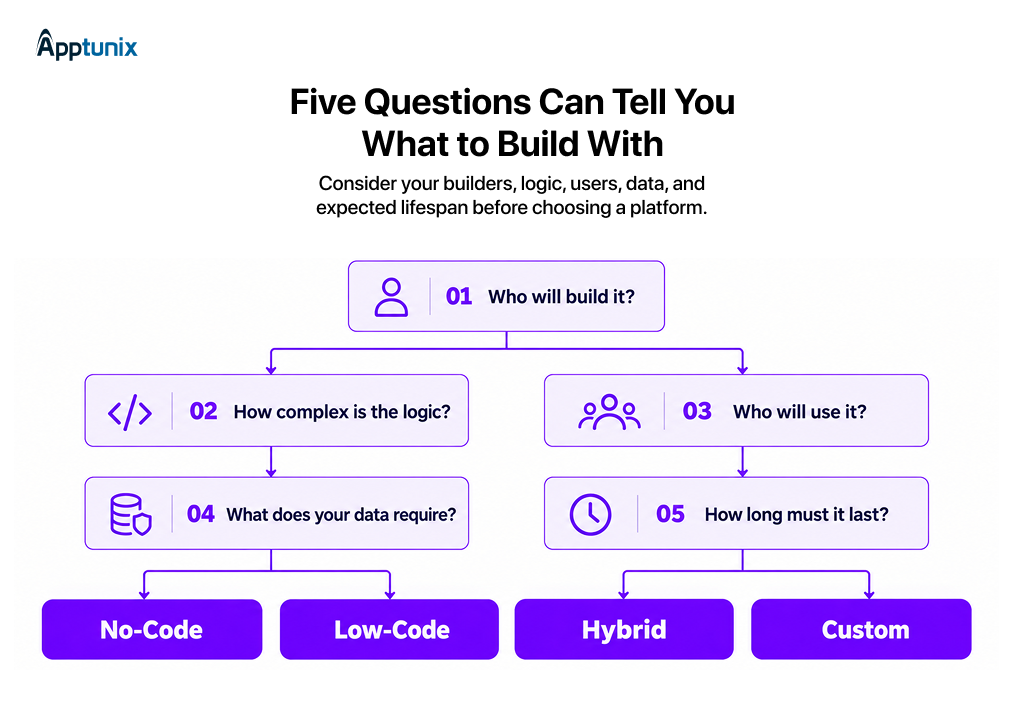
For better understanding, use the answers like this:
Leave low-code behind when the licensing expenses, speed restrictions, or lack of functionality causes more harm to the company than developing a new application. Postponing that decision for too long only complicates the migration process—the longer you wait, the more transferring happens with users, data, and logic. So it is essential to move while your app is still functional.
If your business faces those challenges, you should treat moving as a project, not an emergency, and take six steps to ensure migration.
Many teams follow an incremental approach, where parts of the overall application replaces over time. When your app requires such transformation, you will have to consider either custom software development services or product engineering services, depending on whether you are replacing the existing system or creating a new product.
Q 1.What is the difference between low-code and no-code?
Low-code vs no-code comes down to code access. Developers can add custom code in low-code, while no-code keeps everything in menus.
Q 2.Is low-code better than no-code for enterprises?
Usually, yes. An enterprise low code platform supports custom code, integrations, and access controls. No-code suits small, low-risk tools.
Q 3.When should you use custom development instead of low-code?
Custom wins when the app is your product or licences cost more than a build. Low code application development fits internal tools.
Q 4.How much does a low-code platform cost?
Vendors usually charge per user. At a sample $20 a month, a low code development platform costs $24,000 yearly for 100 users.
Q 5.Can low-code apps scale to enterprise use?
Yes, if built well. Low code development on OutSystems or Mendix handles big user bases, but messy data models slow any app.
Q 6.What are the risks of vendor lock-in with no-code?
On a no-code development platform, your logic and data live in the vendor’s tool, so leaving can mean a rebuild.
Q 7.What is citizen development and does it actually work?
Citizen development is when employees outside IT build their own apps. It works for small tools when IT sets data and access rules.
Q 8.Can you export the code from a no-code platform?
Usually not. Most no-code app builder tools keep the app on their servers, though some let you export data.
Get the weekly updates on the newest brand stories, business models and technology right in your inbox.
As a technical content writer and strategist at Apptunix, I simplify complex ideas across app development, AI, emerging technologies, and digital transformation. My work focuses on turning technical concepts into well-researched, actionable content that helps founders, enterprises, and technology leaders make better-informed product and technology decisions.
56 Views 12 min October 27, 2026
57 Views 12 min October 23, 2026
73 Views 12 min October 22, 2026
Book your consultation with us.
Book your consultation with us.


One Central, The offices 3, Level 3, DWTC, Sheikh Zayed Road, Dubai
+971 50 782 1690