How Much Does It Cost to Build ESG Reporting Software in 2026?
5 Views 9 min August 4, 2026

Pallavi Nautiyal is a seasoned Tech Consultant at Apptunix, specializing in the intersection of global finance and decentralized technology. With a deep-rooted expertise in banking infrastructure, digital payment gateways, and Web3 ecosystems, she guides businesses through the complexities of modern financial engineering. Pallavi is recognized for her ability to architect secure, compliant, and scalable solutions—ranging from smart contracts and crypto-wallets to robust digital banking platforms. Her strategic insights help organizations navigate regulatory landscapes while leveraging the power of Blockchain to ensure transparency and seamless user experiences in every transaction.
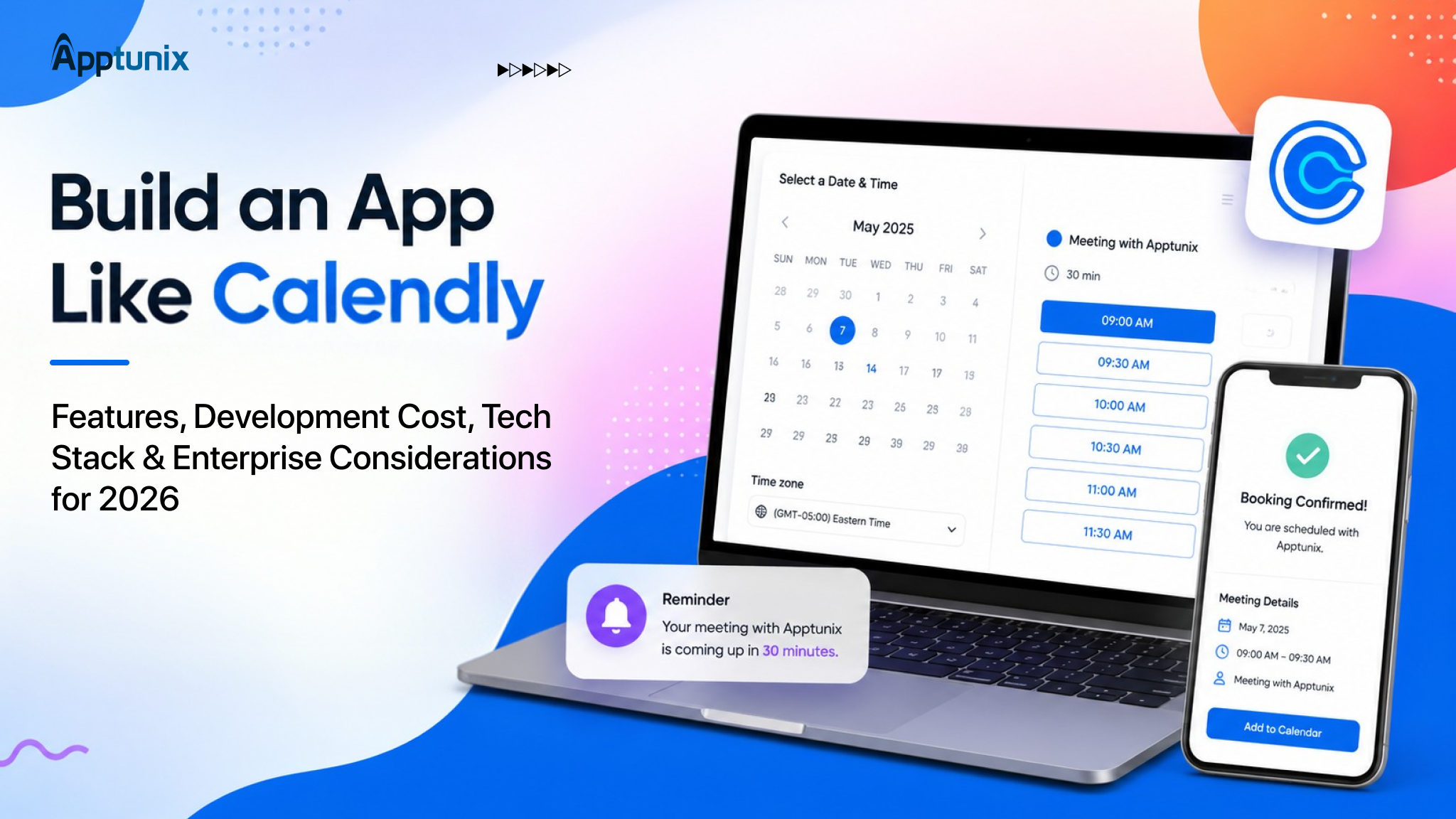
Calendly turned a simple idea into a $3 billion company. Just share the link, let people pick their preferred time, and skip going back and forth through emails. Over 20 million users and 86% of Fortune 500 companies now run their meetings through it.
According to Fortune Business Insights, the wider appointment scheduling software market reflects that same momentum, projected to grow at a CAGR of 14.7% and reach $635.6 million in 2026 alone.
But if you are an enterprise evaluating this can cost you per seat and keeps on piling up once you cross a few hundred users. Moreover, you don’t own the platform, nor the data, nor the roadmap.
This leads to the need for “how to build an app like Calendly,” as more CTOs and product leaders are inclined to build than buy. Building an app allows you to fit your own stack, own compliance needs, and your own customers.
This guide breaks down exactly what it takes to build an app like Calendly. Understand the features that your app needs, the cost to build it, the tech stack that supports it at scale, and who actually needs one inside a growing organization.
Buying Calendly works well for a small team. But it stops working the same way once scheduling becomes company-wide infrastructure.
Per-seat pricing is the first problem. A 200-person sales and support organization pays for every single licence, every year, with no ceiling. The cost rises with headcount, not with actual usage. Data ownership is the second problem. Every meeting booked, every email, every calendar sync lives on a third-party server. For companies operating in regulated or security-conscious environments, this is a real issue.
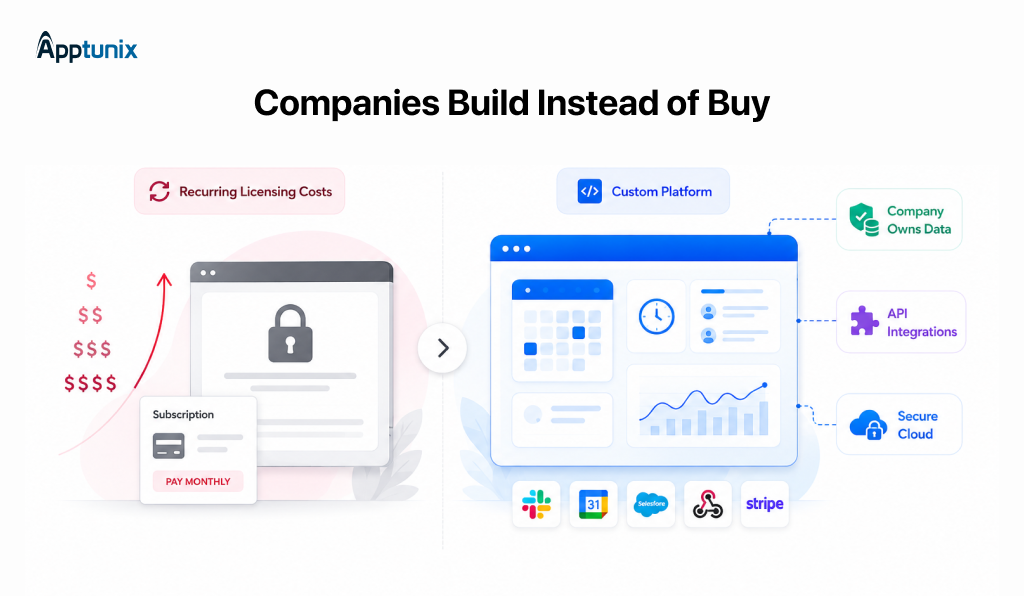
Another one is customization. Enterprises look for scheduling logic that matches their own workflows. Routing leads to the right representative, syncing with internal CRMs, and enforcing approval steps before a booking is confirmed. For businesses evaluating the deeper integration, CRM software development cost is worth understanding alongside this build. Off-the-shelf tools restrict how far you can personalise it.
That’s why enterprise scheduling software built in-house or through a development partner is the preference. It’s not about cloning Calendly, but it’s about owning the scheduling layer how you own your CRM and internal tools. Calendly like app development gives you the same booking experience users already expect, removing the licensing ceiling.
Every scheduling platform exists to solve one problem: find a time that works and confirm it without back-and-forth emails. The features below are organised into four tiers: the essentials every app needs, the additions that support teams as they scale, and the AI-driven capabilities setting newer platforms apart in 2026.
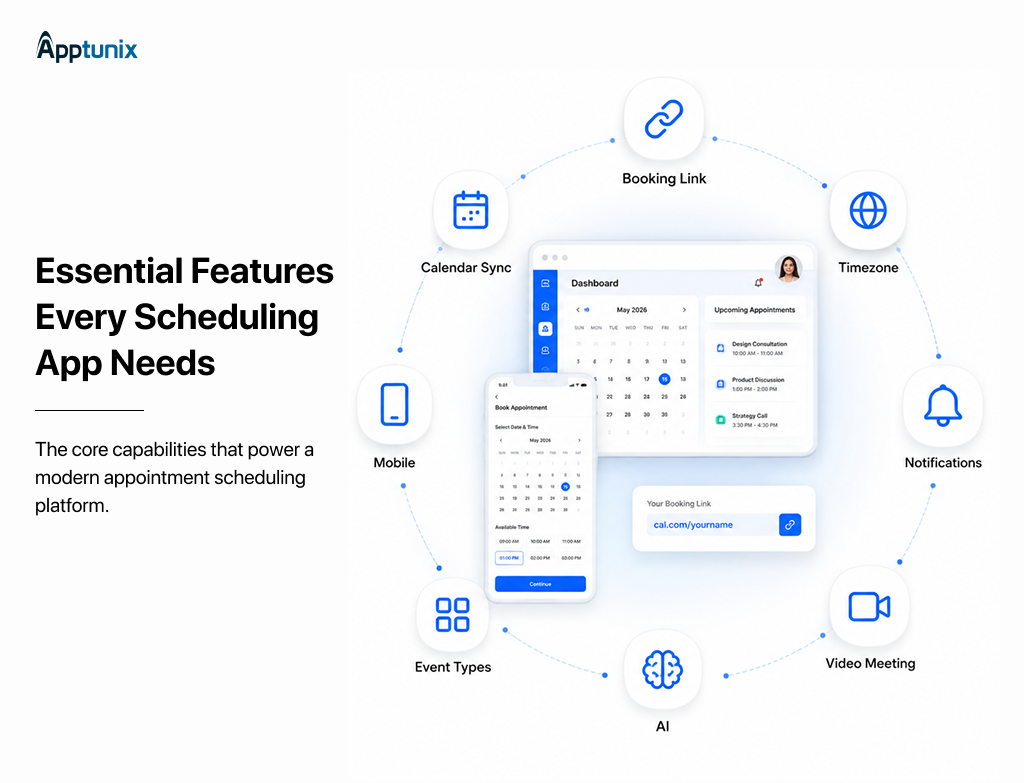
A working appointment booking system has to get these right before anything else:
Once more than one person is taking meetings, meeting scheduling software needs to coordinate people, not just individual calendars:
A calendar booking system built for teams also needs role-based permissions, so managers can view team-wide bookings without every rep needing admin-level access.
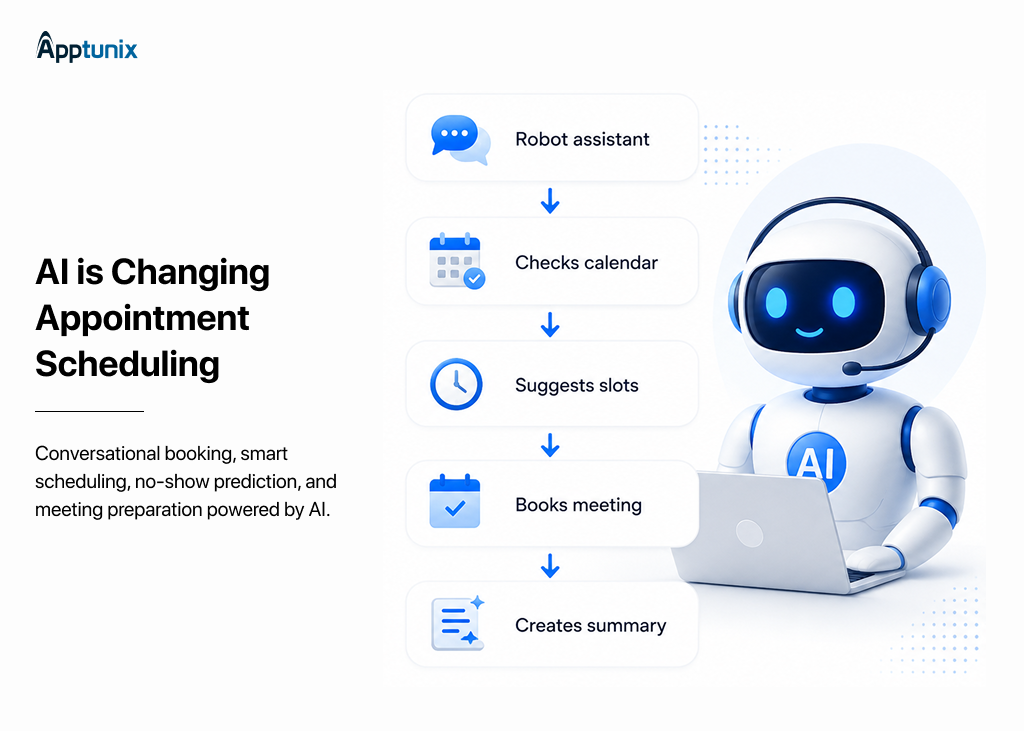
This is where new innovations start to separate themselves from standard automated scheduling software:
Most guides on building a Calendly-like app stop at booking logic and AI. For enterprise buyers, that’s an incomplete list. A SaaS scheduling platform deployed across hundreds of employees needs to satisfy IT and security review before it clears procurement:
This is the step that separates a scheduling built for individuals from enterprise scheduling software designed for a company.
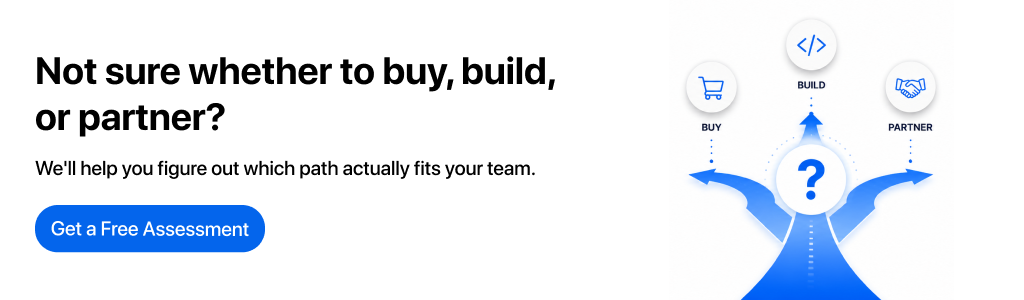
With a clear understanding of recent features, the next step is making it happen. Most enterprises opt for three real options – build, buy or partner. Build itself has further categories depending upon who’s doing the building. Let’s break it down in the following table.
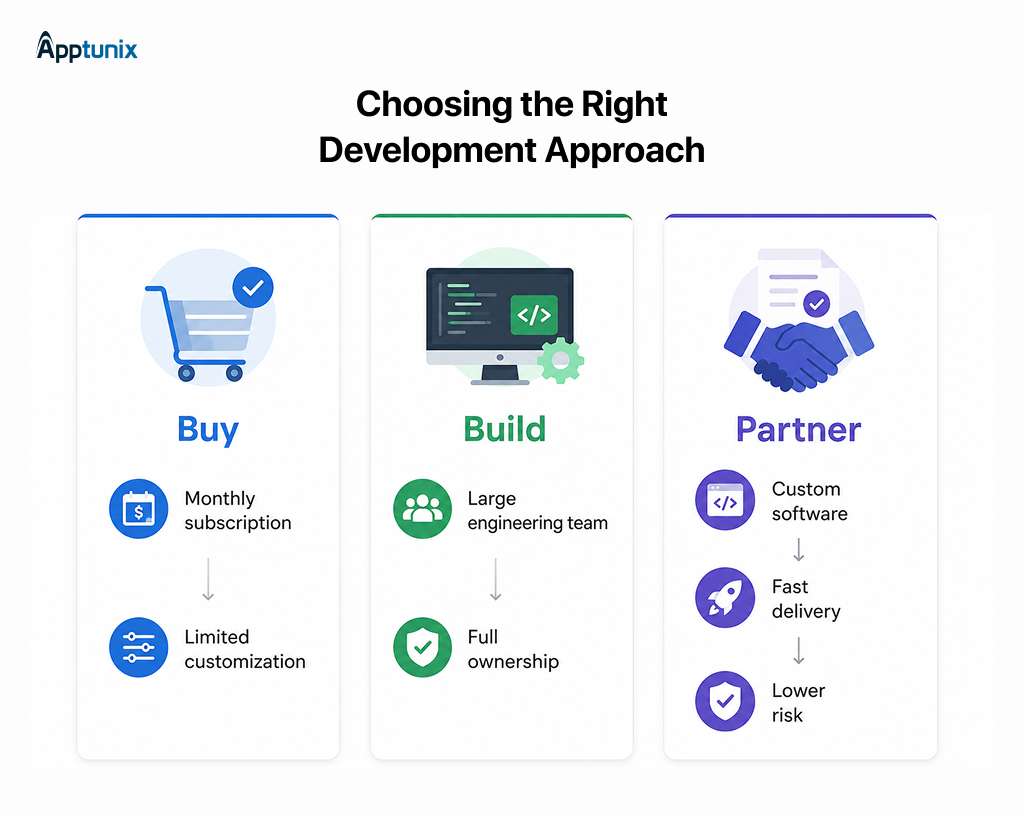
Staying on Calendly is simple, but costs rise every time you hire, and mid-contract seat additions bill at list rate.
Building in-house through scheduling software development gives full control, but it pulls your engineering team away from the actual product roadmap, and calendar sync and timezone handling take more ongoing maintenance than expected.
No-code platforms work for testing an idea fast, but they hit a ceiling. The moment you need SSO or custom routing logic, you’re back to needing real development work.
Partnering with a team that specializes in appointment scheduling app development services gives you the same ownership as an in-house build, without pulling your own engineers off their core work.
Enterprise plans need a security review and contract negotiation, which routinely adds 4-8 weeks before a single seat goes live. A custom-built app skips this entirely. For teams on a deadline, that timeline often matters more than the price tag.
If you’ve decided to develop an app like Calendly, the next question is cost and tech stack. This route usually needs a partner experienced in meeting scheduling app development and Calendly-like app development specifically, since generic teams tend to underestimate the calendar sync complexity involved.
Cost depends heavily on scope. Here’s a realistic breakdown, first by build tier, then by phase, so you can see both the big picture and where the money actually goes.
Cost by Build Tier
Most companies don’t start at the top tier. The typical path is launching an MVP to prove the concept internally, then expanding into mid-level and enterprise features as adoption grows and requirements like SSO or AI become necessary rather than optional.
This is the full scheduling app development cost picture for an enterprise-grade build. A leaner MVP, core booking plus calendar sync only, without team features or AI, typically lands between $25,000 and $40,000, in line with what specialized scheduling-app developers quote for comparable core builds.
The features matter, but the technology choices behind them determine whether your app holds up at scale or breaks under real booking volume. Here’s the stack we’d recommend for a production-ready SaaS scheduling platform, broken down by layer.
This stack supports both the core booking logic and the compliance layer (SSO, audit logging, data residency) covered earlier, without needing a separate system bolted on later. An appointment management software platform built this way can handle a few hundred bookings a day or scale into the thousands without a rebuild.
For a deeper look at what goes into a mobile build beyond this stack, see What Does It Take to Build Enterprise Mobile App.
This usually looks simple until it’s done right, as most in -house builds slip on timeline.
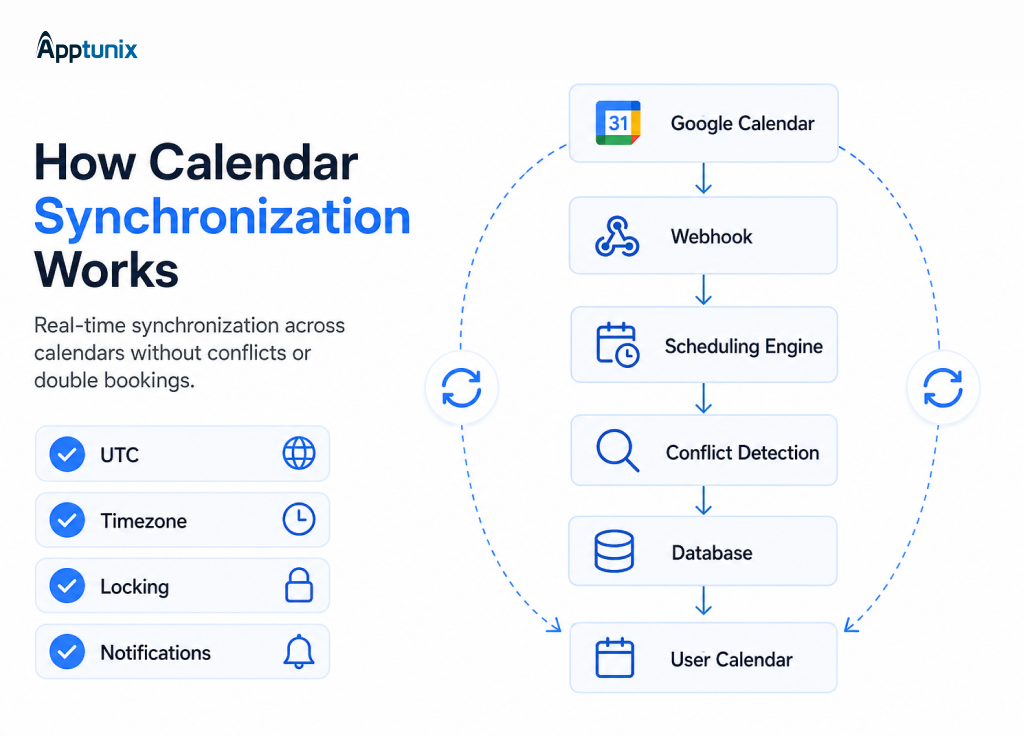
Sync mechanics: Google Calendar and Microsoft Graph both support webhook push notifications, so your app is notified the moment a calendar changes, instead of polling constantly. Good calendar sync app development still adds a fallback poll every few minutes, since webhooks occasionally get delayed or dropped.
Timezone storage: Store every time in UTC internally, converting to the viewer’s local zone only at display. Daylight saving shifts and recurring meetings spanning a DST change need explicit handling, or bookings land an hour off without warning.
Conflict prevention: Handle double-booking at the database level with a locking mechanism, not the application layer, so only one of two simultaneous booking attempts can succeed.
Multi-calendar aggregation: Most professionals run more than one calendar. Availability checks need to scan all of them, not just the primary one.
Get this right, and everything built on top, like event types, routing, and reminders, feels instant. Get it wrong, and you lose a chance at a missed meeting.
Whether it’s your sales team, recruiting, or IT rolling out scheduling company-wide, the build only works if the partner behind it understands the parts that are easy to underestimate: calendar sync reliability, timezone accuracy, and the enterprise security layer that gets your app through IT review the first time.
Apptunix has built appointment scheduling platforms for enterprise sales, HR, and operations functions, with appointment scheduling app development that starts from your actual workflows instead of a generic template. That means the routing logic, the branding, and the compliance requirements are built to match how your teams already work, not retrofitted after launch.
Our approach to Calendly-like app development covers the full scope this guide has walked through: discovery and architecture, core booking and calendar sync, team and enterprise features, and AI capabilities where they genuinely add value rather than as a checkbox.
If you’re evaluating whether to develop an app like Calendly for your organization, we can walk through your specific requirements and give you a realistic scope and cost estimate before you commit to a build.
Q 1.How much does it cost to build an app like Calendly?
A full enterprise-grade build with team features, AI, and security compliance typically runs $75,000-$120,000. A leaner MVP with core booking and calendar sync only, no team routing or AI, costs $25,000-$40,000. Ongoing hosting and API costs after launch run $300-$1,500 a month depending on volume.
Q 2.How long does it take to develop a Calendly-like app?
A core MVP takes 3-5 months from discovery to launch. A full platform with team scheduling, enterprise security, and AI features typically takes 6-9 months, since each layer, especially calendar sync and SSO, needs its own testing cycle.
Q 3.Is it better to build a Calendly clone or develop a custom scheduling app?
A ready-made Calendly clone script is cheaper upfront, sometimes a few thousand dollars, but it’s built for generic use cases. The moment you need SSO, custom routing, or CRM-specific integrations, you end up rebuilding most of it anyway. Appointment scheduling app development built from your actual workflows costs more initially but avoids that rebuild.
Q 4.Can a custom scheduling app include white-label branding?
Yes. White label scheduling software is a standard feature in custom builds, giving you a branded domain, your own logo, and custom colors instead of a shared generic link. This matters most for client-facing teams like consulting or agencies, where the booking page is a brand touchpoint.
Q 5.Does a custom scheduling app need to be legally compliant?
Yes, particularly at enterprise scale. Data residency controls, GDPR compliance, and SOC 2 requirements typically come into play once the app handles meeting and calendar data across regions or for regulated industries. This is part of why enterprise builds budget separately for a security and compliance phase.
Q 6.Can a Calendly-like app integrate with a CRM?
Yes, and most enterprise builds do. Bookings, lead routing, and follow-up scheduling typically sync with CRMs like Salesforce or HubSpot through webhooks or direct API integration, so sales and success teams don’t have to manually log meeting activity.
Q 7.What tech stack is best for meeting scheduling app development?
A production-ready stack typically includes React or Next.js for the frontend, Node.js or Python for the backend, PostgreSQL for the database (for native timezone handling), Redis for caching availability checks, and Google Calendar or Microsoft Graph APIs for calendar sync. This combination supports both core booking logic and enterprise security requirements at scale.
Get the weekly updates on the newest brand stories, business models and technology right in your inbox.
Pallavi Nautiyal is a seasoned Tech Consultant at Apptunix, specializing in the intersection of global finance and decentralized technology. With a deep-rooted expertise in banking infrastructure, digital payment gateways, and Web3 ecosystems, she guides businesses through the complexities of modern financial engineering. Pallavi is recognized for her ability to architect secure, compliant, and scalable solutions—ranging from smart contracts and crypto-wallets to robust digital banking platforms. Her strategic insights help organizations navigate regulatory landscapes while leveraging the power of Blockchain to ensure transparency and seamless user experiences in every transaction.
Book your consultation with us.
Book your consultation with us.


One Central, The offices 3, Level 3, DWTC, Sheikh Zayed Road, Dubai
+971 50 782 1690


Offer Ends Soon
Get a quick expert response in under 5 minutes.