
Cost to Build an App Like Eventbrite: Complete Development & Pricing Guide (2026)
12 Views 13 min September 16, 2026

Reena Bhagat, the CTO and Head of AI at Apptunix, is a seasoned technology strategist with a deep-rooted expertise in emerging technologies. With a focus on AI/ML integration, product engineering, cloud management, she leads the technical vision for high-performance SaaS infrastructures. Reena is recognized for building secure, scalable, and decentralized systems that solve real-world complexities. Her passion lies in leveraging data science and future-tech to create resilient digital products, making her a trusted authority for organizations looking to lead in the age of intelligent automation.
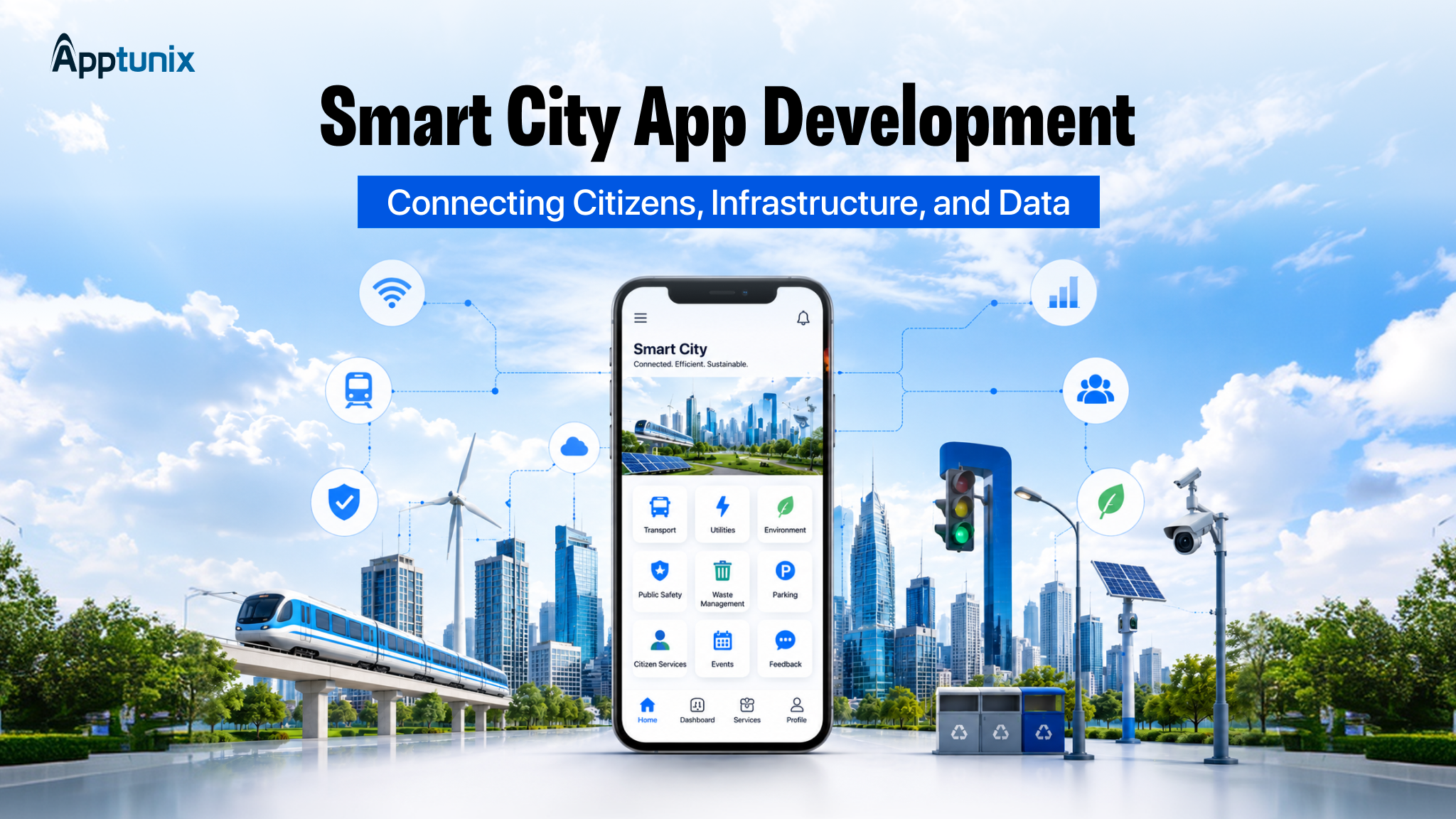
Smart city app development follows an 8-step proven process: discovery, urban planning consultation, UI/UX design, MVP architecture, IoT/AI integration, security testing, real-world deployment, and ongoing maintenance. Through citizen service app development, cities deliver integrated platforms costing $15,000 for MVPs to $200,000+ for enterprise-scale intelligent solutions.
Picture a city where potholes get fixed before they become hazards. Power outages get flagged before residents even notice. Bill payments, issue reports, and emergency help all happen from one screen. This isn’t some futuristic concept anymore. It’s already running quietly in cities that invested early through smart city apps.
The real difference isn’t just having smart infrastructure in place. It’s whether the software connecting that infrastructure actually works. That’s what smart city app development delivers at its core. It’s the layer that turns scattered systems into one experience, one that responds fast and puts citizens first.
Let’s see how you can create that fully integrated app. But first, take a look at what the smart city app is.
Basically, it’s an app that ties your city’s departments, services, and citizens into one single platform. No more running between offices; with the help of the Smart City app, you can just pay bills, report issues, or check transit from your phone.
Behind the scenes, sensors and live data help the city actually catch problems faster.
Real-time data from IoT devices, GIS maps, and AI helps cities respond faster to issues. The goal is simpler city management and a better, more informed daily life for every citizen.
Key Functions:
At its core, smart city application development is about making a city work better for the people who live in it.
You probably already know the market is big. But the pace of growth might surprise you.
We are looking at a global smart city market set to grow from USD 1.3 trillion in 2026 to USD 8.8 trillion by 2033, growing at a CAGR of 31.9% from 2026 to 2033.
And the growth rate sits above 20% year over year. That is real budget allocation by real governments.
| Region | What Is Driving It | Big Programs |
|---|---|---|
| GCC | Vision 2030 mandates sovereign wealth funding | NEOM, Dubai 2040, Qatar National Vision |
| Southeast Asia | Young populations, mobile-first citizens | Singapore Smart Nation, Bangkok, KL |
| Europe | Green Deal targets, sustainability mandates | Amsterdam, Barcelona, Helsinki |
| India | Smart Cities Mission, massive urbanization | Bengaluru, Pune, Surat, Indore |
Three best opportunities:
Once you know what the smart city app is and the market opportunities are, it’s time to understand the step-by-step development process.
Knowing the market insights and opportunities is only half the picture. The real question is how to actually get from idea to a working, city-ready product. Smart city app development isn’t a one-size-fits-all process, but it does follow a fairly consistent path, whether you’re building for a small township or a major metro.
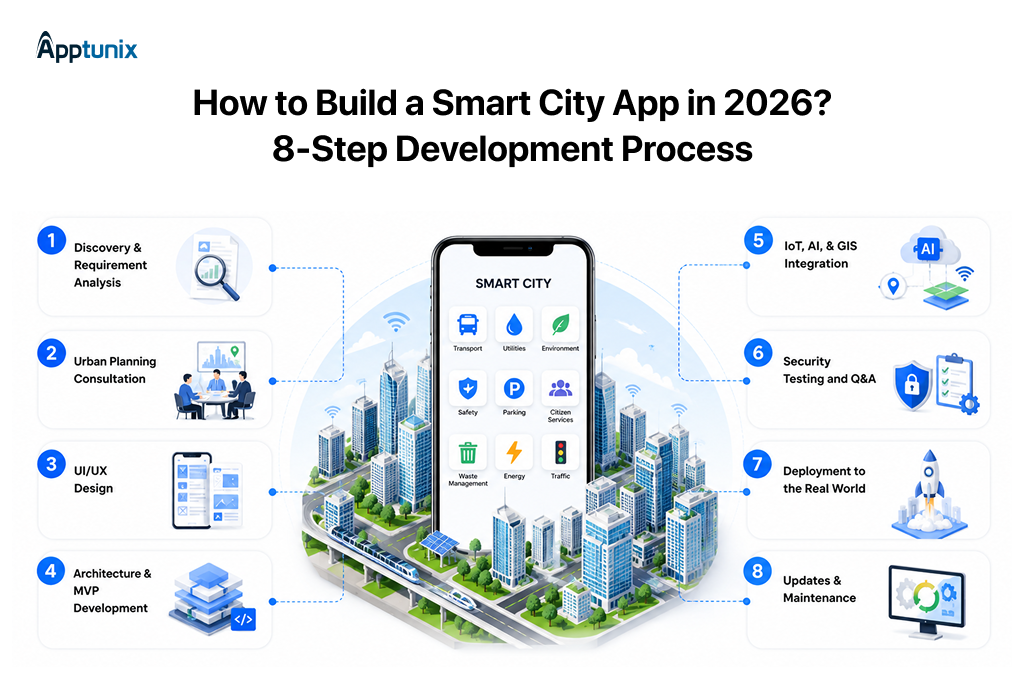
Here’s the step-by-step development process that takes a project from initial planning to full deployment.
Every solid build starts with questions. Before anyone touches a design tool or writes a line of software, you need to know what problem you’re actually solving. Is this about traffic congestion? Water management? Public safety alerts?
This stage is where you dig into who’ll use the app, what data it needs to pull in, and what success even looks like six months after launch.
The app has to fit into existing infrastructure, zoning rules, and long-term city plans. Skip this step, and you might build something impressive that simply doesn’t align with how the city actually operates.
Bringing urban planners into the conversation early saves you from expensive rework later. They know the regulations, the physical constraints, and the political realities that engineers rarely see coming.
A smart city app serves everyone. Elderly residents, busy commuters, city workers, and people with disabilities. That’s a wide range of users, and your design has to work for all of them without feeling cluttered or confusing.
Good design here isn’t about flashy visuals. It’s about clarity.
Smart city app development depends heavily on a solid architecture because these systems need to handle large volumes of data. You’re not building a simple to-do list app. You’re building something that might process thousands of sensor pings every minute.
Backend development handles the heavy lifting: data pipelines, APIs, cloud infrastructure, and database structures that can scale as the city grows.
Meanwhile, frontend development shapes what users actually touch and see, keeping things fast and responsive even under heavy load. Most teams start with an MVP, a lean version that proves the concept before scaling further.
IoT sensors feed live data from streetlights, parking meters, and air quality monitors. AI makes sense of that flood of information, spotting patterns humans would miss. GIS mapping ties it all to physical locations on a map that residents can understand at a glance.
The app handles sensitive data. Location tracking, personal information, and infrastructure controls. A security gap here isn’t just a bug; it’s a genuine risk to public safety.
Q&A needs to go beyond checking if buttons work. Think emergency scenarios, sudden traffic surges, and coordinated attacks.
Launch day is where theory meets reality. Rolling out a smart city app to an entire population is nothing like a typical app store release. You’re dealing with public infrastructure, government approval processes, and thousands of users who didn’t ask to be beta testers.
Launching the app is the beginning, not the finish line. Cities change. Populations grow. New regulations show up. Your app needs to evolve right along with them, or it’ll fall behind fast.
Ongoing maintenance keeps the system secure, relevant, and genuinely useful for years.
None of those 8 steps means much without the right tools behind them. Have a close look at the technology you must use to build the smart city app.
Every feature, every integration, every real-time update runs on your smart city app development tech stack. Get it wrong, and the whole build struggles to keep up. Here’s what that stack perfectly fits to build a smart city app.
| Layer | What Is Used |
|---|---|
| Mobile (Citizen App) | React Native, Flutter, Swift (iOS), Kotlin (Android) |
| Web (Admin Panel) | React.js, Angular, Next.js |
| Backend | Node.js, Python (Django/FastAPI), Java (Spring Boot), Go |
| Databases | PostgreSQL, MongoDB, TimescaleDB (IoT time-series), Redis (caching) |
| Cloud | AWS, Microsoft Azure, Google Cloud Platform |
| IoT Middleware | AWS IoT Core, Azure IoT Hub, MQTT, Apache Kafka |
| AI/ML | TensorFlow, PyTorch, OpenAI APIs, Scikit-learn |
| Maps & GIS | Google Maps Platform, Mapbox, ArcGIS, OpenStreetMap |
After reviewing the development process and tech stack, take an overview of key features for the smart city app.
Every solid smart city super app project builds on the same core set of features, no matter the city’s size. Here is what every solid smart city application development project should include.
A single hub where residents interact with city services and stay informed.
Helps citizens move efficiently while giving the city real-time mobility data.
Gives citizens visibility and control over essential services.
Fast, reliable access to help when it matters most.
Adds intelligence to predict, personalize, and automate city operations.
The sensor network feeds real-time data into the whole system.
Operational tools for department-level staff to manage day-to-day tasks.
Top-level control for governance, security, and system-wide oversight.
Now, you must have one question left to ask about the app: how much does the smart city application cost, and what factors influence the cost?
The cost of smart city app development isn’t a single number; it varies based on modules, integrations, and how much of the 8-step process you actually need.
So, depending on that, the cost to develop a smart city app in 2026 ranges from USD $15,000 (for a basic MVP) to over $200,000 (for an enterprise-level app).
Here’s a realistic breakdown for 2026.
| App type | Cost in USD | Timeline | Features |
|---|---|---|---|
| Basic MVP (Urban Utility) | $15,000-$70,000+ | 3-4 months | Static public transit timetables, simple city news feed, basic reporting for potholes or broken streetlights |
| Medium-level (Integrated City Hub) | $70,000-$150,000+ | 4-6 months | + Live GPS bus tracking, unified utility bill payments, parking availability indicators, push alerts |
| Enterprise-level (Full Smart City Ecosystem) | $150,000-$200,000+ | 6-9 months | + Massive IoT sensor grid integration, AI-powered traffic prediction, automated emergency dispatch, environmental monitoring, and high-level cybersecurity compliance. |
That $25,000 to $300,000+ range is wide for a reason. The real answer depends on what goes into your build. Here are the factors that impact the cost to build a smart city app in 2026.
| Factors Affecting Smart City App Development Cost | Cost in USD |
|---|---|
| App complexity & feature set | $5,000 – $40,000 |
| Platform (iOS, Android, Web) | $2,000 – $20,000 |
| UI/UX design | $2,000 – $20,000 |
| IoT integration (sensors, devices, hardware) | $5,000 – $30,000 |
| AI & ML integration (chatbots, predictive analytics) | $5,000 – $40,000 |
| GIS & mapping integration | $2,000 – $10,000 |
| Security & regulatory compliance | $2,000 – $15,000 |
| Post-launch maintenance & support (annual) | $2,000 – $25,000 |
Smart city apps handle some of the most sensitive data a citizen can share: identity details, live location, payment information, and, in some cases, biometric data. That level of access comes with an equal level of responsibility.
A single breach doesn’t just compromise data. It undermines public trust in the entire system, and once that trust is gone, adoption drops with it. This is why security and compliance can’t be treated as a final checklist item. It has to be part of the architecture from day one.
| Region | What You Must Follow |
|---|---|
| Europe | GDPR, NIS2 Directive, EU AI Act |
| GCC | UAE Data Protection Law, Saudi PDPL, Qatar Data Privacy Law |
| India | Digital Personal Data Protection Act (DPDPA) 2023 |
| Southeast Asia | PDPA (Singapore, Thailand), Malaysia PDPA |
| Global Standards | ISO 27001, SOC 2 Type II, ISO 9001, OWASP Top 10 |
Smart city apps aren’t just a government project anymore; they touch a much wider circle of industries. Here’s who’s investing in them and why it matters.
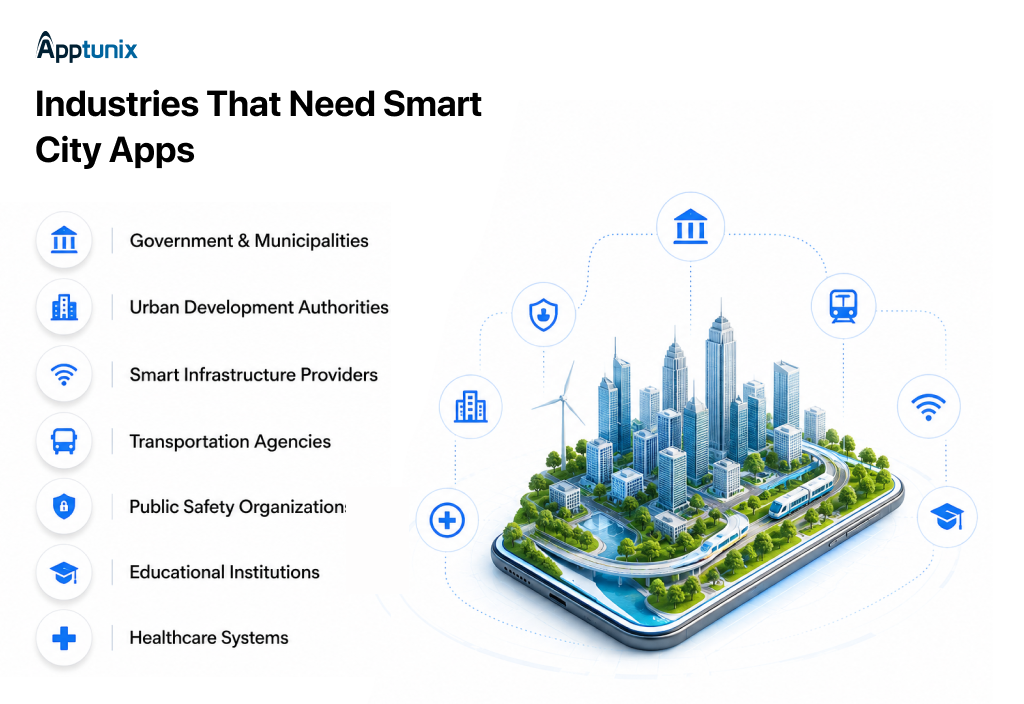
A smart city starts with the government running on smart systems. Without this piece in place, nothing else in the city really connects.
Real growth needs real data, not old maps and rough estimates. This is where smart planning actually becomes possible.
Roads and buildings need to stay smart even after they’re built. This is what keeps a city’s infrastructure alive and self-aware.
A city can’t be smart if people are still stuck guessing when the bus will show up. This is often the most visible sign that a city has actually modernized.
A city isn’t smart if it can’t respond fast in an emergency. This is the piece that protects everything else being built.
Campuses are basically small cities, so they need to run smart, too. This is where the next generation experiences what a smart city actually feels like.
A city isn’t fully smart until its hospitals are just as connected. This is often where smart city tech saves lives directly.
Smart city applications operate across multiple departments, each with distinct operational requirements. Rather than isolated systems, modern smart cities build modular, interconnected platforms where each department module feeds unified insights back to citizens and administrators.
Smart Parking optimizes availability and revenue through real-time data, reducing search time and traffic congestion. Citizens access live spot availability, reserve parking, and complete payments seamlessly within citizen service app development platforms.
Waste management streamlines collection routes and bin monitoring, improving operational efficiency. IoT protocols for smart cities enable automated pickup scheduling and contamination alerts, reducing costs while enhancing service responsiveness.
Emergency Response coordinates responders with live situational awareness, enabling faster intervention and resource allocation. Integrated Real-Time Analytics for City Management predicts hotspots and pre-positions critical resources for immediate dispatch.
Utilities & Billing provides consumption transparency and automated transactions through Building Smart City APIs. Smart meters deliver real-time usage data, enabling accurate billing, leak detection, and personalized conservation recommendations for residents.
Every industry & department on that list has its own reasons to invest, but they all run into the same roadblocks along the way. Have a look at these challenges as well as the solutions.
Making a smart city app isn’t just about features and budget; it’s about navigating problems that trip up even well-funded projects. Here’s what those challenges look like and how to actually solve them.
Old systems weren’t built to talk to new ones. That’s just the reality most cities face.
Solution: Middleware fixes this. It connects old and new without tearing everything down. This step alone can make or break an IoT smart city development project.
What works for a small pilot often breaks at the city scale.
Solution: Go cloud-native. Keep things modular. This is the backbone of real smart city platform development, and it saves a full rebuild later.
Thousands of sensors mean thousands of things that can quietly fail.
Solution: Centralize it. Monitor remotely. A solid IoT platform development solution means catching problems before they turn into outages.
People won’t use an app just because it exists.
Solution: Keep onboarding simple. Show value fast: faster bill payments and quicker complaint resolution. That’s what gets people to stick around.
Dead zones happen. And when they do, the whole system feels broken.
Solution: Mix your connectivity like 5G, Wi-Fi, and edge computing. AI Smart City Solutions can even flag outages before they occur.

Talking through challenges and solutions is useful, but seeing them solved in real cities makes it click. Here are the real-world cases.
Some cities have already put the above-provided ideas to work, and the results speak for themselves. Here’s a look at who’s actually leading the way with smart city app solutions.
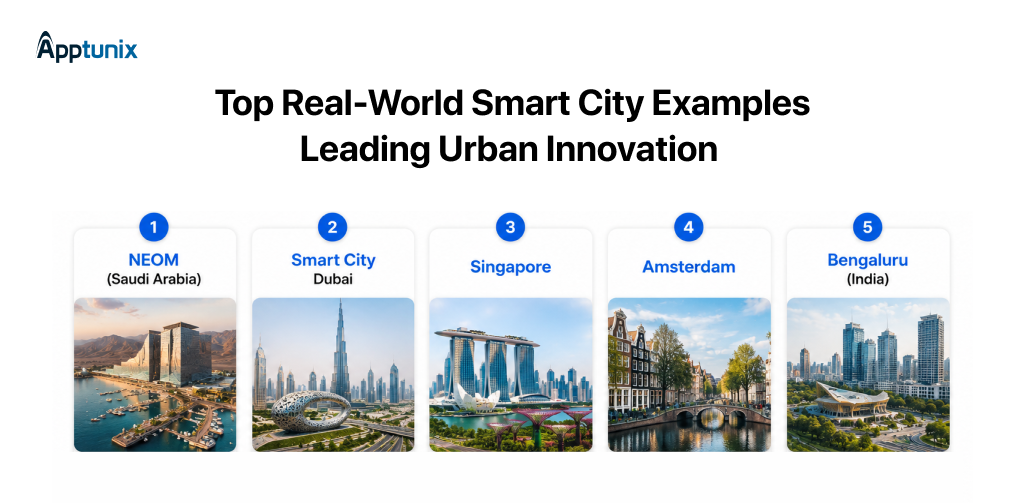
NEOM is probably the most ambitious urban project on the planet right now. Part of Saudi Vision 2030, it is a $500 billion bet on building a city from scratch with technology woven into every layer.
What stands out:
This is what smart city application development looks like when there are no legacy constraints.
Dubai has been doing digital government longer than most. The Smart Dubai initiative set a clear goal: to make the city the happiest on earth through technology.
What stands out:
Dubai shows that when leadership commits, digital transformation scales fast.
Also Read: How to Develop an App Like DubaiNow?
Singapore keeps topping the smart city rankings, and there is a good reason. The Smart Nation initiative is methodical, well-funded, and genuinely citizen-focused.
What stands out:
Singapore is proof that IoT smart city development works best when there is long-term commitment from the top.
Amsterdam takes a different path. It focuses on partnerships and citizen participation rather than top-down mandates.
What stands out:
Amsterdam proves that smart city platform development hits differently when citizens help shape it.
India’s tech capital faces brutal urbanization challenges. Traffic, water shortages, waste management. But it is fighting back with technology.
What stands out:
Bengaluru shows that even in cities buried under legacy problems, AI smart city solutions can move the needle.
Smart city app development isn’t a trend anymore. It’s how cities are choosing to run, respond, and grow. The technology is already here. What matters now is execution.
That’s where the right mobile app development partner makes the difference, one who gets the architecture, security, and scalability right from day one.
This is where Apptunix comes in. With proven experience building scalable, secure, citizen-first apps, Apptunix helps governments and urban authorities turn smart city visions into working platforms, from MVP to full-scale deployment.
If you’re planning a smart city app in 2026, it’s worth starting that conversation early. Reach out to Apptunix for a clear, honest roadmap to bring your city’s app to life.
Q 1.How to develop a smart city app in 2026?
You treat it as a “citizen super app” that unifies services instead of a single‑use app.
Q 2.How much does it cost to create a smart city app?
The approximate ranges you can quote:
Q 3.What features should a smart city app have at a minimum?
If these aren’t there, citizens won’t see real value:
Q 4.How long does it take to build a smart city app?
Use this as a simple timeline:
Q 5.Do smart city apps need IoT integration?
Not for the first version, but IoT is what makes it “smart” over time.
Q 6.What role does AI play in smart city apps?
AI turns the app from a digital noticeboard into an intelligent assistant:
Q 7.Can a smart city app work with a city's existing legacy systems?
Yes, and that’s the default assumption. Wrap legacy systems with APIs/middleware and let the app talk to those. Then, use the app as a modern “digital facade” over billing, permits, transport, and CCTV/command center systems.
Q 8.How do you get citizens to actually use the app?
Adoption = daily utility + trust + visibility.
Make it the one place for payments, complaints, transport info, and alerts. Show status and resolution for issues; push meaningful notifications. Run campaigns and incentives, and route key government processes through the app so it becomes the default channel.
Get the weekly updates on the newest brand stories, business models and technology right in your inbox.
Reena Bhagat, the CTO and Head of AI at Apptunix, is a seasoned technology strategist with a deep-rooted expertise in emerging technologies. With a focus on AI/ML integration, product engineering, cloud management, she leads the technical vision for high-performance SaaS infrastructures. Reena is recognized for building secure, scalable, and decentralized systems that solve real-world complexities. Her passion lies in leveraging data science and future-tech to create resilient digital products, making her a trusted authority for organizations looking to lead in the age of intelligent automation.
12 Views 13 min September 16, 2026

5 Views 13 min September 14, 2026

15 Views 13 min September 8, 2026
Book your consultation with us.
Book your consultation with us.


One Central, The offices 3, Level 3, DWTC, Sheikh Zayed Road, Dubai
+971 50 782 1690