
GDPR Compliance Software Development: How to Build Privacy-Ready Products That Scale
7 Views 9 min April 24, 2026

Reena Bhagat, the CTO and Head of AI at Apptunix, is a seasoned technology strategist with a deep-rooted expertise in emerging technologies. With a focus on AI/ML integration, product engineering, cloud management, she leads the technical vision for high-performance SaaS infrastructures. Reena is recognized for building secure, scalable, and decentralized systems that solve real-world complexities. Her passion lies in leveraging data science and future-tech to create resilient digital products, making her a trusted authority for organizations looking to lead in the age of intelligent automation.
Mammoth companies like IBM and Siemens faced a growing challenge a few years ago. They faced challenges in managing thousands of internal service requests across the globe.
How did that happen? Well, as operations expanded, disconnected tools and manual workflows slowed everything down. This turned routine service requests into bottlenecks for IBM and German-based technology company Siemens.
Yes, that’s the reality numerous enterprises face today. Managing services across departments such as IT, HR, customer support, etc., becomes increasingly difficult as operations expand.
To tackle this, enterprises invest in service management software development.
They hire a provider for custom software development services to unify workflows, automate processes, and deliver seamless service experiences.
Are you an enterprise, or do you want to build a service management solution? If yes, it’s time to examine the enterprise blueprint for scalable solutions, including everything from development steps to the features it includes, along with costs.
Let’s get started!

Stands for enterprise service management, ESM is the approach of using service management practices across the entire organization, not just IT. ESM extends capabilities
ESM eliminates the need for using separate tools for each team. It brings everything into one unified system, making it easier to manage requests, improving response times, and ensuring consistent service delivery across departments.
Enterprise service management helps enterprises streamline their operations, reduce manual work, and scale seamlessly as they grow.
The biggest examples of such platforms include Freshservice and ServiceNow. These platforms enable enterprises to handle multiple service functions in one place.
As of 2026, 70% of enterprises worldwide have adopted ITSM (Information Technology Service Management). In the United States, around 84% of the enterprises adopted that, which shows how important service management software development is. They invest to streamline operations, reduce inefficiencies, and improve service delivery.
Discover why your enterprise must build service management software in 2026:
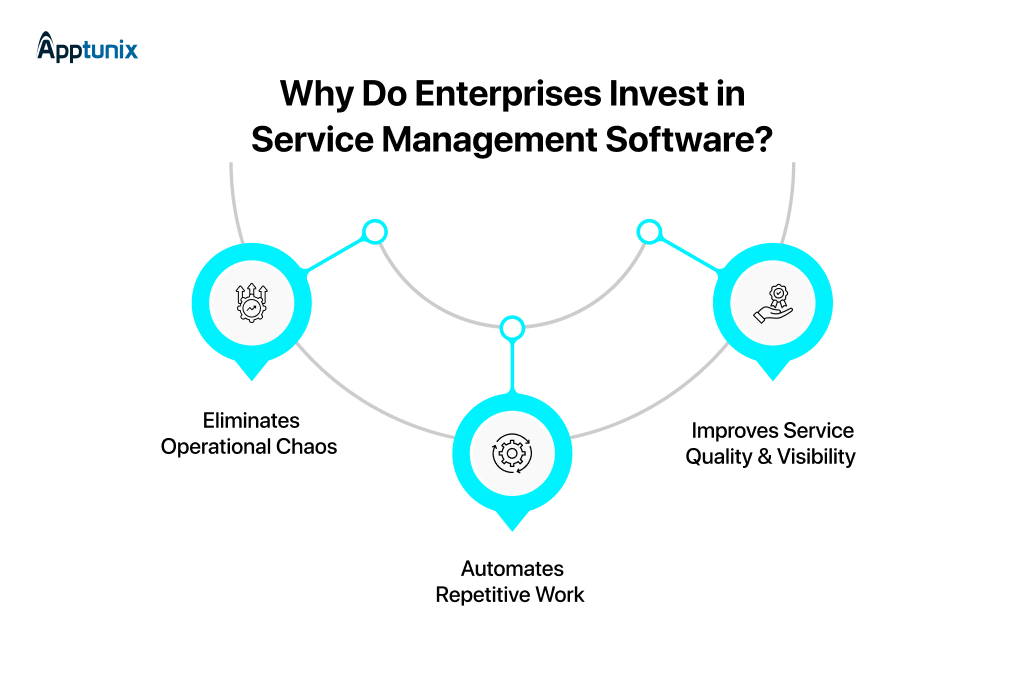
1:Eliminates Operational ChaosManaging requests across departments becomes messy and slow as enterprises grow. This results in delays and poor coordination due to disconnected tools. However, installing service management software centralizes everything in one system for better control, improving operational efficiency by up to 30% through workflow digitization.
2:Automates Repetitive WorkAccording to Gartner, automation can reduce repetitive task workloads by up to 40%. Enterprises invest in SaaS service management platform development because it automates business processes. Automation helps enterprises handle routine tasks such as routing, approvals, and notifications, improving productivity and accuracy.
3:Improves Service Quality & VisibilityEnterprise service management software provides dashboards, analytics, and SLA (Service Level Agreement) tracking for better decision-making. As of 2026, enterprises that use service management tools see up to a 25% improvement in service delivery performance.
In fact, enterprises experience 35% higher revenue growth and 10% higher profit margin with high-performing IT organizations. As a result, enterprises across the world are heavily investing in such digital platforms.
Now it’s time to discover the right development approach for a successful software launch in the next section.
IT service management software development for enterprises is not just about building software; it’s actually about developing a scalable system that streamlines operations, integrates workflows, and drives efficiency.
From defining service ecosystems and requirements to launching an MVP and scaling strategically, below are the 10 best practices to launch a successful custom service management software:
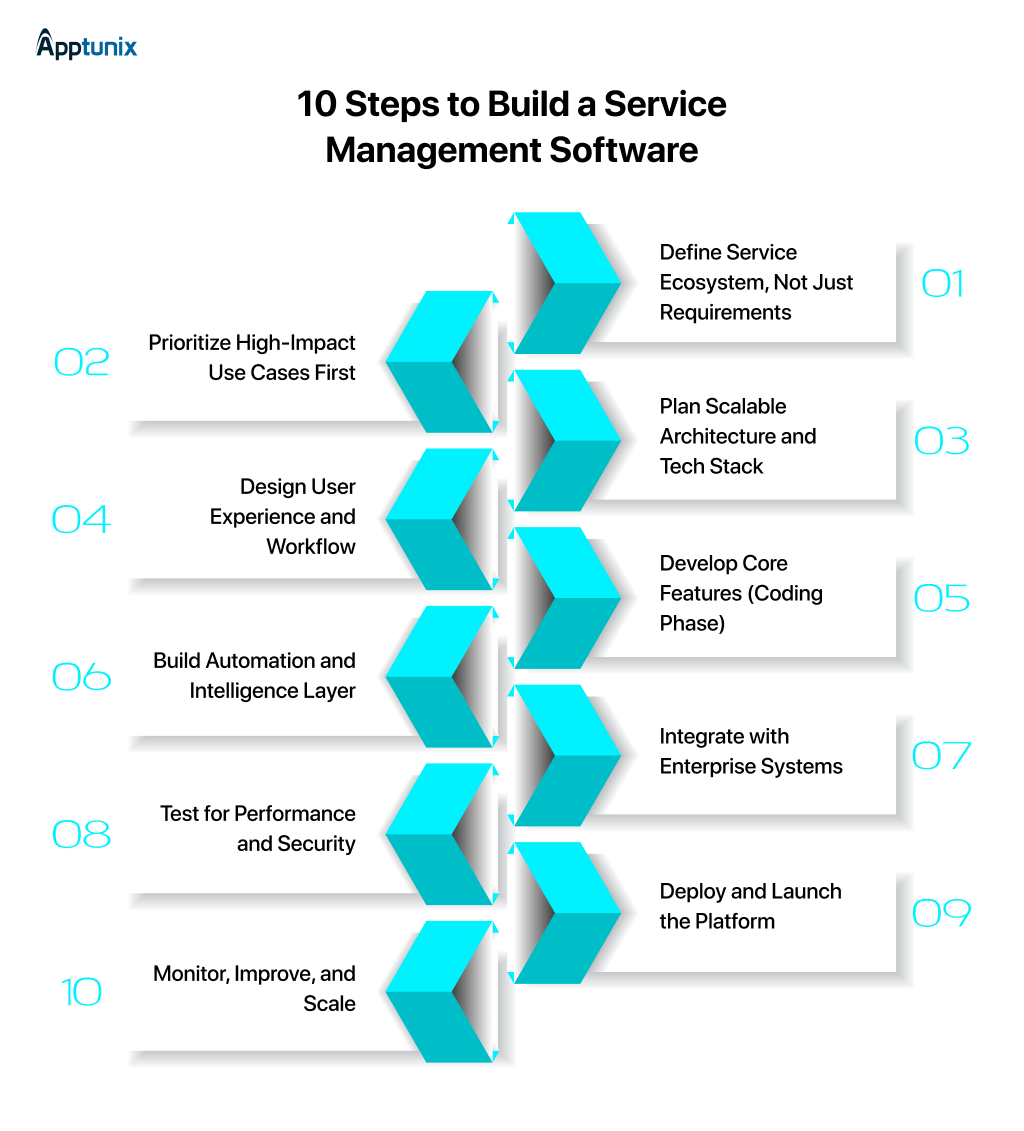
Step 1:Define Service Ecosystem, Not Just RequirementsThe first thing that you must do is to map how services flow across your enterprise departments, like IT, HR, and support. Once you understand this, you will be able to identify
Following this will help you design a connected system that improves coordination instead of developing features that don’t scale.
Step 2:Prioritize High-Impact Use Cases FirstOnce you’ve defined the service ecosystem, focus on crucial workflows such as incident management or employee onboarding. Solve high-impact obstacles early to deliver quick value, improve adoption, and help stakeholders see clear ROI before expanding to other use cases.
Prioritizing a high-impact use case approach reduces risk and ensures faster time to market for your solution.
Step 3:Plan Scalable Architecture and Tech StackGo for a scalable architecture like microservices and an API-first approach to build enterprise workflow automation software. Choose technologies that support
This ensures your system can handle increasing workloads without major changes.
Step 4:Design User Experience and WorkflowEnsure the best design user experience after picking a scalable architecture and tech stack. Make a simple and intuitive interface for different user types, which include
Building well-designed workflows and dashboards makes it easier for teams to adopt the system and perform tasks efficiently.
Step 5:Develop Core Features (Coding Phase)Once the software interface design is confirmed, top service management software developers start building key modules like
Developers practice clean coding to ensure your software is reliable, maintainable, and ready for enterprise-scale usage.
Step 6:Build Automation and Intelligence LayerOnce the key features are integrated into your software, build an automation and intelligence layer. Automate repetitive tasks such as ticket routing, approvals, and alerts.
Moreover, integrate AI-based capabilities to improve decision-making, reduce manual effort, and speed up service delivery.
Step 7:Integrate with Enterprise SystemsAfter successfully creating automation and an intelligence layer, connect your system with your exciting tools to ensure the data will move smoothly between systems.
Integrate your system with platforms like Salesforce and SAP to help your teams avoid manual work, reduce errors, and improve overall business performance.
Step 8:Test for Performance and SecurityOnce everything is done, the quality assurance team conducts thorough testing to check
Testing for performance and security ensures your software works reliably under heavy usage and protects sensitive business data.
Step 9:Deploy and Launch the PlatformIt’s time to actually launch your software in a secure environment like the cloud or on-premise servers. Your development partner must ensure proper setup, configurations, and monitoring tools are in place.
You can start using the system without facing any issues if your software gets a smooth launch, avoiding downtime.
Step 10:Monitor, Improve, and ScaleThe last phase of service management software development is to monitor, fix bugs, and scale the software. Track system performance and user activity, collect feedback, fix issues, and improve features over time.
Your development partner allows you to gradually scale the platform by adding new workflows and capabilities as your business grows.
A custom service management software is designed to handle complex operations across multiple departments. From workflow automation to role-based access control, below are the key features that you must integrate into your enterprise solution:
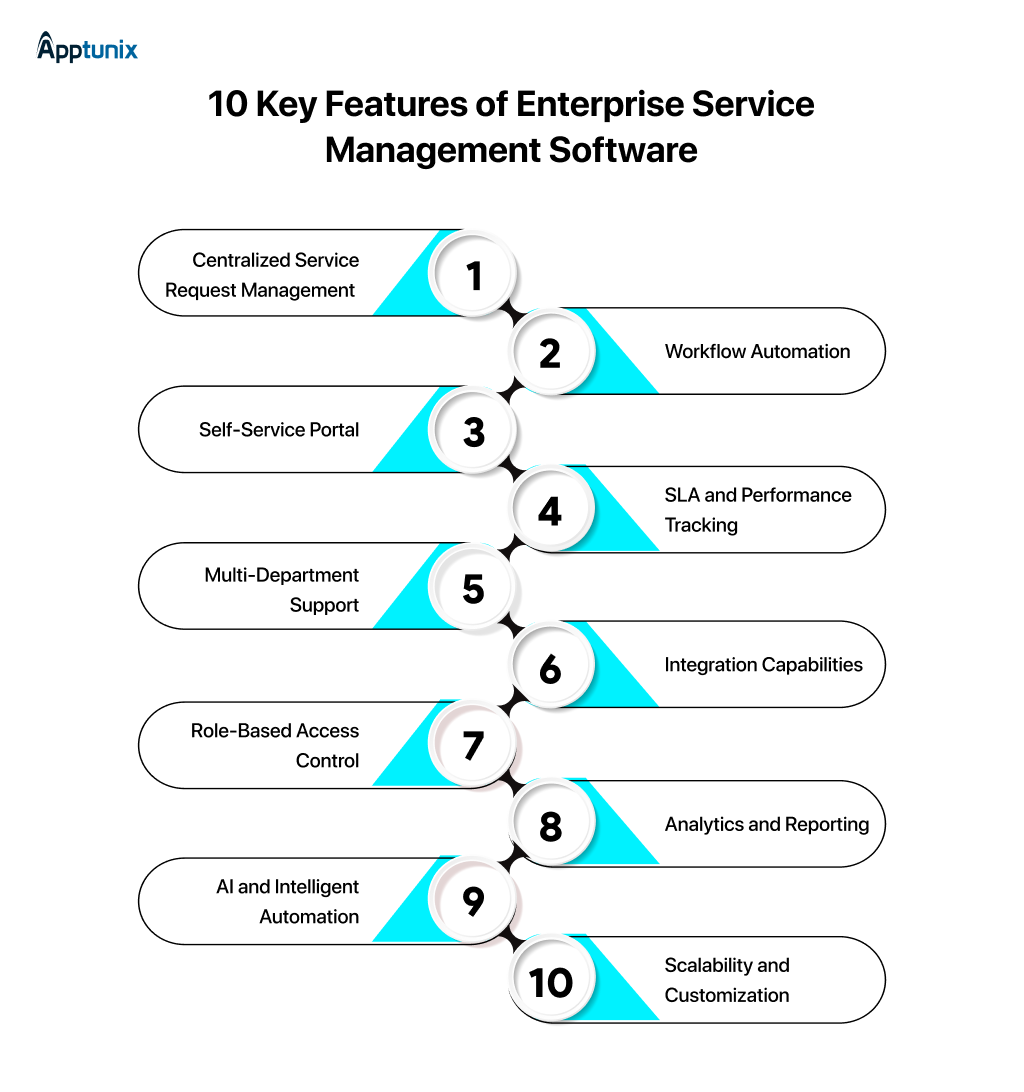
1:Centralized Service Request ManagementManages all service requests from different departments. Ultimately, it ensures better visibility, faster resolution, and eliminates the need for scattered communication channels like email and spreadsheets.
2:Workflow AutomationAutomates repetitive tasks like approvals, routing, and notifications. Its ultimate goal is to reduce manual effort, speed up processes, and ensure consistency in service delivery across the enterprise.
3:Self-Service PortalEnables employees and customers to raise requests, track progress, and access knowledge bases without depending on support teams. It enhances user experience and reduces workload on service teams.
4:SLA and Performance TrackingWith the performance tracking feature, the software tracks service level agreements, response times, and resolution rates. Helps enterprises to have an authentic report for performance, maintain service quality, and meet business expectations.
5:Multi-Department SupportHelps multiple departments like IT, HR, finance, operations, etc., in the organization within a single platform. It basically ensures smooth coordination and standardization of processes across the enterprise.
6:Integration CapabilitiesEnterprise workflow automation software comes with a feature that allows it to integrate with existing tools like Salesforce and SAP. Service management software integration with ERP/CRM capabilities leads to smooth data flow and eliminates connection issues between different systems.
7:Role-Based Access ControlThis feature offers controlled access based on user roles and responsibilities. It ultimately ensures data security and allows users to access only the data they need.
8:Analytics and ReportingA custom service management software comes with analytics and reporting features that give real-time dashboards and detailed reports on service performance. It helps enterprises make better decisions and continuously improve operations.
9:AI and Intelligent AutomationAI-powered feature intelligence automates decision-making, prioritizes requests, and predicts issues. It improves efficiency and enhances the overall service experience.
10:Scalability and CustomizationA service management system must have a feature of customization based on business needs and can be scaled as the company grows. Integrating such a feature ensures long-term usability without requiring complete system changes.
Enterprises use different types of service management solutions to streamline operations across departments. Well, custom software development focuses on specific workflows and helps organizations improve efficiency and reduce manual work.
Analyze the table to understand different types of enterprise workflow automation software, with use cases and examples:
As of 2026, service management software development costs typically range from $40,000 to $80,000 for a basic solution with only key features like ticketing, workflows, and reporting.
On the other hand, a mid-level service management platform development with all basic features and a few advanced features like automation, integrations, and advanced dashboards costs between $80,000 and $160,000.
However, enterprise-level custom service management software with all highly advanced features like AI capabilities, custom integrations, high security, etc., costs range from $160,000 to $300,000+.
Note: The final cost of your service management system depends on the software’s complexity and customization scope.
The other key factors that influence service management software development cost include:
In the next section, examine the difference between building and buying the software to decide which one is right for you.
You should decide whether you choose custom software development or buy a ready-made or white-label solution, based on your business goals, budget, and operational requirements. Off-the-shelf/white-label solutions offer quick deployment but less flexibility. However, custom solutions provide better control, scalability, and long-term value but come with a high budget.
Let’s find out which solution is right for you by understanding all their differences:
Picking the right ITSM software development company is crucial to developing a reliable and scalable digital solution for your enterprise. To ensure your project delivers lasting business value, you must evaluate your partner’s experience, technical capabilities, and long-term support. Follow the 5 tips to choose the right development partner:
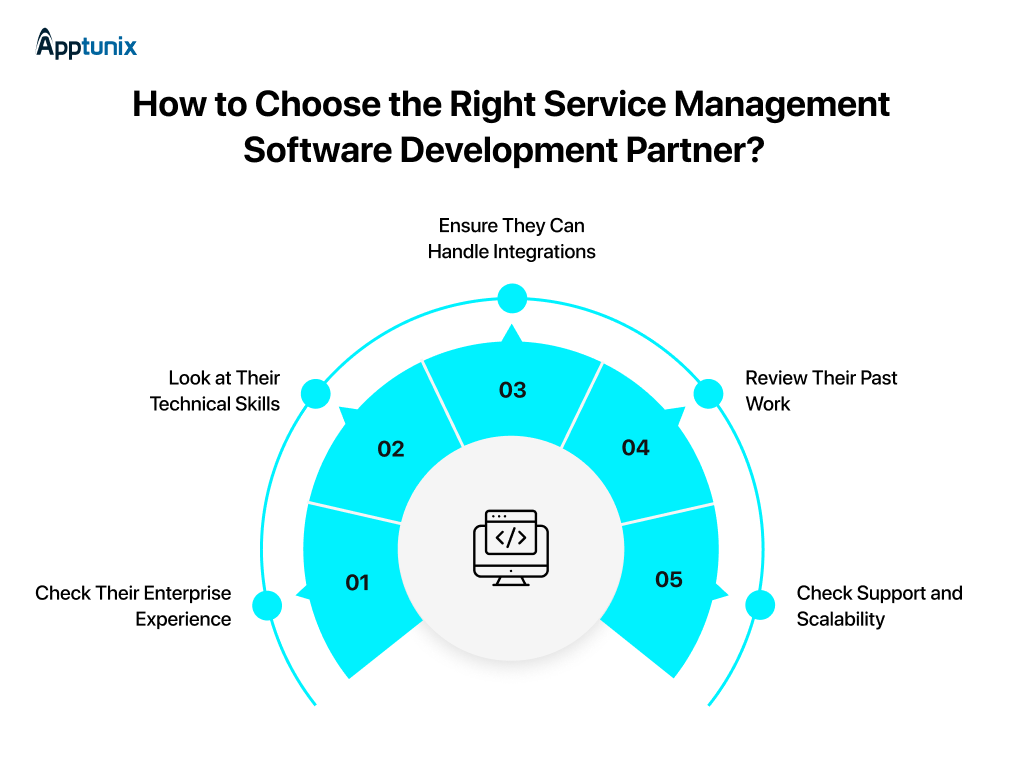
1:Check Their Enterprise ExperienceGo for a partner if they have experience building enterprise-grade solutions. Ensure they understand scalability requirements, complex workflows, and steps to build service management software that supports large teams and growing operational demands.
2:Look at Their Technical SkillsCheck if your partner has expertise in modern technologies, architecture, and development practices or not. Go with a technically strong software provider who can develop secure and scalable enterprise solutions using the right tech stack frameworks.
3:Ensure They Can Handle IntegrationsChoose a provider that offers service management software integration with ERP/CRM software. The strong integration capabilities will help you eliminate data silos and improve operational efficiency.
4:Review Their Past WorkReviewing their portfolios, case studies, and previous projects similar to yours is the best way to choose the right partner. Doing this will help you understand their delivery quality, problem-solving approach, budget, technology usage, and ability to handle similar requirements.
5:Check Support and ScalabilityWork with a partner that provides seamless post-launch support, maintenance, and feature upgrades. Ensure they can create a software solution that can scale as your business grows and new requirements emerge.
It’s a fact that service management software services have become imperative for enterprises looking to improve service delivery and streamline business processes.
Picking a reliable technology partner is crucial since it influences every decision that shapes your platform’s success, from choosing the right features to the development approach.
Choose a partner like Apptunix that builds custom solutions that not only solve operational challenges but also prepare your business for future growth.
Known for providing successful service management solutions, Apptunix continues to focus on building automation and connected workflows. This helps them to build the right software that can give countless advantages to enterprises.
So what are you waiting for? Partner with Apptunix and develop enterprise software solutions aligned with your business goals, user needs, and long-term scalability requirements. Drive measurable impact with one click.

Q 1.How much does IT service management software development cost?
The cost to develop service management software ranges from $40,000 to $300,000, depending on feature complexity, customization, scalability, and other factors. The cost is broken down into three phases: basic, medium, and complex.
Basic: $40,000-$80,000
Medium: $80,000-$160,000
Advanced: $160,000-$300,000+
Q 2.How long does it take to build a custom service management software?
As of 2026, IT service management software development takes around 3-9 months to complete, or sometimes even more, with highly complex software. A basic service management software can be developed in 3-4 months from scratch; however, mid-level software takes up to 6 months, and complex software takes up to 9 months or even more.
Q 3.How to build service management software for enterprises?
Follow the steps below to build scalable service management solutions for large enterprises:
Q 4.What are the key features of enterprise service management software?
Scalable service management solutions for large enterprises include features such as:
Q 5.How to choose the best service management platform development provider?
The best five ways to choose the best custom service management software provider include
Get the weekly updates on the newest brand stories, business models and technology right in your inbox.
Reena Bhagat, the CTO and Head of AI at Apptunix, is a seasoned technology strategist with a deep-rooted expertise in emerging technologies. With a focus on AI/ML integration, product engineering, cloud management, she leads the technical vision for high-performance SaaS infrastructures. Reena is recognized for building secure, scalable, and decentralized systems that solve real-world complexities. Her passion lies in leveraging data science and future-tech to create resilient digital products, making her a trusted authority for organizations looking to lead in the age of intelligent automation.
7 Views 9 min April 24, 2026

19 Views 9 min April 23, 2026

18 Views 9 min April 17, 2026
Book your free consultation with us.
Book your free consultation with us.

One Central, The offices 3, Level 3, DWTC, Sheikh Zayed Road, Dubai, United Arab Emirates
+971 50 782 1690