How to Build a Travel Platform Like Expedia?
11 Views 11 min July 31, 2026

Reena Bhagat, the CTO and Head of AI at Apptunix, is a seasoned technology strategist with a deep-rooted expertise in emerging technologies. With a focus on AI/ML integration, product engineering, cloud management, she leads the technical vision for high-performance SaaS infrastructures. Reena is recognized for building secure, scalable, and decentralized systems that solve real-world complexities. Her passion lies in leveraging data science and future-tech to create resilient digital products, making her a trusted authority for organizations looking to lead in the age of intelligent automation.
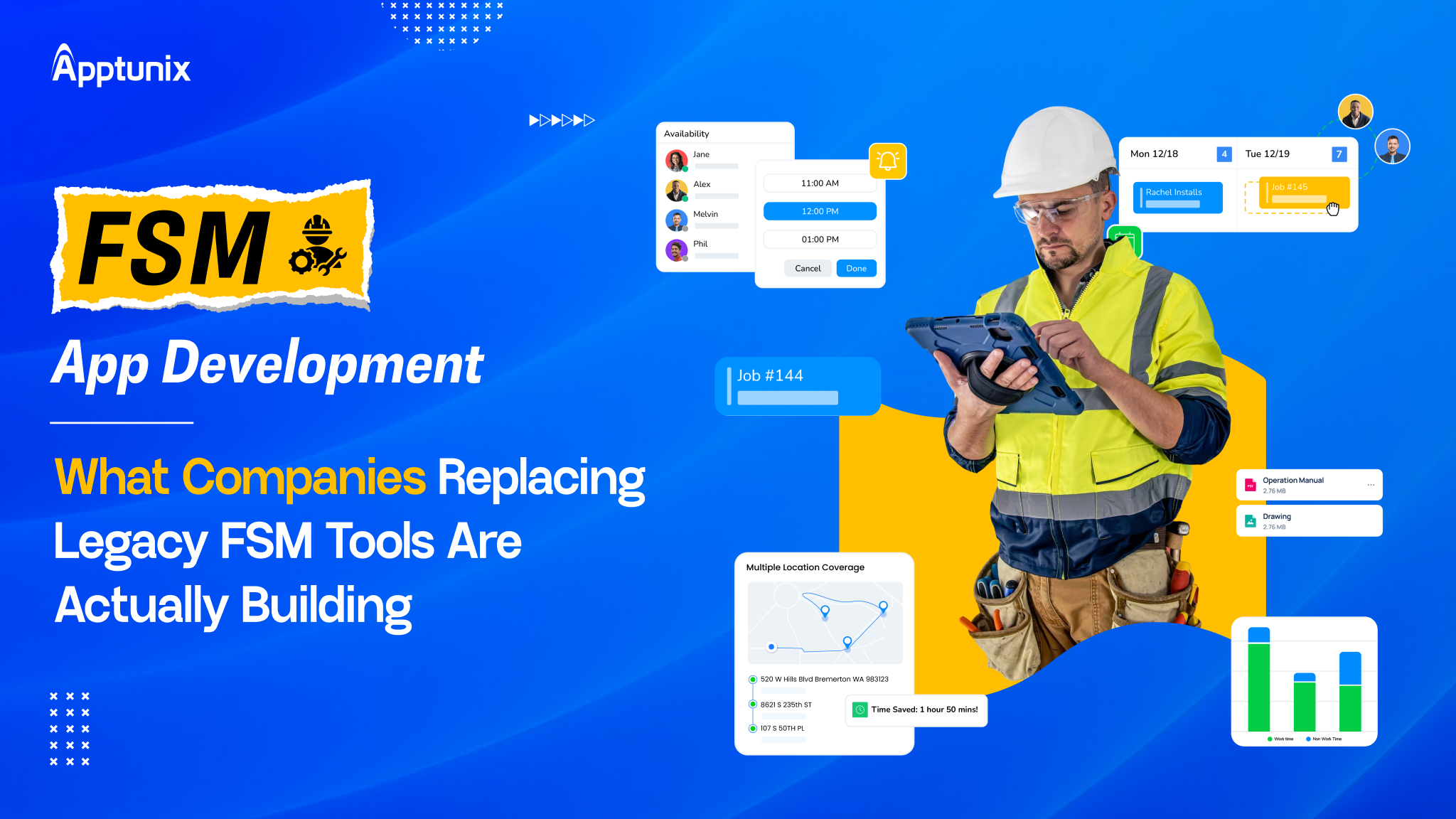
A mid-sized HVAC company develops a custom field service app for its 45 technicians. It included GPS tracking and dispatch tools. Within just 90 days, query callback rates dropped from 28% to 8% and began handling 3x as many jobs.
But getting those results took real investment. A field service management app cost range can be USD 25,000 to USD 400,000+.
And right now, the opportunity is growing fast. More businesses are moving toward digital operations, AI automated solutions, and smarter workforce management.
So, what does it really take to build a field service management app that improves operations and removes outdated workflows?

That’s exactly what this guide covers:
But before we dive in, let’s understand the market depth and the latest trends.
The global field service management market demonstrates exceptional growth momentum. The market expanded from USD 5.10 billion in 2026 to a projected USD 9.17 billion by 2030, representing a Compound Annual Growth Rate (CAGR) of 12.5%.
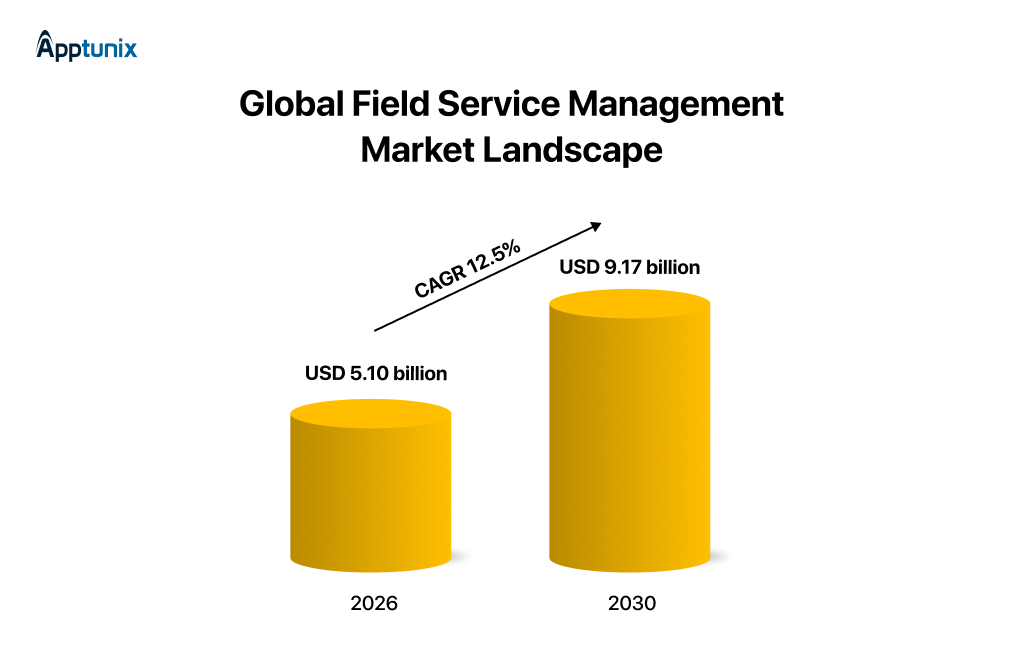
This robust growth reflects widespread digital transformation initiatives and increasing cloud adoption across service industries.
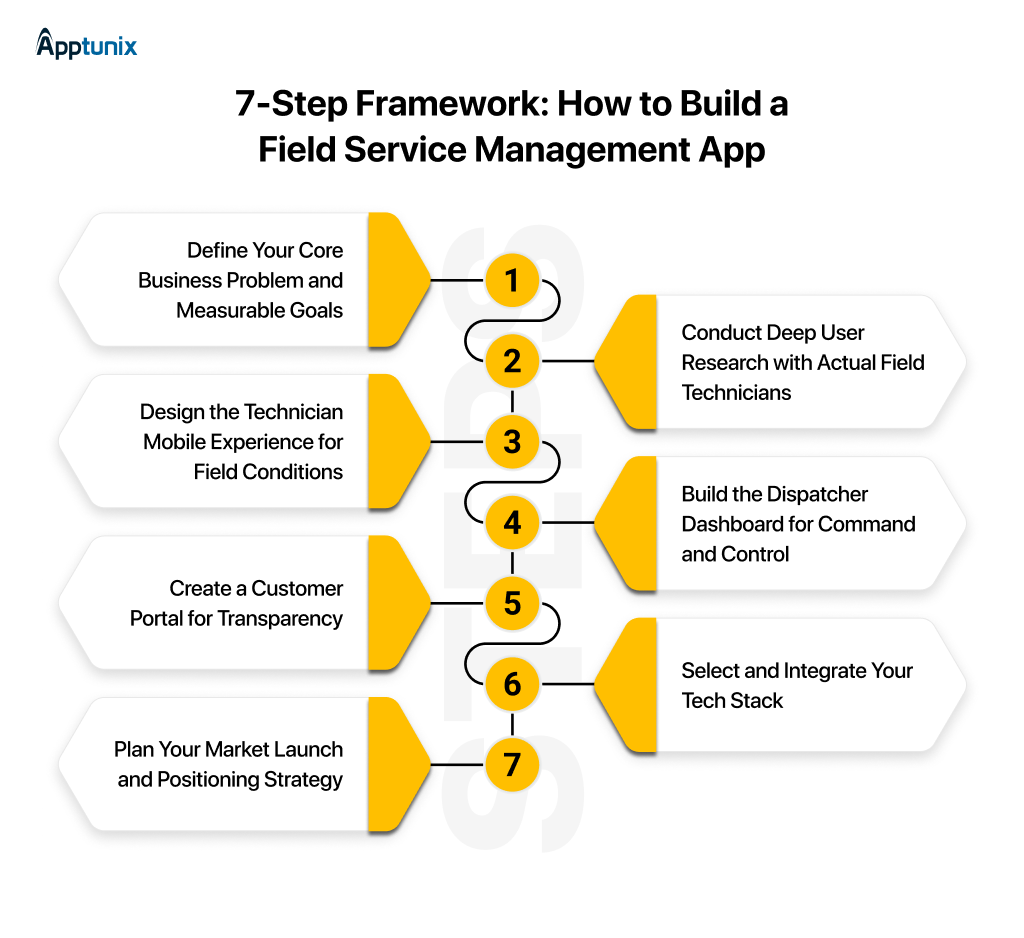
After exploring market data, let’s outline seven steps for developing a field service management application.
There is a 7-step process for building a field services management app for your business; let’s dive in and explore it in depth.
Start narrowly. Don’t attempt to solve every operational challenge simultaneously.
Critical questions to answer:
Field technicians are fundamentally different from office workers.
They work in varied environmental conditions. Battery life is critical. Screen real estate is limited. Internet connectivity is unreliable. One-handed operation is essential. They need speed over aesthetics.
Research methodology:
Mobile-first UX/UI design isn’t optional; it’s the foundation.
Design principles for field service apps:
Dispatchers need visibility, control, and speed in a single interface.
Essential dashboard components:
The dispatcher dashboard directly impacts customer satisfaction. Every minute saved is customer service improved.
Customer portals reduce support costs while improving satisfaction.
Companies implementing customer portals report:
The portal becomes a retention tool, not merely an informational feature.
Your technology choices determine scalability, cost, and maintenance burden.
Recommended Architecture:
Field service software requires an intelligent go-to-market strategy, not generic positioning.
Identify the target industry first:
Starting with one vertical allows you to become exceptional there before expanding to adjacent industries.
Now that you have understood the 7-step framework, let’s have a look at the must-have features of your FSM app.
A production-ready field service management app must serve three distinct user groups, each with specialized requirements.
The technician’s mobile app becomes the primary work tool in the field.
The back office requires a centralized command center for efficient operations oversight.
Customers increasingly expect transparency and self-service options.
Field service operations are becoming smarter every year. Companies are no longer using software just to assign jobs. They are using AI to make faster decisions and improve field productivity.
For example, AI can automatically assign the nearest technician based on location, availability, and skill set. This reduces travel time and helps teams complete more jobs every day.
Modern AI-powered field service platforms can also:
These capabilities reduce manual work and allow field teams to focus on what matters most—delivering better service.
Businesses that invest in AI-driven field service management solutions are often able to improve response times, increase technician utilization, and create a better customer experience without increasing operational complexity.
After the features, let’s move on to finding the best app development solutions for field service management app.
A few years ago, most companies were happy buying whatever field service platform looked decent in a sales demo. Today? Not anymore.
Operations teams want speed. Technicians want simplicity. Founders want visibility. Investors want margins. And suddenly, the “just buy software” mindset feels a little outdated.
What’s interesting is that companies are now treating FSM apps less like tools… and more like operational infrastructure. Let’s clear this fog about the built vs buy internal tools decision.
A lot of growing service businesses eventually hit the same wall. Their workflows become too specific for generic software.
Dispatching logic gets messy. Technician routing becomes operationally critical. Inventory starts connecting with finance. Then someone asks for AI scheduling, predictive maintenance, or customer-facing tracking.
At that point, off-the-shelf systems start feeling expensive in the wrong ways.
Custom FSM development is no longer only for enterprises. Mid-sized operators are doing it too because they want control over margins, workflows, and customer experience.
Most companies should probably start here.
That’s the unpopular truth.
Low-code FSM platforms and ready-made tools are sufficient for a large percentage of businesses. Especially early-stage operators that simply need scheduling, technician tracking, invoicing, and reporting working in one place.
The speed matters.
Here’s the full comparison; let’s explore custom field service management app development vs Off-the-shelf FSM app development.
Many businesses start with ready-made field service software because it is quick to deploy. It works well for standard processes, but challenges appear as operations grow.
Every company has unique workflows, approval systems, reporting requirements, and customer journeys. Generic platforms often force teams to adjust their processes instead of supporting them.
Custom field service management software is designed around your business needs. It can integrate with existing ERP, CRM, inventory, or accounting systems while supporting future expansion.
The technical architecture behind an FSM app decides how well the business scales, integrates, and performs under pressure.
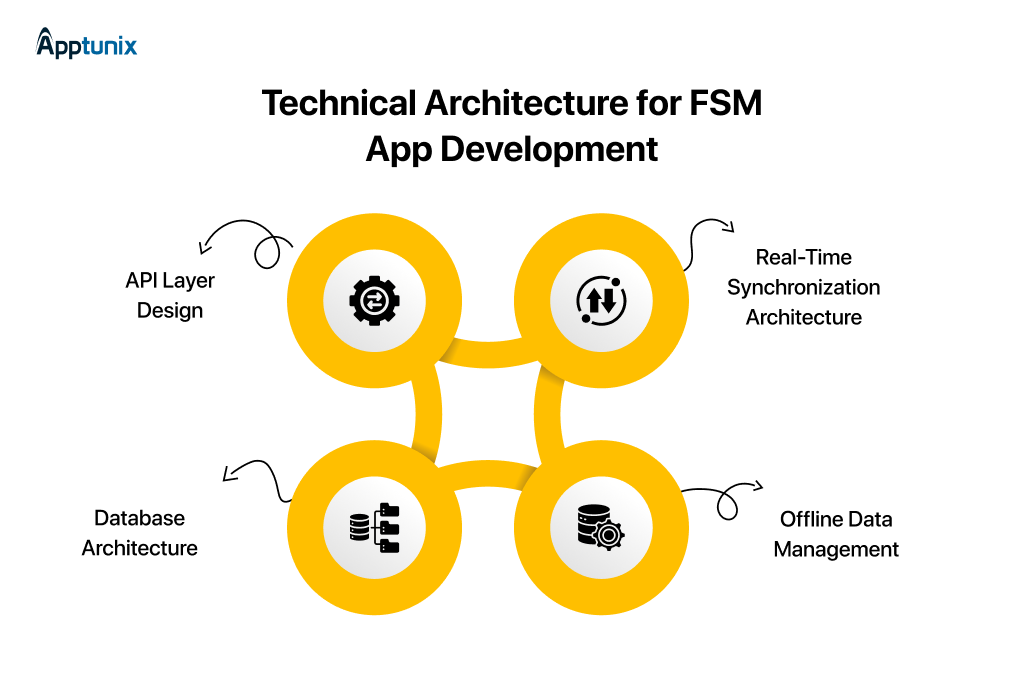
The backend API handles all business logic, database operations, and third-party integrations.
Core API endpoints:
PostgreSQL with the PostGIS extension handles spatial operations critical for field service.
PostGIS capabilities:
Socket.io enables bidirectional communication essential for field service operations.
Real-time features:
Mobile devices store critical data locally for offline operation.
Offline storage strategy:
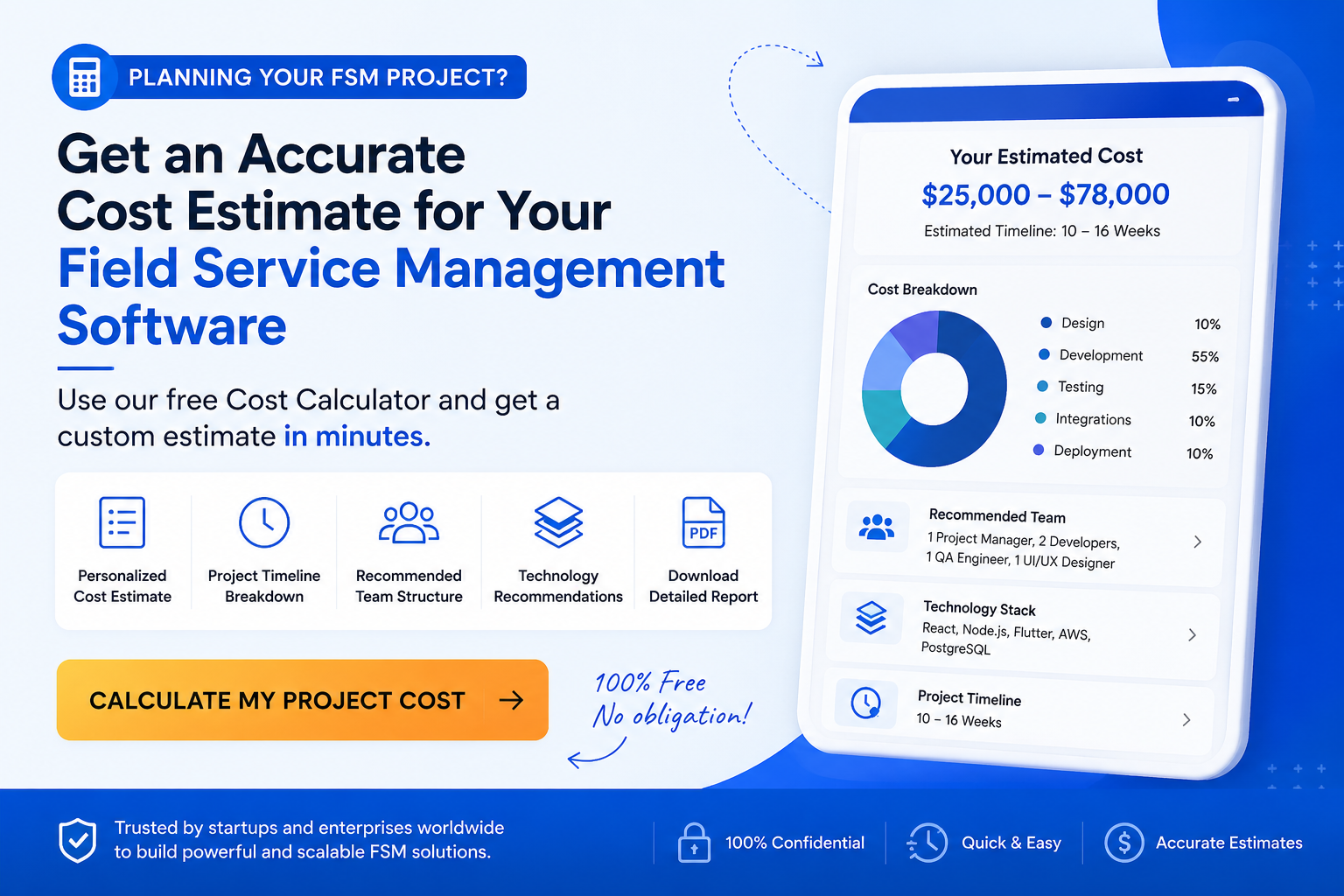
The FSM app development cost depends on how complex you want the app to be. It can range from USD $25,000 to $400,000+ from an MVP app to an enterprise app.
Take a look at the field service management app development cost comparison table along with the function limitations.
Several factors affect the FSM app development cost and are important for scalability and a perfect application build.
Here are some more factors that directly impact the project cost to create an FSM app:
While off-the-shelf software may seem affordable at first, custom field service management software often delivers better long-term value. It gives businesses complete control over features, scalability, and future upgrades without depending on third-party limitations.
The best approach is to define your business goals first, then build only the features that deliver measurable operational value.
In this section, we break down the key integrations businesses need for field service management app development. We’ll also look at how those integrations change based on industry workflows, operations, and customer expectations.
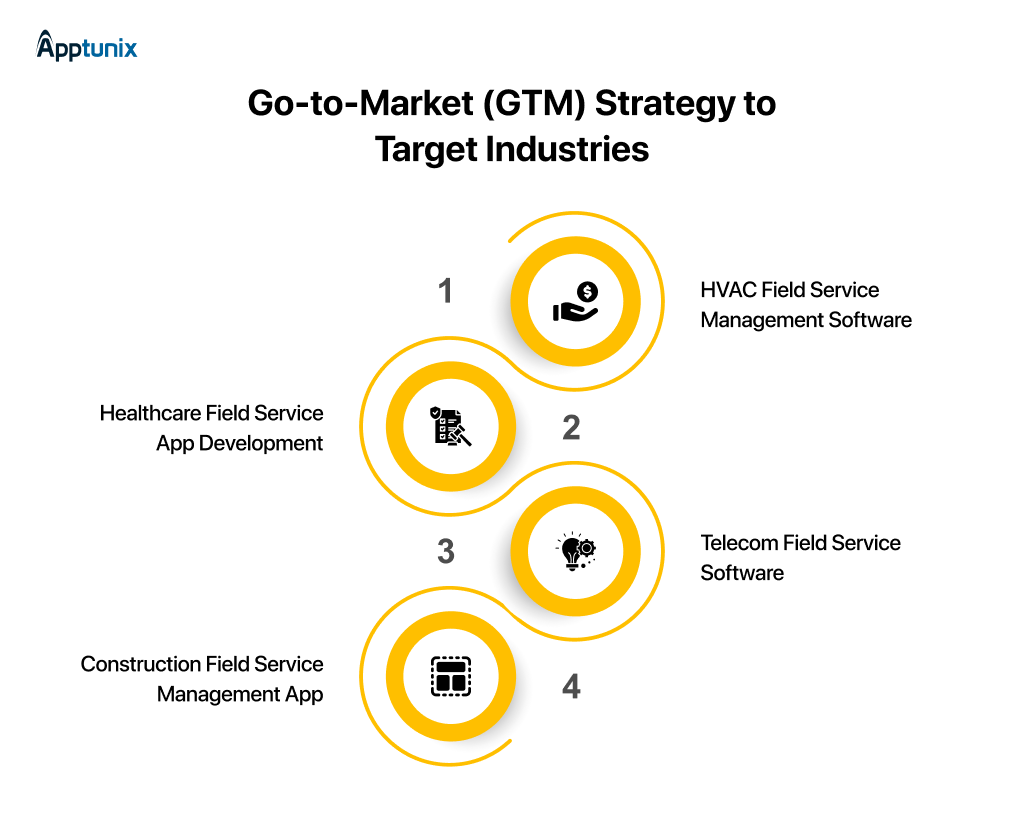
HVAC companies care about seasonal demand management, preventive maintenance scheduling, and emergency response speed.
Key integrations: Weather APIs, predictive maintenance algorithms, permit tracking.
Healthcare facilities need compliance, asset tracking, and rapid response to critical failures. And Healthcare app development helps manage that.
Key integrations: Electronic health records, medical device tracking, compliance logging.
Telecom technicians work with complex infrastructure, multiple access points, and regulatory requirements.
Key integrations: Network monitoring systems, inventory management, and compliance audit tools.
Construction companies juggle multiple projects, equipment tracking, and workforce mobility across sites.
Key integrations: Project management tools, equipment rental systems, crew time tracking.
The industry is evolving around four critical technology directions:
Legacy FSM tools were built for a different era. Most were designed to digitize paperwork, not power modern operations. That’s why companies investing in field service management app development today are thinking beyond simple scheduling and dispatching. They’re building systems that improve technician productivity, customer visibility, and operational control in real time.
The businesses winning in this space are not always the biggest. They’re the ones building faster workflows, smarter field operations, and better service experiences through the right mobile app development solutions.
At Apptunix, we’ve seen how the right FSM platform can completely change operational efficiency. Not through unnecessary complexity, but through systems built around real business problems.
What makes the difference is usually simple:
And honestly, that’s where most FSM decisions are headed now. Businesses want technology partners who understand operations, not just app development.
If you’re exploring what the next version of your field service business could look like, this might be the right time to start the conversation.
Q 1.What are the three key elements of a field service management app?
The three core elements of a field service management app are:
Q 2.What are the 7 stages of FSM app development?
The 7-step field service management app development framework covered in the blog includes:
Q 3.Why do you need the FSM app?
Businesses need an FSM app to improve operational efficiency, technician productivity, and customer experience.
A well-built field service management app helps companies:
Most importantly, modern FSM apps replace disconnected workflows, spreadsheets, and legacy systems with a centralized operational platform.
Q 4.What is an FSM vs CRM?
An FSM (Field Service Management) system manages field operations.
A CRM (Customer Relationship Management) system manages customer relationships and sales interactions.
FSM focuses on:
CRM focuses on:
In simple terms:
CRM manages the customer relationship.
FSM manages the service execution after the sale.
Q 5.How much does it cost to develop a Field service management app?
The cost of field service management app development typically ranges from $25,000 to $400,000+, depending on complexity, integrations, scalability, and feature requirements.
Estimated cost breakdown:
The final cost depends on:
Q 6.How much time does it take to build an FSM app?
The development timeline depends on the app’s complexity and customization level.
Average FSM app development timelines:
Low-code or off-the-shelf FSM solutions can launch much faster, sometimes within a few weeks. However, fully custom field service management app development usually requires longer planning, testing, integrations, and scalability preparation.
Get the weekly updates on the newest brand stories, business models and technology right in your inbox.
Reena Bhagat, the CTO and Head of AI at Apptunix, is a seasoned technology strategist with a deep-rooted expertise in emerging technologies. With a focus on AI/ML integration, product engineering, cloud management, she leads the technical vision for high-performance SaaS infrastructures. Reena is recognized for building secure, scalable, and decentralized systems that solve real-world complexities. Her passion lies in leveraging data science and future-tech to create resilient digital products, making her a trusted authority for organizations looking to lead in the age of intelligent automation.
Book your consultation with us.
Book your consultation with us.


One Central, The offices 3, Level 3, DWTC, Sheikh Zayed Road, Dubai
+971 50 782 1690


Offer Ends Soon
Get a quick expert response in under 5 minutes.