Fleet Management Software Development: Cost, Features, Process & AI Guide for Enterprise Fleets
90 Views 11 min June 24, 2026

With over 20+ years of experience in driving global digital initiatives, Nikhil Bansal is the CEO & Director of Apptunix. He specializes in orchestrating large-scale digital transformations, enterprise-grade software solutions, and high-level business strategies that redefine industry standards. Nikhil is known for his ability to bridge the gap between complex business challenges and innovative technology, helping Fortune 500 companies and startups alike achieve sustainable growth. A visionary leader, he empowers enterprises to navigate the digital landscape with agile, ROI-focused models and future-ready business strategies.
Remember when Slack revolutionized workplace communication by making it beautifully simple? Or how the iPhone disrupted entire industries by combining multiple technologies into one seamless experience?
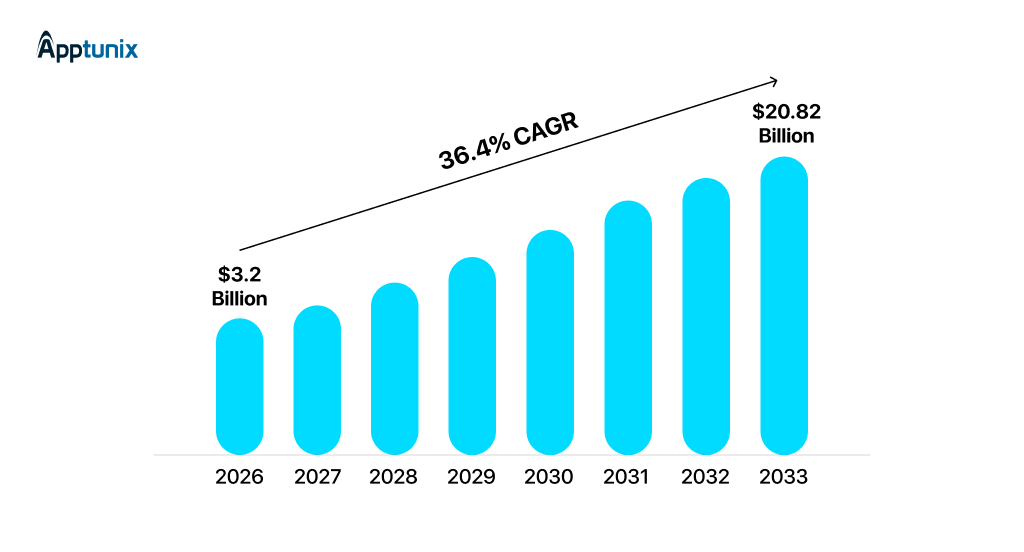
That’s where we are now with multimodal AI app development in 2026. Because today, we’re no longer in the phase of adding AI as a feature. We’re in the phase of building products that think across inputs. Global multimodal AI market hits $3.23B in 2026, surging to $20.82B by 2033 at 36.4% CAGR.
In a well-built multimodal system:
All in one flow. This isn’t futuristic anymore. It’s expected.
For SaaS founders or anyone building at an early stage, the key issue is really: What is the step-by-step guide to building multimodal AI apps without wasting time, energy, or your mind?
That’s precisely what you’ll learn how to do here. Let’s dive right in!
Multimodal AI applications involve processing a variety of inputs, like:
Rather than regarding these as disconnected pipes, multimodal technologies comprehend connections between these pipes. Let me explain it in layman’s language:
“You are using a voice assistant, but your AI is not comprehending your meaning. You have uploaded an image of your document, but it cannot read the text. It ends up leaving you frustrated, since your AI seems dumb.” It’s processing your words, but missing the context that a human would immediately grasp.”
That’s the problem multimodal AI solves. Multimodal AI applications combine multiple input types into unified systems that understand context. Here’s why this matters for your startup:
No doubt, the landscape has consolidated around a few heavyweight platforms, but the opportunity still exists at the edges. If you’re building multimodal AI apps, you’re not competing with these platforms. You’re building on top of them. Let’s break it down!
With that said, you need to understand that you don’t win by picking the best platform. You win by:
Because at the end of the day, users don’t care whether you used OpenAI or open-source. They care whether your product works fast, understands context, and actually solves their problem.
Voice is the interface of the future. It’s becoming the default because it’s the most natural way humans communicate.
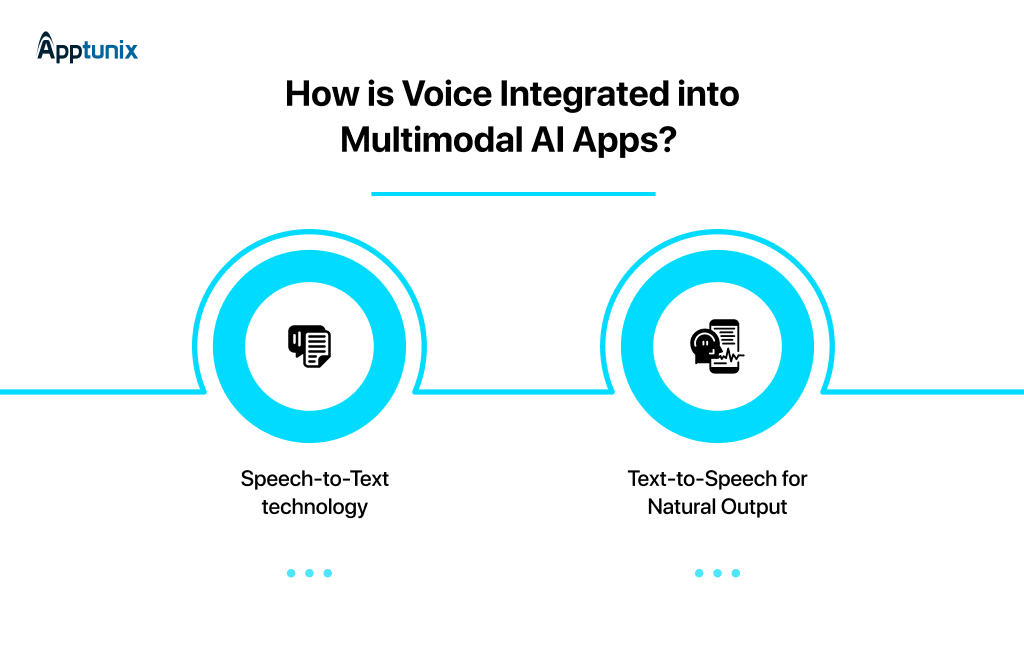
1: Speech-to-Text TechnologyModern systems now:
Use cases:
2: Text-to-Speech for Natural OutputThis is where emotion matters. Users can tell when they’re talking to a robot. The latest TTS models sound genuinely human. We’re seeing:
Voice-First Considerations:
Build for:
Pro tip: Always design a fallback to text
If voice is input, vision is context. It is the ability to understand the physical world through a camera or image.
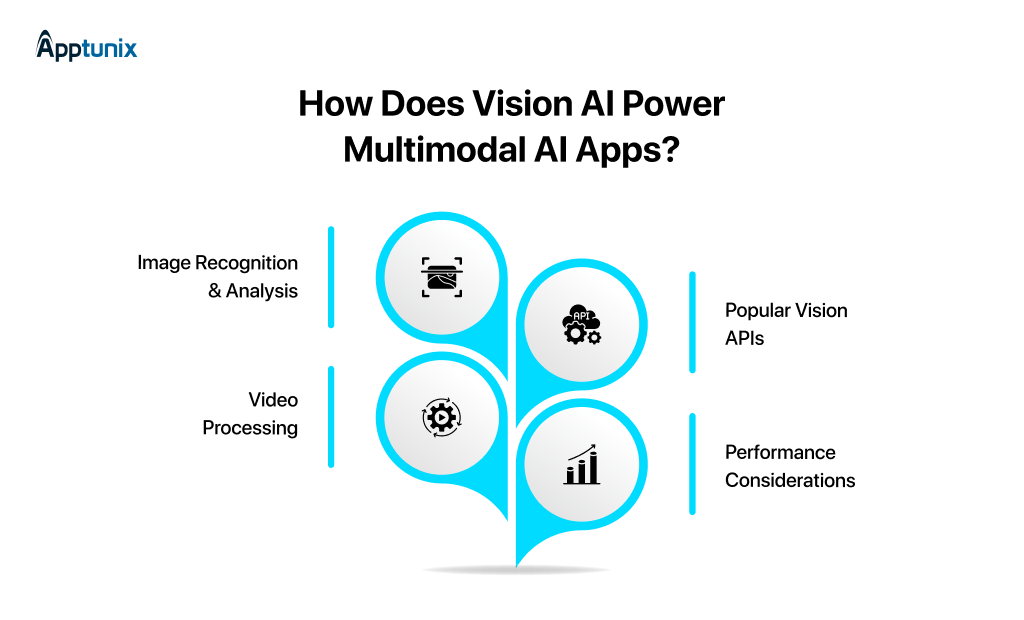
1: Image Recognition and AnalysisFor a SaaS product, modern vision models open specific opportunities:
The barrier to entry is lower than you think. You do not need a custom-trained model. Off-the-shelf vision models handle almost 80% of use cases.
2: Video ProcessingThis is an emerging territory. Analyzing video isn’t just about extracting frames; it’s about understanding sequences, changes, and temporal relationships. It can be used for:
For founders, this gets expensive fast. Processing a 10-minute video with a multimodal model isn’t prohibitively expensive, but it’s not free either. It’s better to start with image frames (every 2-5 seconds) rather than full video analysis.
3: Popular Vision APIsMost teams use:
4: Performance ConsiderationsImage size matters. A 12MB photo processed the same way as a 100KB thumbnail doesn’t make sense. Watch for:
Only process what you actually need.
Voice and vision get the headlines, but text processing is where everything connects.
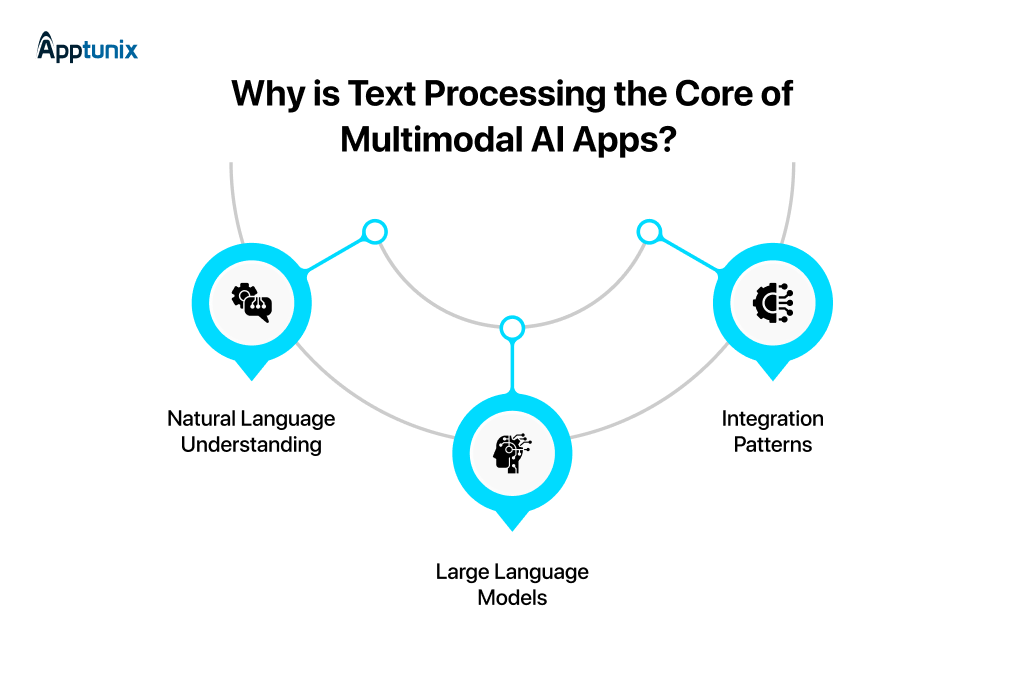
1: Natural Language UnderstandingThis is where your AI actually thinks about what the user wants. These are the factors that make it possible:
Most founders underestimate how important this is. You can have perfect voice transcription and crystal-clear vision analysis, but if you misunderstand what the user actually wants, none of it matters.
2: Large Language Models in Multimodal AppsLLMs are the decision-making layer of your product. They connect everything happening across your app.
In the multimodal AI app development process, LLMs act less like a feature and more like the system’s brain, bringing together voice, vision, and text into a single, coherent experience.
3: Integration PatternsNow, how do these systems actually work in practice?
Most multimodal AI application setups follow a similar flow, just without the complexity you might expect.
This is where multimodal AI app development becomes powerful: the output isn’t based on a single input, but on a richer understanding of everything the user has provided.
You’re a founder with a specific problem you want to solve with multimodal AI. How do you actually build this?
A typical multimodal stack looks like:
Many startup founders should start with a simple REST API calling OpenAI’s multimodal endpoints. Add complexity only when you need it. Let’s understand it with the help of an example.
Let’s say you’re building: A tool that reads documents, answers questions, and supports voice queries.
Step 1: Upload Document: User uploads a PDF/image (vision input). At this stage, your goal is simple: accept the file, validate its format, and prepare it for processing without slowing down the user experience.
Step 2: Vision Processing: Extract text and structure via Vision API. Modern vision systems understand how information is organized, which becomes critical for accurate downstream responses.
Step 3: Context Building: After extracting the content, you convert it into embeddings and store it in a vector database. This allows your system to retrieve relevant chunks of information later.
Step 4: Voice Input: Now the user interacts using voice, asking a question about the uploaded document. A speech-to-text system converts this into a clean, structured query.
Step 5: Query Processing: The user’s query is combined with relevant document context and sent to the LLM. This is where reasoning happens.
Step 6: Output: Finally, the system generates a response, which can be delivered as text or converted back into speech for a voice-first experience.
This is where most founders struggle to develop an AI multimodal app. Keep these pointers in mind:
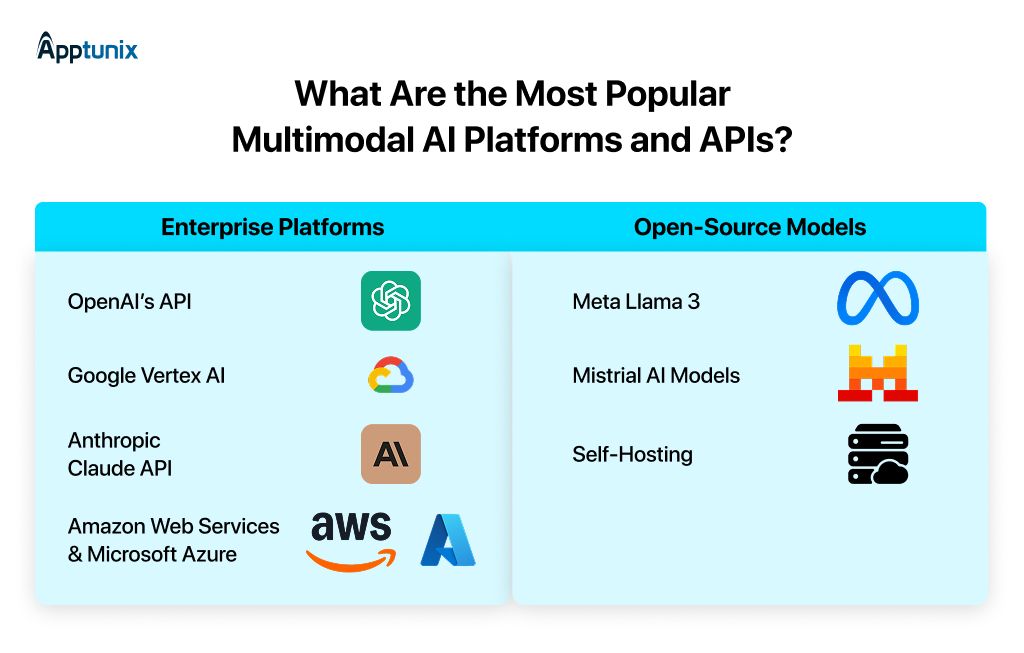
1: Enterprise Platforms2: Open-Source ModelsIf you’re thinking long-term about margins and control, this is where things get interesting for multimodal AI development.
1: HealthcareHealthcare is one of the most powerful applications of multimodal AI development, especially as voice technology in healthcare continues to evolve alongside vision and text-based systems.
Modern systems combine:
When these inputs are analyzed together, the system gets a full record of the patient. IBM Watson Health is a great example that has incorporated multimodal AI to:
2: E-commerceE-commerce is the segment where multimodal AI directly impacts revenue. Modern platforms combine product images, user search queries, reviews, and other behavioural data. This enables:
One classic example of this is Amazon. This platform uses multimodal AI to optimize its packaging. It selects the most efficient packaging by analyzing product dimensions, shipping constraints, and inventory data.
3: EducationEducation becomes far more engaging when you choose to combine modalities. Instead of static content, platforms are now using text explanations, audio guidance, and visual learning elements. Duolingo uses multimodal AI very effectively to:
4: Financial ServicesIn fintech, the biggest value comes from pattern detection across multiple data sources. Systems combine transaction logs, user behaviour patterns, financial documents, and more. This makes fraud detection and risk analysis far more accurate. For instance, JPMorgan Chase has developed DocLLM, which:
For startup founders, this is where multimodal AI for developers becomes a competitive edge and not just a feature.
Multimodal AI app development sounds exciting, and it is, but this is also where most teams underestimate complexity. Instead of dealing with one system, you’re coordinating multiple models, data types, and real-time interactions. That introduces a new class of challenges. Let’s break them down:
1: Technical ChallengesIn a multimodal system, inputs don’t arrive neatly in a sequence. A user might start speaking while an image is still processing, or upload a document and immediately ask a follow-up question. Each input has its own processing time, and your system can easily lose context or respond incorrectly.
Solution: Use an event-driven architecture where each input triggers a defined workflow.
Latency becomes a real issue when you are chaining multiple models like speech-to-text, vision processing, LLM reasoning, and then output generation. Even if each step is fast individually, together they can create noticeable delays that ruin the user experience.
Solution: Focus on parallel processing wherever possible instead of strictly sequential pipelines.
This is one of the hardest problems in multimodal AI development. Your system needs to remember what the user said, what they uploaded, and what has already been answered across multiple modalities. Without proper context handling, responses become inconsistent or irrelevant.
Solution: Use vector databases to store embeddings of past interactions and retrieved content. Combine this with session-based memory, so there is continuity within a conversation.
2: Business ChallengesMultimodal AI application development isn’t cheap. Running multiple models for voice, vision, and text together can get expensive. Early-stage founders often underestimate how fast costs scale with usage, especially when inefficient pipelines are in place.
Solution: Start small and focus on a single high-value use case. Validate ROI early and continuously optimize by reducing unnecessary API calls.
Models can fail unpredictably. In a multimodal setup, failure in one component (like poor speech recognition or incorrect image parsing) can cascade and affect the final output.
Solution: Build guardrails into your system, such as fallback logic and validation layers. For critical workflows, introduce human-in-the-loop mechanisms, so users always have a reliable fallback when the AI is uncertain.
3: Data ChallengesMultimodal systems often deal with highly sensitive data like voice recordings, documents, images, and personal queries. This creates serious concerns around compliance, data storage, and user trust.
Solution: Adopt a privacy-first architecture, including encrypting data in transit and at rest, minimizing data retention, and anonymizing sensitive inputs wherever possible.
Multimodal systems are only as good as the data they receive. Low-quality images, unclear voice inputs, or poorly structured documents can significantly reduce output accuracy.
Solution: Invest in input validation and preprocessing layers. Clean and normalize data before it reaches your models.
Multimodal AI is quickly becoming the standard for how modern products work. Users expect your app to understand them, whether they speak, type, or upload something. And the startups that win will be the ones that make this feel seamless.
For founders, the smartest move is simple: start small, solve one real problem well, and then expand into a more complete voice, vision, text AI experience. That’s how successful multimodal AI app development is actually done.
And execution makes all the difference.
With over 13+ years in the mobile app development space, Apptunix has delivered 5000+ digital solutions across 50+ countries. If you’re planning to build or scale with a trusted AI app development company, having a team that understands both product and AI can save you months of trial and error.
Because at the end of the day, this isn’t just about adopting a new technology. It’s about building products that feel smarter, faster, and more human.
Q 1.What are multimodal AI apps, and how are they different from traditional AI applications?
Multimodal AI apps can process and understand multiple types of inputs, such as voice, text, and images, within a single system. Unlike traditional AI, which handles one input type at a time, these apps combine inputs to deliver more context-aware and accurate outputs.
Q 2.What are the benefits of building multimodal AI apps for startups?
For startups, building multimodal AI applications can lead to:
Q 3.How much does it cost to build a multimodal AI app?
Costs vary based on usage and complexity. Early-stage products using APIs may spend a few hundred to a few thousand dollars monthly. At scale, costs increase with usage, but can be optimized using smaller models or open-source alternatives.
Q 4.Can small startups build multimodal AI apps without a large engineering team?
Yes, with modern APIs and pre-trained models, even small teams can build and launch MVPs quickly. The key is to start with a focused use case and avoid over-engineering early on.
Q 5.How do you design UX for multimodal AI apps?
Good UX is what separates successful products from demos. Some key principles to follow are:
Q 6.What’s the difference between multimodal AI and generative AI?
Generative AI focuses on creating content (text, images, etc.). Multimodal AI focuses on understanding and combining multiple input types. Most modern systems combine both:
Get the weekly updates on the newest brand stories, business models and technology right in your inbox.
With over 20+ years of experience in driving global digital initiatives, Nikhil Bansal is the CEO & Director of Apptunix. He specializes in orchestrating large-scale digital transformations, enterprise-grade software solutions, and high-level business strategies that redefine industry standards. Nikhil is known for his ability to bridge the gap between complex business challenges and innovative technology, helping Fortune 500 companies and startups alike achieve sustainable growth. A visionary leader, he empowers enterprises to navigate the digital landscape with agile, ROI-focused models and future-ready business strategies.
90 Views 11 min June 24, 2026

95 Views 11 min June 22, 2026
104 Views 11 min June 19, 2026
Book your consultation with us.
Book your consultation with us.


One Central, The offices 3, Level 3, DWTC, Sheikh Zayed Road, Dubai
+971 50 782 1690


Offer Ends Soon
Get a quick expert response in under 5 minutes.