
Fleet Management Software Development: Cost, Features, Process & AI Guide for Enterprise Fleets
88 Views 10 min June 24, 2026

Pallavi Nautiyal is a seasoned Tech Consultant at Apptunix, specializing in the intersection of global finance and decentralized technology. With a deep-rooted expertise in banking infrastructure, digital payment gateways, and Web3 ecosystems, she guides businesses through the complexities of modern financial engineering. Pallavi is recognized for her ability to architect secure, compliant, and scalable solutions—ranging from smart contracts and crypto-wallets to robust digital banking platforms. Her strategic insights help organizations navigate regulatory landscapes while leveraging the power of Blockchain to ensure transparency and seamless user experiences in every transaction.
Imagine watching your competitors close deals while you’re still drowning in messy spreadsheets.
It’s a sinking feeling, right?
That fear of missing out on market share isn’t just paranoia; it’s a signal that your data is stale. If you can’t see your sales trends in real-time, you are flying blindly without a dashboard.
Businesses are finally realizing that delayed reporting is no longer a small operational issue. It directly impacts growth, forecasting, and competitive decision-making.
The market growth reflects that shift clearly. According to Fortune Business Insights, the global sales software market is projected to reach $71.83 billion by 2031. Companies are investing heavily in sales reporting software development that improves forecasting accuracy and sales performance.
But most businesses are also realizing something important. Generic reporting tools rarely adapt well to complex workflows, dealer hierarchies, regional operations, or custom approval processes. That is why enterprises now prefer partnering with a sales reporting custom software development company. Because they understand how real sales ecosystems operate.
While developing enterprise-grade reporting ecosystems for dealer networks and sales operations, we have keenly observed this change. Modern platforms now combine AI analytics, reporting dashboards, notifications, forecasting modules, and CRM integrations into a single integrated experience.
Let’s explore how you can build a sales reporting software that actually predicts your future revenue.
Sales report software is used to monitor, organize, and visualize sales performance in real time. It aggregates data from CRMs, pipelines, invoices, customer interactions, and team activities to a single dashboard. Instead of waiting for weekly spreadsheets, decision-makers get instant visibility into revenue trends, conversion rates, and team performance.
Most sales teams already collect tremendous amounts of data on a daily basis. The real challenge is making sense of it before opportunities disappear. That’s where sales reporting software becomes valuable.
But modern platforms do far more than generate reports. Today’s businesses expect intelligent forecasting, automated reporting, and predictive insights. That demand is driving rapid growth in sales analytics software development across industries.
For smaller companies, daily sales report software simplifies everyday tracking without adding operational stress. Larger enterprises often invest in CRM sales reporting software development to unify reporting across departments, regions, and sales channels.
The shift toward cloud-based platforms is also changing expectations. Businesses now want flexible systems accessible across devices and locations. That’s why cloud-based sales reporting software development continues gaining attention among growing organizations.

Creating a successful reporting platform isn’t just about dashboards and reports. Businesses need a system that supports forecasting, decision-making, scalability, integrations, and future growth. This is why it is important to have a clear strategy from the beginning of sales reporting software development.
Here’s the walkthrough of what businesses typically go through when building modern AI-powered sales reporting software.
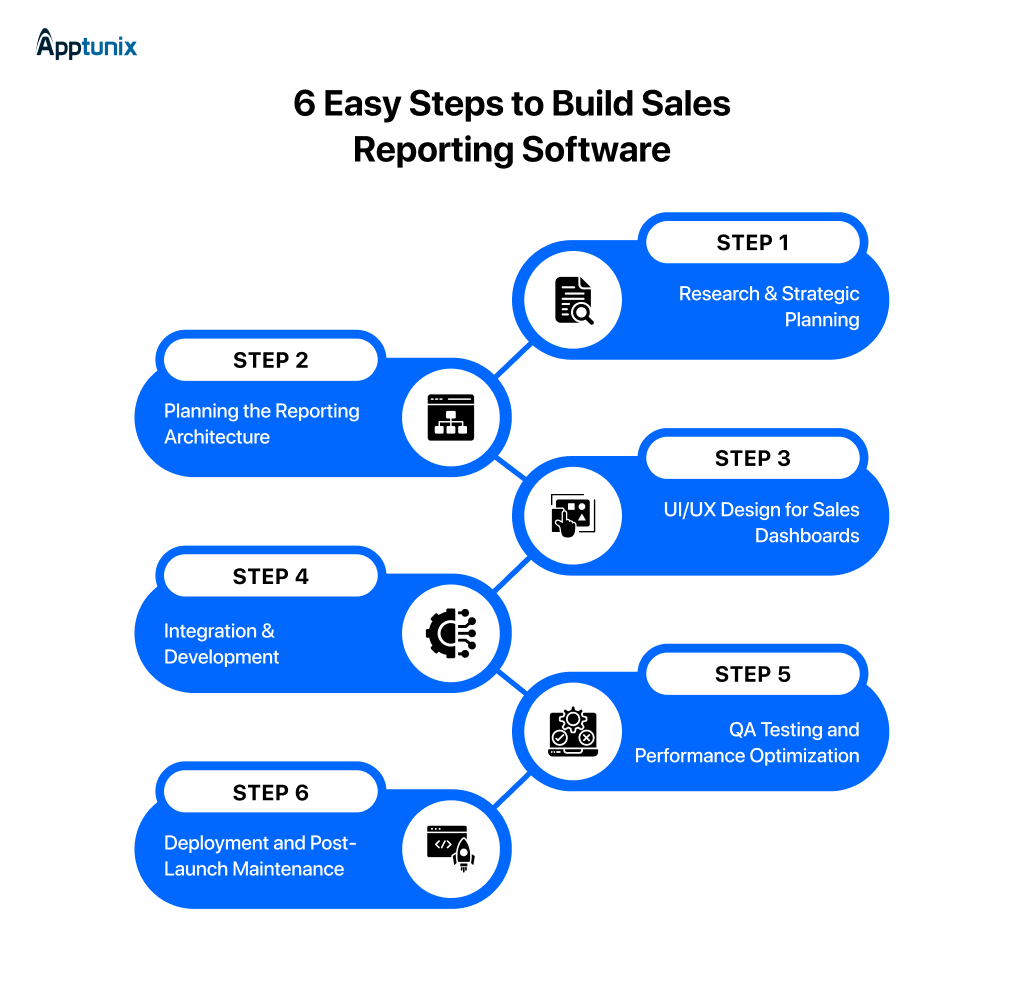
Step 1: Research & Strategic FrameworkWe never start with features. We start with business bottlenecks.
Before development begins, our team studies how sales teams currently track leads, revenue, targets, and forecasting. We frequently encounter companies using disjointed CRM exports, dispersed spreadsheets, or labor-intensive weekly manual updates.
This discovery phase helps us define:
For businesses planning AI-powered sales reporting software, this stage demands even greater attention. Because forecasting accuracy depends heavily on data quality and operational clarity.
Step 2: Planning the Reporting ArchitectureOnce we understand the business model, we move into architecture planning. This stage defines how the platform will function behind the scenes.
For cloud-based sales reporting software development, we carefully structure databases, APIs, permissions, and reporting pipelines to support long-term scalability.
We also map how different teams will interact with the system. Sales managers, executives, finance teams, and field representatives usually need very different reporting views.
That planning saves businesses major redevelopment costs later.
Step 3: UI/UX Design for Sales DashboardsIn sales dashboard software development, we make sure that the interface is not overcomplicated.
Sales teams work fast. If dashboards feel cluttered, adoption drops immediately. That’s why we focus heavily on usability and reporting clarity during the UI/UX stage.
Step 4: Integration & DevelopmentThis is where the actual software development begins. Our developers build reporting engines, analytics modules, role-based permissions, and CRM integrations based on approved workflows. Businesses investing in sales reporting software development often require integrations with Salesforce, HubSpot, CRM, ERPs, and marketing tools.
Step 5: QA Testing and Performance OptimizationA sales platform may look perfect during development and still fail under daily usage pressure. That’s why we test aggressively before deployment.
Our QA teams simulate real reporting conditions, large data loads, multiple user access scenarios, and live dashboard activity. For businesses handling enterprise-scale operations, this process becomes essential for maintaining reporting accuracy and speed.
Step 6: Deployment and Post-Launch MaintenanceAfter launch, we actively monitor how teams actually use the platform. In many cases, businesses request reporting adjustments once real operational data starts flowing through the system.
This phase usually includes performance monitoring, feature refinement, and ongoing optimization. Businesses investing in enterprise sales reporting platform development often expand their reporting needs quickly after adoption across departments.
That’s why post-launch flexibility matters as much as development itself.
The success of any sales reporting platform depends on the features behind it. Businesses no longer want static reports that arrive at the end of the month. Teams need a unified space where data flows naturally, allowing managers to detect chokepoints instantly.
This demand changes how we approach sales reporting software development.
We are moving away from rigid, clunky databases. Instead, the focus is on responsive, cloud-based software development that manages the intensive analysis for you.
Here are the top features of a sales reporting software in 2026:
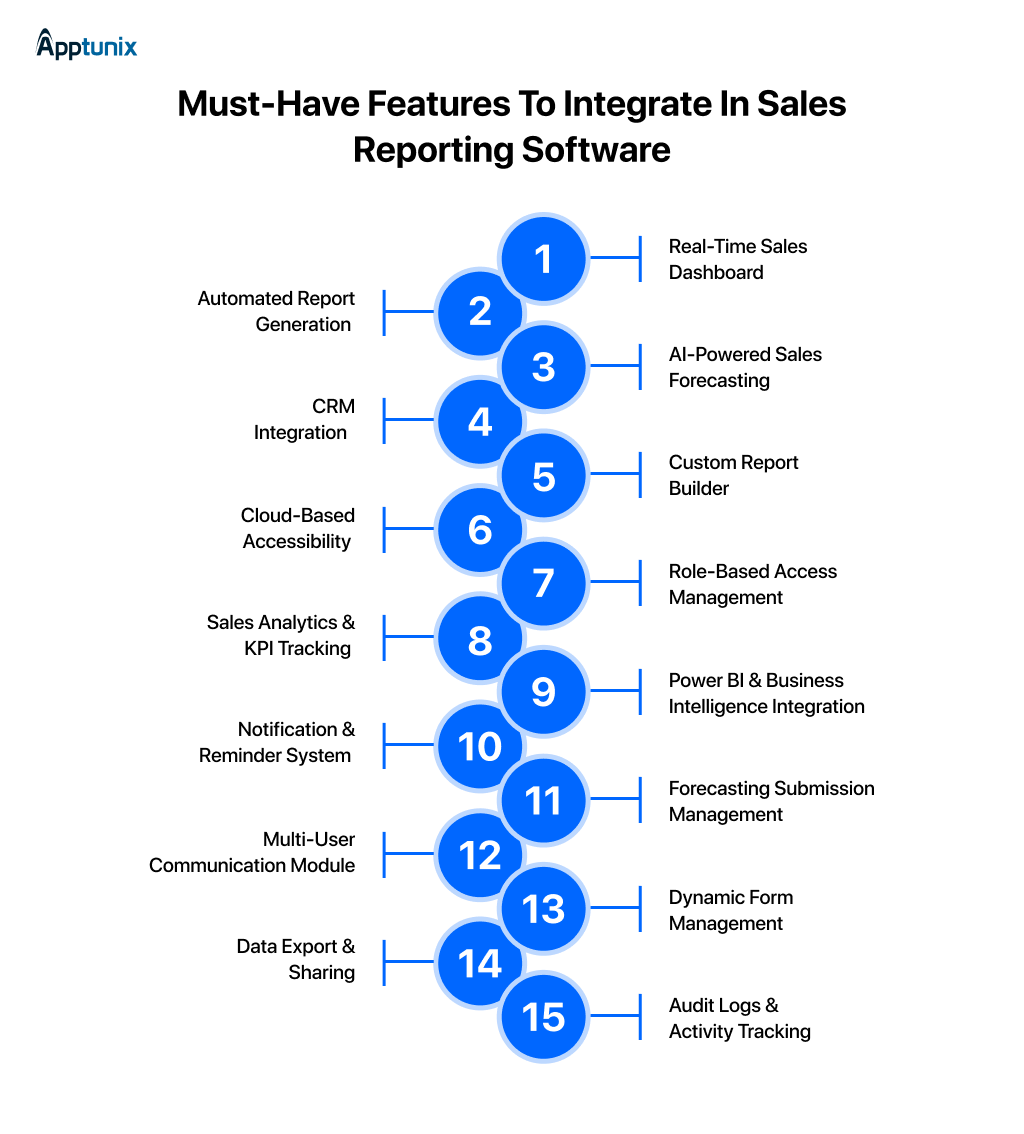
1: Real-Time Sales DashboardA real-time dashboard gives teams instant visibility into sales performance, revenue trends, targets, and pending activities. This feature matters because it eliminates the lag between a sale happening and a leader seeing it. You get a live “command center” view of your pipeline to make split-second adjustments. It is now a core requirement in modern sales dashboard software development projects.
2: Automated Report GenerationManual reporting consumes hours every week and increases human errors. Automated reporting generates daily, weekly, or monthly reports instantly. Businesses using daily sales report software improve operational efficiency while reducing dependency on disconnected reporting systems.
3: AI-Powered Sales ForecastingAI-powered sales reporting software enables companies to forecast sales trends based on past data and customer behaviors. Proper forecasting provides a more accurate plan for inventory, budgeting, and revenue. It also aids leadership in recognizing possible threats prior to that they affect quarterly objectives.
4: CRM IntegrationCRM sales reporting software development ensures your data isn’t siloed. By linking your reporting directly to customer interactions, you see the full story. This matters because it identifies exactly which touchpoints in the customer journey lead to the highest conversions.
5: Custom Report BuilderEvery business follows different KPIs and reporting structures. A custom report builder allows teams to create reports based on products, regions, sales representatives, or dealer performance. This flexibility is one reason businesses prefer custom sales reporting software development company solutions.
6: Cloud-Based AccessibilityCloud access allows teams to manage reports securely from any location. Cloud-based sales reporting software development supports remote operations without depending on physical infrastructure or outdated local servers.
7: Role-Based Access ManagementDifferent users require different access permissions. Role-based controls help businesses protect sensitive information while maintaining workflow transparency. This feature becomes essential in enterprise sales reporting platform development, where multiple departments use the same reporting ecosystem.
8: Sales Analytics & KPI TrackingStrong analytics features help businesses monitor conversions, deal performance, customer retention, and revenue growth. Sales analytics software development focuses heavily on KPI tracking. Leadership teams depend on measurable insights for long-term growth planning and operational improvements.
9: Power BI & Business Intelligence IntegrationBusiness intelligence integrations help companies connect sales data with finance, operations, and marketing metrics. This creates a broader business view and improves strategic planning. Many enterprises now prioritize AI sales dashboard development services with advanced BI integration capabilities.
10: Notification & Reminder SystemMissed follow-ups often lead to lost potential revenue on the table. Automated reminders help teams stay proactive with client meetings, pending approvals, and sales activities. This feature improves accountability while helping sales teams maintain stronger customer engagement.
11: Forecasting Submission ManagementThis feature lets sales reps submit their own monthly or quarterly estimates directly into the system. It matters because it creates accountability. You can compare “boots on the ground” expectations against actual results to improve future planning accuracy.
12: Multi-User Communication ModuleInternal communication gaps slow down sales processes. A built-in communication module allows teams to discuss deals, approvals, and updates directly inside the platform. It reduces dependency on scattered emails and improves collaboration across departments.
13: Dynamic Form ManagementDynamic forms help businesses collect structured sales information without repetitive manual work. Teams can customize forms for leads, approvals, customer onboarding, or reporting workflows.
14: Data Export & SharingBusinesses often require reports in CSV, Excel, or PDF formats for audits and presentations. Export functionality improves data accessibility while helping finance, operations, and leadership teams share reporting insights more efficiently.
15: Audit Logs & Activity TrackingAudit logs record every action performed inside the platform. Businesses can monitor report edits, approvals, submissions, and user activities easily. This improves transparency, accountability, and compliance across enterprise sales operations.
Behind every high-performing sales platform, there’s a strong technical foundation making everything run smoothly. Businesses often focus on dashboards and reporting features first. But the real success of sales reporting software development depends on the technology chosen underneath.
We’ve seen platforms struggle later because they were never built for scaling, CRM integrations, or real-time reporting. A well-planned stack supports faster performance, secure data handling, cloud flexibility, and future upgrades.
We often see platforms crash under pressure simply because the original architecture couldn’t scale. If you don’t plan your backend carefully from day one, adding any features later becomes a massive, expensive headache. It also makes AI-powered sales reporting software far easier to expand as reporting needs grow across teams and business operations.
Here’s the essential technology stack commonly used for cloud-based sales reporting software development:
When building custom sales reporting software, you are looking at more than just an engineering bill. You are pricing out the cost of replacing your team’s manual work with automated precision. Depending on your scope, the overall cost to develop sales reporting software typically ranges from $15,000 to $100,000+.
A basic sales report software with dashboards and report generation sits on the lower side. While enterprise-level platforms with AI forecasting, CRM integrations, and analytics modules require a larger investment.
Cloud-based sales reporting software development is preferred by many companies nowadays. Because of its ability to scale, access remotely, and make real-time decisions. Likewise, businesses that are investing in AI-based sales reporting software are putting more emphasis on automation and smart forecasting.
Budgeting for sales reporting software development involves several moving parts. Your total investment depends heavily on your specific goals. Here are six essential factors that directly influence your final sales reporting software development budget.
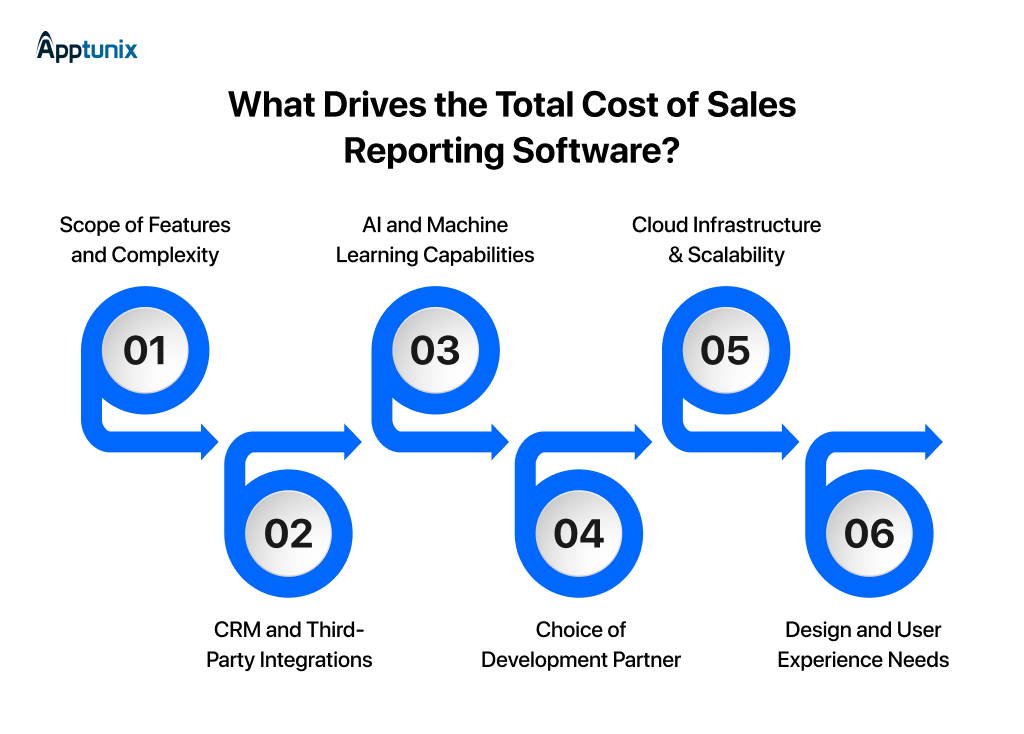
1: Scope of Features and ComplexityBasic platforms cost less to build. However, specialized sales analytics software development with deep predictive tools requires complex math. The more advanced features you add, the more development hours your team will need to budget for.
2: CRM and Third-Party IntegrationsModern businesses rarely operate with standalone systems anymore. CRM sales reporting software development often includes integrations with Salesforce, HubSpot, ERPs, accounting tools, and marketing platforms. Each integration requires secure API development, testing, and synchronization workflows. This directly impacts project timelines and budgets.
3: AI and Machine Learning CapabilitiesSimple charts are relatively inexpensive to create. If you want AI-powered sales reporting software, costs will rise. Building custom algorithms for predictive forecasting requires specialized data scientists, which naturally increases your total development investment.
4: Choice of Development PartnerYour choice of team shapes your overall budget. Partnering with an established sales reporting custom software development company offers deep expertise. This path ensures high quality, though it carries a higher price tag than hiring freelance developers.
5: Cloud Infrastructure & ScalabilityCloud-based sales reporting software development includes server infrastructure, database management, hosting environments, backup systems, and scalability planning. Businesses planning future expansion usually invest more initially to avoid performance limitations later. AWS, Azure, and Google Cloud infrastructure also influence operational costs.
6: Design and User Experience NeedsA confusing dashboard will simply get ignored. Custom sales dashboard software development requires highly intuitive, polished interfaces. Investing in high-end UI/UX design ensures your sales reps actually use the tool every day to close deals.
Waiting until the quarter ends to assess pipeline performance is a recipe for missed targets.
Businesses choose custom sales reporting software development to gain an immediate, unfair advantage. This tailored technology eliminates blind spots. It turns chaotic numbers into predictable revenue engines.
Here are the biggest reasons companies are prioritizing sales reporting software development in 2026.
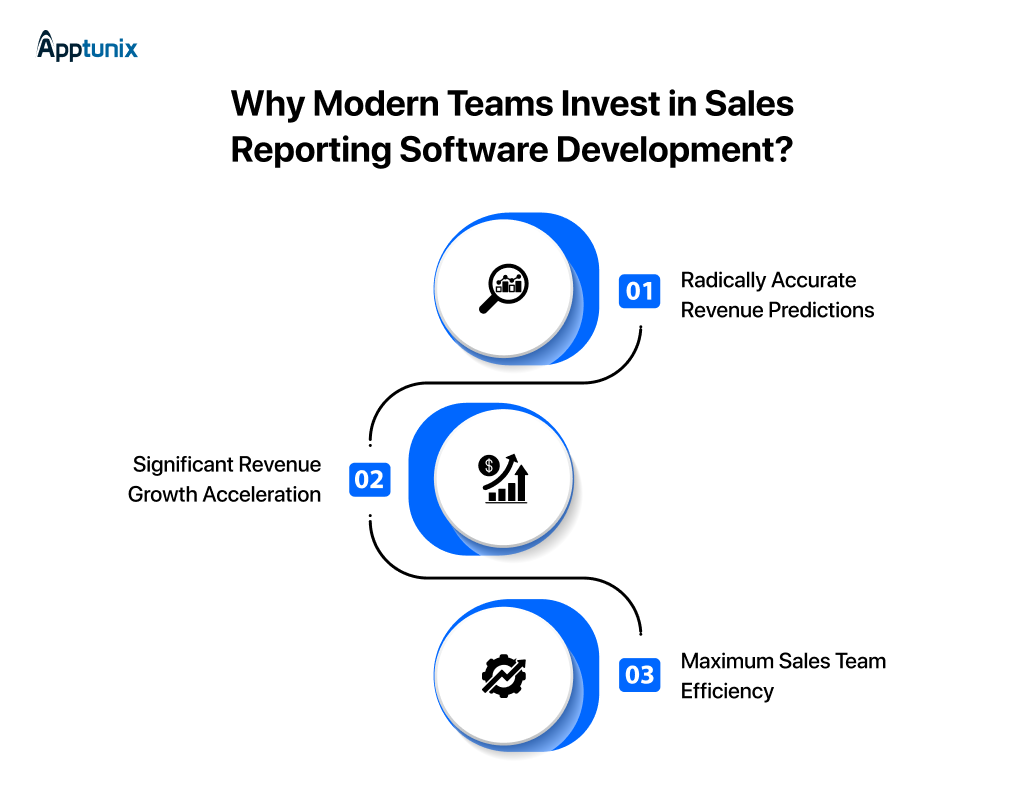
1: Radically Accurate Revenue PredictionsManual forecasting relies too heavily on gut feelings. Investing in AI-powered sales reporting software removes the guesswork. According to Persistence Market Research, companies using advanced intelligence experience a 25% to 30% increase in forecasting precision. This statistical accuracy allows leadership to allocate capital confidently.
2: Significant Revenue Growth AccelerationCustom software optimizes your entire customer journey. A recent global benchmarks study from Freshworks revealed a striking trend. Companies using structured analytics are 86% more likely to exceed their overall sales goals. Pursuing sales reporting software for business decision-making allows managers to save slipping accounts before it is too late.
3: Maximum Sales Team EfficiencyReps should spend their precious time closing deals, not building charts. Industry research from Persistence Market Research confirms a major benefit. Automated analytical workflows cut manual tracking time by up to 70%. Capitalizing on the benefits of sales reporting software for decision-making frees your team for outbound revenue generation.
Sales reporting software development isn’t a luxury reserved for enterprise giants anymore. Small teams, growing dealer networks, mid-size B2B companies, they’re all making the shift. And the ones moving early are pulling ahead.
The thing is, building this right requires more than just a development team that knows how to code. It takes people who understand sales operations, data workflows, and the decisions this software has to support daily.
That’s exactly where Apptunix comes in.
We build sales reporting platforms that solve real operational challenges, not just technical requirements. From automated reporting and forecasting dashboards to CRM integrations, our focus stays on designing frameworks for accelerated growth.
Over the years, we have worked on enterprise-grade platforms designed for complex reporting environments, multi-user operations, and data-driven decision-making. This experience equips us to take a holistic view of usability and ROI on every project we take on.
If you are planning to build a sales reporting software solution, this is the right time to start.
Q 1.What is the average cost to build custom sales reporting software?
The average cost to develop sales reporting software typically ranges between $15,000 to $100,000. A basic platform with dashboards and reporting tools for small teams falls on the lower end. While an enterprise-grade platform with complex features sits on the higher side.
Q 2.How long does sales reporting software development take?
Sales reporting software development usually takes 3 to 9 months, depending on features, integrations, and project complexity. A basic reporting platform can launch faster. However, enterprise-level systems require additional development time for analytics, forecasting, user roles, and CRM integrations.
Q 3.Why should I build custom sales software instead of buying a SaaS subscription?
Commercial SaaS tools charge per-user monthly fees and force you into generic workflows. Custom sales dashboard software development gives you complete ownership. You can build exact features for your reporting hierarchies without paying forever for features you never use.
Q 4.Can custom sales reporting software integrate directly with my current CRM?
Yes, custom sales reporting software can integrate directly with most CRM platforms, including Salesforce, HubSpot, Zoho CRM, and Microsoft Dynamics. CRM sales reporting software development helps businesses centralize customer data, sales pipelines, forecasting, and reporting workflows inside one connected ecosystem. This improves visibility, reduces manual work, and supports faster business decisions.
Q 5.How does cloud-based reporting software handle data security and compliance?
Modern cloud-based sales reporting software development protects your financial data using:
Q 6.How does AI-powered sales reporting software improve forecasting accuracy?
Investing in AI-powered sales reporting software removes human bias from your revenue tracking. By analyzing huge volumes of historical data, the system automatically detects buying patterns and pipeline bottlenecks. This results in a 25% to 30% increase in forecasting precision.
(4 ratings, average: 5.00 out of 5)
Get the weekly updates on the newest brand stories, business models and technology right in your inbox.
Pallavi Nautiyal is a seasoned Tech Consultant at Apptunix, specializing in the intersection of global finance and decentralized technology. With a deep-rooted expertise in banking infrastructure, digital payment gateways, and Web3 ecosystems, she guides businesses through the complexities of modern financial engineering. Pallavi is recognized for her ability to architect secure, compliant, and scalable solutions—ranging from smart contracts and crypto-wallets to robust digital banking platforms. Her strategic insights help organizations navigate regulatory landscapes while leveraging the power of Blockchain to ensure transparency and seamless user experiences in every transaction.
88 Views 10 min June 24, 2026

94 Views 10 min June 22, 2026

104 Views 10 min June 19, 2026
Book your consultation with us.
Book your consultation with us.


One Central, The offices 3, Level 3, DWTC, Sheikh Zayed Road, Dubai
+971 50 782 1690


Offer Ends Soon
Get a quick expert response in under 5 minutes.